

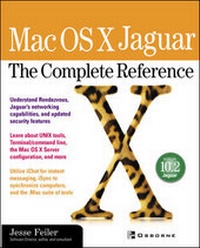
Mac OS X Jaguar: The Complete Reference
Published on 16. January 2003
Book
Paperback/Softback
912 pages
978-0-07-222789-5 (ISBN)
Description
Saddle up and ride the speedy, powerful Jaguar. Gives a thorough run-down of the OS X operating system and the Aqua interface. Plus, learn essential system protocols, storage technologies, Internet and Ethernet performance, data protection, new UNIX tools, security features, and networking capabilities, and much more.
More details
Series
Language
English
Place of publication
United States
Publishing group
McGraw-Hill Education - Europe
Target group
Professional and scholarly
Illustrations
150 illustrations
Dimensions
Height: 229 mm
Width: 188 mm
Thickness: 48 mm
Weight
1486 gr
ISBN-13
978-0-07-222789-5 (9780072227895)
Copyright in bibliographic data and cover images is held by Nielsen Book Services Limited or by the publishers or by their respective licensors: all rights reserved.
Schweitzer Classification
Person
Jesse Feiler (Philmont, NY) is Software Director of Philmont Software Mill. He has server as manager, software developer, consultant, author, and speaker for organizations such as Apple Computer, the Federal Reserve Bank of New York, and Prodigy. He has also written several books, including Real World Apple Guide (1558514295) and Application Servers: Powering the Web-based Enterprise (012051338X).
Content
Part I: Welcome to Mac OS X Jaguar 1: Introducing Mac OS X Jaguar 2: Aqua 3: How It Works Part II: Using Mac OS X 4: Working with Files and the Finder 5: Printing 6: Using System Preferences 7: Setting Other Preferences 8: Securing Your Computer 9: Managing Your Computer Environment 10: Getting Help 11: .Mac: Apple's Tools on the Internet Part III: Networking 12: Communicating over a Local Area Network 13: Communicating over the Internet 14: Setting Up a Network Server 15: Setting up an Internet Server Part IV: Using Applications on Mac OS X 16: Working with Applications 17: Using the Mac OS X Applications 18: Working with Services 19: Using Mail, Webmail, and Address Book Part V: Programming Mac OS X 20: Automating Your Work with AppleScript 21: Using Terminal and the Command Line 22: Programming with Mac OS X: Project Builder and Interface Builder 23: Using AppleScript Studio 24: Programming Mac OS X Part VI: Appendixes Appendix A: Installing Mac OS X Appendix B: Troubleshooting Mac OS X Appendix C: Glossary Appendix D: Glossary of Visual Objects