

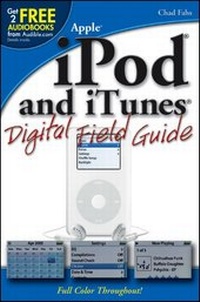
iPod and iTunes Digital Field Guide
1st Edition
Published on 7. October 2005
Book
Paperback/Softback
220 pages
978-0-7645-9679-7 (ISBN)
Description
Your grandfather's record collection filled an entire wall. You can carry more tunes than that in your pocket and listen to them anywhere. But your iPod can also display photos, access your e-mail, keep your calendar, entertain you with games, and be your address book. Make the most of that amazing little device with these illustrated, step-by-step instructions for customizing it, ordering and organizing music with iTunes, backing up your library, using accessories, and maximizing every fabulous feature.
* Understand the features of your particular iPod model
* Transfer, add, organize, and delete songs
* Create smart playlists and print covers with iTunes
* Use Airport Express and AirTunes to stream music to any room in your house
* Use the iPod as a portable hard drive or photo album
* Troubleshoot common and not-so-common problems
* Check e-mail and listen to audiobooks, streaming music, or podcasts
* Understand the features of your particular iPod model
* Transfer, add, organize, and delete songs
* Create smart playlists and print covers with iTunes
* Use Airport Express and AirTunes to stream music to any room in your house
* Use the iPod as a portable hard drive or photo album
* Troubleshoot common and not-so-common problems
* Check e-mail and listen to audiobooks, streaming music, or podcasts
More details
Person
Chad Fahs is an author whose work includes HDV Filmmaking, Final Cut Pro 4 For Dummies, MacWorld DVD Studio Pro Bible, Flash MX Design for TV and Video, Apple Pro Training Series: DVD Studio Pro 2, and Mac OS X Panther in Ten Simple Steps or Less. In addition, Chad has been an instructor in the Multimedia Arts department at the College of DuPage (located outside of Chicago, IL). He is also a certified Apple instructor and has taught classes and custom courses in Final Cut Pro and DVD Studio Pro for Future Media Concepts in Philadelphia, PA, and Washington, D.C. Chad also writes, directs, produces, edits, and consults for a variety of projects and clients. He is currently an editor at Concrete Pictures in the Philadelphia area.
Content
Acknowledgments.
Preface.
Quick Tour.
Part I: Using the iPod.
Chapter 1: Exploring the iPod.
Chapter 2: Setting Up the iPod.
Chapter 3: iPod Basics and More.
Part II: Working with iPod Software.
Chapter 4: iTunes Basics and More.
Chapter 5: iTunes Music Store.
Part III: Getting the Most Out of the iPod.
Chapter 6: iPod Accessories.
Chapter 7: Special Tips and Techniques.
Chapter 8: iPod Maintenance and Troubleshooting.
Part IV: Appendixes.
Appendix A: iPod and iTunes Resources.
Appendix B: Keyboard Shortcuts.3
Glossary.
Index.
Preface.
Quick Tour.
Part I: Using the iPod.
Chapter 1: Exploring the iPod.
Chapter 2: Setting Up the iPod.
Chapter 3: iPod Basics and More.
Part II: Working with iPod Software.
Chapter 4: iTunes Basics and More.
Chapter 5: iTunes Music Store.
Part III: Getting the Most Out of the iPod.
Chapter 6: iPod Accessories.
Chapter 7: Special Tips and Techniques.
Chapter 8: iPod Maintenance and Troubleshooting.
Part IV: Appendixes.
Appendix A: iPod and iTunes Resources.
Appendix B: Keyboard Shortcuts.3
Glossary.
Index.