

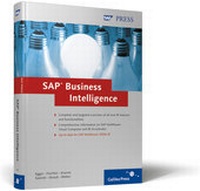
SAP Business Intelligence
Up-to-date for SAP NetWeaver BI 7
1st Edition
Published on 28. January 2007
Book
Hardback
656 pages
978-1-59229-082-6 (ISBN)
Description
This book provides you with highly detailed information on all of the most important BI features of the new SAP NetWeaver 2004s release. You gain a profound understanding of SAP BI and quickly learn how to master the new release.
Familiar subjects like data modeling, ETL, web reporting, and planning are combined with expert insights on essential new BI functions and core concepts, making this reference an invaluable companion for your daily work. The authors provide exclusive details on advanced developments in BEx Analyzer and BEx Web Application Designer, as well as on the BEx Report Designer, BI-integrated planning, the BI Accelerator and Visual Composer, ensuring that your most important questions are addressed with practical guidance. Real-life examples, volumes of screen captures, and detailed graphics, as well as step-by-step instructions, enable you to quickly and easily familiarize yourself with all of the new BI functions.
This book is intended for SAP consultants, team members, and managers in the areas of IT, BI, and controlling.
Highlights include:
Business Intelligence Concepts
New Features of SAP NetWeaver 2004s
Data Modeling in the Data Warehousing Workbench
Data Retrieval
Performance Optimization with Aggregates and BI Accelerator
Redesign Functions: Repartitioning and Remodeling
BEx Query Designer
BEx Analyzer
BEx Web Application Designer
Report Designer
BI-Integrated Planning
Visual Composer
More details
Persons
Author
Norbert Egger is the Managing Director of the CubeServ Group, which specializes in BI solutions. In 1996, he established the world's first data warehouse based on SAP. Since then, he has implemented hundreds of projects with SAP BW and SAP SEM. He has many years of experience in the operation of SAP-based BI solutions.
Jean-Marie R. Fiechter has worked as a senior data warehousing consultant at CubeServ AG (Jona, Switzerland) since 2003 and is a certified SAP NetWeaver Business Intelligence consultant. He has international, practical experience in the areas of data warehousing, business intelligence, massively parallel processing, and management information systems (MIS). For the past several years, he has taught data warehousing at various universities and colleges. In addition, he works as a BI instructor on behalf of SAP.
Sebastian Kramer has worked as an SAP BW consultant at CubeServ GmbH, Flörsheim, Germany, which specializes in business intelligence solutions. The main focus of his work lies on reporting, particularly web reporting. Sebastian Kramer graduated in business information systems technology at the technical college in Heidelberg, Germany. He has many years of experience with SAP Business Information Warehouse and SAP R/3 and has been involved in numerous national and international projects with well-known companies.
Ralf Patrick Sawicki is an SAP BW consultant at CubeServ GmbH (Flörsheim am Main, Germany), which specializes in business intelligence solutions. He has many years of experience with SAP Business Information Warehouse and SAP R/3 and has been involved in numerous national and international projects with well-known companies. Ralf Patrick Sawicki is a certified solution consultant for SAP NetWeaver Business Intelligence.
Peter Straub is a member of the executive board at CubeServ Group, which specializes in business intelligence solutions. In 1994 he was in charge of establishing the SAP outsourcing area at Digital Equipment Corporation (DEC) in Switzerland and was jointly responsible for the GoLive of the first productive R/3 3.0 customer worldwide. Due to the constantly growing environment which has become increasingly complex the author had the opportunity to provide proof of his technical competencies in many global projects.
Stefan Weber is a senior consultant at CubeServ AG (Jona, Switzerland), which specializes in business intelligence solutions. After finishing his studies in business administration (with a focus on information management, production, and marketing) he first worked as an SAP consultant and project manager in the telecommunications, chemical, retail, and banking industries. In addition to his original R/3-related focus in the areas of accounting, controlling, and project system, has has also been involved in SAP BW and SAP SEM projects for several years.
Content
Preface ... 15
Foreword ... 19
Introductory Notes ... 21
1. Business Intelligence Concepts-Innovations ... 27
... 1.1 The Closed-Loop Business Analytics Process ... 27
... 1.2 Implementation in Modern Data-Warehousing Systems ... 32
... 1.3 New Features in SAP NetWeaver 2004s ... 36
2. New Features of SAP NetWeaver 2004s-An Overview ... 67
... 2.1 SAP NetWeaver 2004s ... 67
... 2.2 Software Components and User Interfaces ... 68
... 2.3 Enterprise Data Warehousing: Data Modeling ... 85
... 2.4 Enterprise Data Warehousing: ETL and Administration ... 101
... 2.5 Enterprise Reporting, Query, and Analysis ... 122
... 2.6 Business Planning and Analytical Services ... 142
... 2.7 Performance Optimization ... 147
... 2.8 User Management and Analysis Authorizations ... 151
... 2.9 Conclusion ... 153
3. Data Modeling in the Data Warehousing Workbench of SAP NetWeaver 2004s BI ... 155
... 3.1 Introduction ... 155
... 3.2 Sample Scenario ... 155
... 3.3 Creating an InfoObject ... 156
... 3.4 "Sales Order Header" Data Model ... 160
... 3.5 "Sales Order Items" Data Model ... 189
... 3.6 "Sales Order Header and Item" MultiProvider ... 203
4. Data Retrieval ... 213
... 4.1 Sample Scenario ... 213
... 4.2 DataSources ... 213
... 4.3 Emulating the 3.x Data Retrieval Process in SAP NetWeaver 2004s ... 217
... 4.4 Data Retrieval Processes in SAP NetWeaver 2004s ... 230
5. Performance Optimization with Aggregates and BI Accelerator ... 263
... 5.1 Introduction ... 263
... 5.2 Reporting without Performance Optimization Measures ... 264
... 5.3 Performance Optimization Using Aggregates ... 270
... 5.4 Performance Optimization Using BI Accelerator ... 279
... 5.5 Comparison and Evaluation of Performance Optimization Tools ... 294
6. Redesign Functions: Repartitioning and Remodeling ... 297
... 6.1 Redesign Requirements in SAP BW Applications ... 297
... 6.2 Repartitioning InfoProviders ... 297
... 6.3 Remodeling InfoProviders ... 308
... 6.4 The First Redesign Functions: An Interim Result ... 323
7. BEx Query Designer ... 325
... 7.1 Reporting and Analysis-An Overview ... 325
... 7.2 BEx Query Designer in Detail ... 327
8. Business Explorer Analyzer ... 365
... 8.1 Introduction ... 365
... 8.2 Running a Query in BEx Analyzer ... 366
... 8.3 The Design Mode in BEx Analyzer ... 374
9. BEx Web Application Designer ... 387
... 9.1 Getting Started ... 387
... 9.2 Simple Web Reporting ... 389
... 9.3 Complex Web Reporting ... 405
... 9.4 Structure of Web Templates ... 418
... 9.5 Portal Integration ... 419
... 9.6 Migrating 3.x Web Templates ... 419
... 9.7 BEx Broadcaster ... 421
10. Report Designer ... 425
... 10.1 Introduction ... 425
... 10.2 Enterprise Reporting-Sample Application ... 426
... 10.3 Installing and Executing BEx Report Designer ... 428
... 10.4 Formatting in BEx Report Designer ... 435
11. BI-Integrated Planning ... 451
... 11.1 Introduction ... 451
... 11.2 Sample Scenario ... 454
... 11.3 The Planning Environment ... 458
... 11.4 Planning Functions ... 480
... 11.5 Manual Planning ... 507
... 11.6 Planning on the Web ... 514
... 11.7 Planning in Microsoft Excel ... 525
... 11.8 Conclusion ... 534
12. SAP NetWeaver Visual Composer ... 535
... 12.1 Sample Scenario ... 535
... 12.2 Basis Components ... 536
... 12.3 Creating a Model in Visual Composer ... 540
... 12.4 The "Accounts Receivables by Customer" Overview ... 544
... 12.5 Development of the Payment History of a Selected Customer ... 569
... 12.6 The Customer Data Sheet ... 581
... 12.7 Changing Customer Credit Management Data in the OLTP System ... 586
... 12.8 Creating a Header Field ... 615
... 12.9 Integrating the Composite Application in the SAP Enterprise Portal ... 620
... 12.10 Running the Application ... 622
... 12.11 An Interim Result ... 627
Appendix ... 629
... A Abbreviations ... 631
... B New Terminology ... 633
... C Transaction Codes ... 635
... D Literature ... 641
... E Authors ... 643
Index ... 647
Foreword ... 19
Introductory Notes ... 21
1. Business Intelligence Concepts-Innovations ... 27
... 1.1 The Closed-Loop Business Analytics Process ... 27
... 1.2 Implementation in Modern Data-Warehousing Systems ... 32
... 1.3 New Features in SAP NetWeaver 2004s ... 36
2. New Features of SAP NetWeaver 2004s-An Overview ... 67
... 2.1 SAP NetWeaver 2004s ... 67
... 2.2 Software Components and User Interfaces ... 68
... 2.3 Enterprise Data Warehousing: Data Modeling ... 85
... 2.4 Enterprise Data Warehousing: ETL and Administration ... 101
... 2.5 Enterprise Reporting, Query, and Analysis ... 122
... 2.6 Business Planning and Analytical Services ... 142
... 2.7 Performance Optimization ... 147
... 2.8 User Management and Analysis Authorizations ... 151
... 2.9 Conclusion ... 153
3. Data Modeling in the Data Warehousing Workbench of SAP NetWeaver 2004s BI ... 155
... 3.1 Introduction ... 155
... 3.2 Sample Scenario ... 155
... 3.3 Creating an InfoObject ... 156
... 3.4 "Sales Order Header" Data Model ... 160
... 3.5 "Sales Order Items" Data Model ... 189
... 3.6 "Sales Order Header and Item" MultiProvider ... 203
4. Data Retrieval ... 213
... 4.1 Sample Scenario ... 213
... 4.2 DataSources ... 213
... 4.3 Emulating the 3.x Data Retrieval Process in SAP NetWeaver 2004s ... 217
... 4.4 Data Retrieval Processes in SAP NetWeaver 2004s ... 230
5. Performance Optimization with Aggregates and BI Accelerator ... 263
... 5.1 Introduction ... 263
... 5.2 Reporting without Performance Optimization Measures ... 264
... 5.3 Performance Optimization Using Aggregates ... 270
... 5.4 Performance Optimization Using BI Accelerator ... 279
... 5.5 Comparison and Evaluation of Performance Optimization Tools ... 294
6. Redesign Functions: Repartitioning and Remodeling ... 297
... 6.1 Redesign Requirements in SAP BW Applications ... 297
... 6.2 Repartitioning InfoProviders ... 297
... 6.3 Remodeling InfoProviders ... 308
... 6.4 The First Redesign Functions: An Interim Result ... 323
7. BEx Query Designer ... 325
... 7.1 Reporting and Analysis-An Overview ... 325
... 7.2 BEx Query Designer in Detail ... 327
8. Business Explorer Analyzer ... 365
... 8.1 Introduction ... 365
... 8.2 Running a Query in BEx Analyzer ... 366
... 8.3 The Design Mode in BEx Analyzer ... 374
9. BEx Web Application Designer ... 387
... 9.1 Getting Started ... 387
... 9.2 Simple Web Reporting ... 389
... 9.3 Complex Web Reporting ... 405
... 9.4 Structure of Web Templates ... 418
... 9.5 Portal Integration ... 419
... 9.6 Migrating 3.x Web Templates ... 419
... 9.7 BEx Broadcaster ... 421
10. Report Designer ... 425
... 10.1 Introduction ... 425
... 10.2 Enterprise Reporting-Sample Application ... 426
... 10.3 Installing and Executing BEx Report Designer ... 428
... 10.4 Formatting in BEx Report Designer ... 435
11. BI-Integrated Planning ... 451
... 11.1 Introduction ... 451
... 11.2 Sample Scenario ... 454
... 11.3 The Planning Environment ... 458
... 11.4 Planning Functions ... 480
... 11.5 Manual Planning ... 507
... 11.6 Planning on the Web ... 514
... 11.7 Planning in Microsoft Excel ... 525
... 11.8 Conclusion ... 534
12. SAP NetWeaver Visual Composer ... 535
... 12.1 Sample Scenario ... 535
... 12.2 Basis Components ... 536
... 12.3 Creating a Model in Visual Composer ... 540
... 12.4 The "Accounts Receivables by Customer" Overview ... 544
... 12.5 Development of the Payment History of a Selected Customer ... 569
... 12.6 The Customer Data Sheet ... 581
... 12.7 Changing Customer Credit Management Data in the OLTP System ... 586
... 12.8 Creating a Header Field ... 615
... 12.9 Integrating the Composite Application in the SAP Enterprise Portal ... 620
... 12.10 Running the Application ... 622
... 12.11 An Interim Result ... 627
Appendix ... 629
... A Abbreviations ... 631
... B New Terminology ... 633
... C Transaction Codes ... 635
... D Literature ... 641
... E Authors ... 643
Index ... 647