

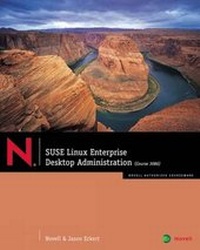
SUSE Linux Enterprise
Published on 1. March 2008
Book
Mixed media product
500 pages
978-1-4283-2227-1 (ISBN)
Description
The release of Novell's SUSE Linux Enterprise Server version 10 (SLES 10) marked a new era for the Open Source server. SLES 10 was developed with interoperability in mind. It can be integrated seamlessly into existing network environments, both Open Source and proprietary. It provides a manageable, stable, secure, and affordable network environment. The Linux community at large is constantly updating and improving the Linux kernel. Novell generates their revenue by building a support package around SLED 10. The elimination of development costs allows Novell to offer SLED 10 at significantly lower cost that Microsoft's desktop OS. This model makes SLED 10 an affordable and attractive alternative desktop operating system for corporate environments, and many have already adopted it. Companies such as Marriott, CNN, Circuit City, HP, Dell, and Publix have adopted SLES 10, and now Industry certification bodies are recognizing the benefits of SLES 10 as well. As demand increases for this new operating system, the demand for trained Novell Administrators also increases.
SUSE Linux Enterprise Desktop Administration introduces network professionals to the new server program, and it contains Course Technology's proven academic pedagogy, making this the ideal classroom solution for teaching Novell.
SUSE Linux Enterprise Desktop Administration introduces network professionals to the new server program, and it contains Course Technology's proven academic pedagogy, making this the ideal classroom solution for teaching Novell.
Reviews / Votes
1. Install SUSE Linux Enterprise Desktop 10 2. Use the Linux Desktop 3. Locate and Use Help Resources 4. Administer Linux with YaST 5. Manage the Network Configuration 6. Manage Software 7. Manage Directories and Files 8. Work with the Linux Shell and Command Line 9. Manage Users, Groups, and Permissions 10. Monitor the Linux System and Control Processes 11. Manage System Initialization 12. Administer Printing 13. Integrate SUSE Linux Enterprise Desktop 10 into Existing Environments 14. Customize the Graphical Interface on SUSE Linux Enterprise Desktop 10 15. Deploy SUSE Linux Enterprise Desktop 10 Appendix A: Useful Commands Appendix B: Network Components and Architecture Appendix C: Use the KDE Desktop EnvironmentMore details
Language
English
Place of publication
Clifton Park
United States
Publishing group
Cengage Learning, Inc
Target group
College/higher education
Dimensions
Height: 234 mm
Width: 188 mm
Thickness: 33 mm
Weight
1067 gr
ISBN-13
978-1-4283-2227-1 (9781428322271)
Copyright in bibliographic data and cover images is held by Nielsen Book Services Limited or by the publishers or by their respective licensors: all rights reserved.
Schweitzer Classification
Content
1. Install SUSE Linux Enterprise Desktop 10 2. Use the Linux Desktop 3. Locate and Use Help Resources 4. Administer Linux with YaST 5. Manage the Network Configuration 6. Manage Software 7. Manage Directories and Files 8. Work with the Linux Shell and Command Line 9. Manage Users, Groups, and Permissions 10. Monitor the Linux System and Control Processes 11. Manage System Initialization 12. Administer Printing 13. Integrate SUSE Linux Enterprise Desktop 10 into Existing Environments 14. Customize the Graphical Interface on SUSE Linux Enterprise Desktop 10 15. Deploy SUSE Linux Enterprise Desktop 10 Appendix A: Useful Commands Appendix B: Network Components and Architecture Appendix C: Use the KDE Desktop Environment