

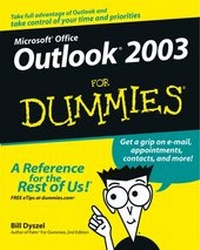
Outlook 2003 For Dummies
1st Edition
Published on 3. October 2003
Book
Paperback/Softback
384 pages
978-0-7645-3759-2 (ISBN)
Description
* Covers everything the reader needs to know to organize e-mail, schedules, and other necessary information as conveniently and quickly as possible.
* Includes information on sending and saving e-mail messages; managing e-mail with folder and filtering options; storing and viewing contacts and distribution lists; scheduling appointments; creating to-do lists with Outlook's built-in task feature; using electronic sticky notes; journaling day-to-day activities; and much more.
* Outlook is the email client of choice for Office users, especially in business settings.
* Microsoft Office has over 120 million users worldwide and currently holds 90% of the market share for productivity suites.
* Includes information on sending and saving e-mail messages; managing e-mail with folder and filtering options; storing and viewing contacts and distribution lists; scheduling appointments; creating to-do lists with Outlook's built-in task feature; using electronic sticky notes; journaling day-to-day activities; and much more.
* Outlook is the email client of choice for Office users, especially in business settings.
* Microsoft Office has over 120 million users worldwide and currently holds 90% of the market share for productivity suites.
More details
Edition
1., Auflage
Language
English
Place of publication
Foster City
United States
Publishing group
John Wiley & Sons Inc
Target group
Professional and scholarly
Illustrations
Illustrations
Dimensions
Height: 23.6 cm
Width: 18.8 cm
Thickness: 2.4 cm
Weight
539 gr
ISBN-13
978-0-7645-3759-2 (9780764537592)
Schweitzer Classification
Person
Bill Dyszel is a nationally known expert on personal information management and sales automation technology. He's the author of more than a dozen technology books.
Content
Introduction.
Part I: Getting the Competitive Edge with Outlook.
Chapter 1: Fundamental Features: How Did You Ever Do without Outlook?
Chapter 2: Inside Outlook: Mixing, Matching, and Managing Information.
Chapter 3: On the Fast Track: Drag 'til You Drop.
Part II: Taming the E-Mail Beast.
Chapter 4: The Essential Secrets of E-Mail.
Chapter 5: E-Mail Tools You Can't Do Without.
Chapter 6: Conquering Your Mountain of Messages.
Part III: Managing Contacts, Dates, Tasks, and More.
Chapter 7: Your Little Black Book: Creating Contact Lists.
Chapter 8: The Calendar: How to Unleash Its Power.
Chapter 9: Task Mastery: Discovering All the Bells and Whistles.
Chapter 10: For the Record: Outlook Notes and Journal Entries.
Part IV: Beyond the Basics: Tips and Tricks You Won't Want to Miss.
Chapter 11: Outlook Express: Getting the Scoop on Newsgroups.
>Chapter 12: What You Need to Know to Use Outlook at Home.
Chapter 13: Making Outlook Your Own: Personalizing Forms.
Part V: Outlook at the Office.
Chapter 14: Big-Time Collaboration with Outlook.
Chapter 15: Keeping Secrets Safe with Outlook Security.
Chapter 16: See It Your Way: Organizing and Customizing Outlook.
Chapter 17: Work from Anywhere with Outlook Web Access.
Part VI: The Part of Tens.
Chapter 18: Top Ten Accessories for Outlook.
Chapter 19: Ten (Or So) Things You Can't Do with Outlook.
Chapter 20: Ten Things You Can Do After You're Comfy.
Chapter 21: Ten Shortcuts Worth Taking.
Index.
Part I: Getting the Competitive Edge with Outlook.
Chapter 1: Fundamental Features: How Did You Ever Do without Outlook?
Chapter 2: Inside Outlook: Mixing, Matching, and Managing Information.
Chapter 3: On the Fast Track: Drag 'til You Drop.
Part II: Taming the E-Mail Beast.
Chapter 4: The Essential Secrets of E-Mail.
Chapter 5: E-Mail Tools You Can't Do Without.
Chapter 6: Conquering Your Mountain of Messages.
Part III: Managing Contacts, Dates, Tasks, and More.
Chapter 7: Your Little Black Book: Creating Contact Lists.
Chapter 8: The Calendar: How to Unleash Its Power.
Chapter 9: Task Mastery: Discovering All the Bells and Whistles.
Chapter 10: For the Record: Outlook Notes and Journal Entries.
Part IV: Beyond the Basics: Tips and Tricks You Won't Want to Miss.
Chapter 11: Outlook Express: Getting the Scoop on Newsgroups.
>Chapter 12: What You Need to Know to Use Outlook at Home.
Chapter 13: Making Outlook Your Own: Personalizing Forms.
Part V: Outlook at the Office.
Chapter 14: Big-Time Collaboration with Outlook.
Chapter 15: Keeping Secrets Safe with Outlook Security.
Chapter 16: See It Your Way: Organizing and Customizing Outlook.
Chapter 17: Work from Anywhere with Outlook Web Access.
Part VI: The Part of Tens.
Chapter 18: Top Ten Accessories for Outlook.
Chapter 19: Ten (Or So) Things You Can't Do with Outlook.
Chapter 20: Ten Things You Can Do After You're Comfy.
Chapter 21: Ten Shortcuts Worth Taking.
Index.