

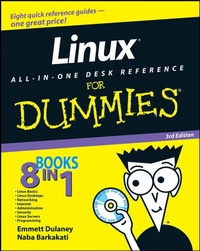
Linux All-in-One Desk Reference For Dummies
3rd Edition
Published on 4. July 2008
Book
Paperback/Softback
648 pages
978-0-470-27535-1 (ISBN)
Description
8 books in 1 -- your key to the world of Linux!
Your one-stop guide to installing, administering, using, and programming Linux
Curious about Linux, the amazing alternative operating system? This bookanswers your questions and shows you how to handle several of the most popular Linux distributions. Compare different versions, install and configure them, connect to the Internet, set up a network, use the OpenOffice.org productivity tools, secure your system, and explore Linux programming.
Discover how to:
* Use Linux without removing Windows
* Connect a Linux PC to the Internet
* Set up a Windows server using Samba
* Manage system and network security
* Use Perl, shell, and C programming with Linux
More details
Edition
3., Auflage
Language
English
Place of publication
Hoboken
United Kingdom
Publishing group
John Wiley and Sons Ltd
Edition type
Revised edition
Illustrations
Illustrations
Dimensions
Height: 23.5 cm
Width: 18.9 cm
Weight
962 gr
ISBN-13
978-0-470-27535-1 (9780470275351)
Schweitzer Classification
Other editions
New editions
Emmett Dulaney
Linux All-in-One For Dummies
Book
09/2010
4th Edition
Wiley
€35.90
Article exhausted; check for reprint
Previous edition
Naba Barkakati
Linux All-in-One Desk Reference For Dummies
Book
05/2006
2nd Edition
Wiley
€34.90
Article exhausted; check for reprint
Persons
Emmett Dulaney is a technical trainer who has written more than 30 books, including the CompTIA Security+ Study Guide, 3rd Edition.
Naba Barkakati is an internationally acclaimed technology author.
Content
Introduction.
Book I: Linux Basics.
Chapter 1: Introducing Linux.
Chapter 2: Installing Linux.
Chapter 3: Troubleshooting and Configuring Linux.
Chapter 4: Trying Out Linux.
Book II: Linux Desktops.
Chapter 1: The GNOME Desktop.
Chapter 2: The KDE Desktop.
Chapter 3: Commanding the Shell.
Chapter 4: Navigating the Linux File System.
Chapter 5: Introducing Linux Applications.
Chapter 6: Using Text Editors.
Book III: Networking.
Chapter 1: Connecting to the Internet.
Chapter 2: Setting Up a Local Area Network.
Chapter 3: Going Wireless.
Chapter 4: Managing the Network.
Book IV: Internet.
Chapter 1: E-Mailing and IMing in Linux.
Chapter 2: Browsing the Web.
Chapter 3: Reading Newsgroups and RSS Feeds.
Chapter 4: Using FTP.
Book V: Administration.
Chapter 1: Introducing Basic System Administration.
Chapter 2: Managing Users and Groups.
Chapter 3: Managing File Systems.
Chapter 4: Installing and Updating Applications.
Book VI: Security.
Chapter 1: Introducing Linux Security.
Chapter 2: Securing Linux.
Chapter 3: Performing Computer Security Audits.
Book VII: Linux Servers.
Chapter 1: Managing Internet Services.
Chapter 2: Managing Mail and News Servers.
Chapter 3: Managing DNS.
Chapter 4: Working with Samba and NFS.
Book VIII: Programming.
Chapter 1: Programming in Linux.
Chapter 2: Introductory Shell Scripting.
Chapter 3: Advanced Shell Scripting.
Appendix: About the DVD.
Index.