

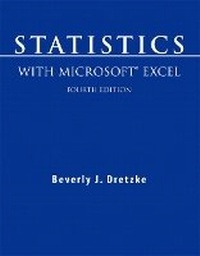
Statistics with Microsoft Excel
4th Edition
Published on 24. July 2008
Book
Paperback/Softback
288 pages
978-0-13-604387-4 (ISBN)
Description
Statistics with Microsoft Excel, Fourth Edition, shows readers how to use Microsoft Excel (R) to perform statistical analysis. This step-by-step guide has been updated to cover the new features and interface of Excel 2007.
Datasets and other resources (where applicable) for this book are available here.
Datasets and other resources (where applicable) for this book are available here.
More details
Edition
4th edition
Language
English
Place of publication
United States
Publishing group
Pearson Education (US)
Target group
Professional and scholarly
Dimensions
Height: 215 mm
Width: 274 mm
Thickness: 12 mm
Weight
549 gr
ISBN-13
978-0-13-604387-4 (9780136043874)
Copyright in bibliographic data and cover images is held by Nielsen Book Services Limited or by the publishers or by their respective licensors: all rights reserved.
Schweitzer Classification
Other editions
New editions
Beverly Dretzke
Statistics with Microsoft Excel
Book
12/2011
5th Edition
Pearson
€61.12
Article not available at the moment
Previous edition

Beverly Dretzke
Statistics with Microsoft Excel
Book
09/2004
3rd Edition
Pearson
€21.03
Article exhausted; check for reprint
Person
Beverly J. Dretzke, PhD, is a research associate at the University of Minnesota's Center for Applied Research and Educational Improvement (CAREI). She serves as a principal investigator and project manager for projects related to program evaluation in school districts throughout Minnesota. Evaluation projects that she has worked on include studies of teacher professional development, Chinese language programs, and small learning communities. Prior to joining the staff at CAREI, Dretzke was a professor of psychology at the University of Wisconsin-Eau Claire where she taught courses in statistics, measurement, and educational psychology. She received her doctorate in educational psychology from the University of Wisconsin-Madison.
Content
1. Getting Started
1.1 Introduction and Overview
1.2 What May Be Skipped
1.3 Excel Worksheet Basics
1.4 Dialog Boxes
1.5 Accessing Excel Files on the Web site
1.6 Saving Information
1.7 Printing
1.8 Loading Excel's Analysis ToolPak
2. Entering, Editing, and Recoding Information
2.1 Opening Documents
2.2 Entering Information
2.3 Editing Information
2.4 Formatting Numbers
2.5 Recoding
2.6 Sorting
3. Formulas
3.1 Operators
3.2 Using Formulas in Statistics
4. Frequency Distributions
4.1 Frequency Distributions Using Pivot Table and Pivot Chart
4.2 Frequency Distributions Using Data Analysis Tools
5. Descriptive Statistics
5.1 Data Analysis Tools: Descriptive Statistics
5.2 Functions: Descriptive Statistics
5.3 Pivot Table: Descriptive Statistics
6. Probability Distributions
6.1 Discrete Probability Distributions
6.2 Continuous Probability Distributions
7. Testing Hypotheses About One Sample Means
7.1 One-Sample Z-Test
7.2 One-Sample t-Test
8. Testing Hypotheses About the Difference Between Two Means
8.1 t-Test for Two Independent Samples
8.2 Paired-Samples t-Test
8.3 Z-Test for Two Independent Samples
9. Analysis of Variance
9.1 One-Way Between-Groups ANOVA
9.2 One-Way Repeated Measures ANOVA
9.3 Two-Way Between-Groups ANOVA
9.4 F-Test for Two Sample Variances
10. Correlation
10.1 Pearson Correlation Coefficient
10.2 Spearman Rank Correlation Coefficient
11. Regression
11.1 Two-Variable Regression
11.2 Multiple Regression
11.3 Dummy Coding of Qualitative Variables
11.4 Curvilinear Regression
12. Cross Tabulations
12.1 Cross Tabulations Using the Pivot Table
12.2 Chi-Square Test of Independence
13. Random Samples
13.1 Random Selection Using the Random Number Generation Tool
13.2 Random Selection Using the Sampling Tool
13.3 Random Selection Using the RANDBETWEEN Function
1.1 Introduction and Overview
1.2 What May Be Skipped
1.3 Excel Worksheet Basics
1.4 Dialog Boxes
1.5 Accessing Excel Files on the Web site
1.6 Saving Information
1.7 Printing
1.8 Loading Excel's Analysis ToolPak
2. Entering, Editing, and Recoding Information
2.1 Opening Documents
2.2 Entering Information
2.3 Editing Information
2.4 Formatting Numbers
2.5 Recoding
2.6 Sorting
3. Formulas
3.1 Operators
3.2 Using Formulas in Statistics
4. Frequency Distributions
4.1 Frequency Distributions Using Pivot Table and Pivot Chart
4.2 Frequency Distributions Using Data Analysis Tools
5. Descriptive Statistics
5.1 Data Analysis Tools: Descriptive Statistics
5.2 Functions: Descriptive Statistics
5.3 Pivot Table: Descriptive Statistics
6. Probability Distributions
6.1 Discrete Probability Distributions
6.2 Continuous Probability Distributions
7. Testing Hypotheses About One Sample Means
7.1 One-Sample Z-Test
7.2 One-Sample t-Test
8. Testing Hypotheses About the Difference Between Two Means
8.1 t-Test for Two Independent Samples
8.2 Paired-Samples t-Test
8.3 Z-Test for Two Independent Samples
9. Analysis of Variance
9.1 One-Way Between-Groups ANOVA
9.2 One-Way Repeated Measures ANOVA
9.3 Two-Way Between-Groups ANOVA
9.4 F-Test for Two Sample Variances
10. Correlation
10.1 Pearson Correlation Coefficient
10.2 Spearman Rank Correlation Coefficient
11. Regression
11.1 Two-Variable Regression
11.2 Multiple Regression
11.3 Dummy Coding of Qualitative Variables
11.4 Curvilinear Regression
12. Cross Tabulations
12.1 Cross Tabulations Using the Pivot Table
12.2 Chi-Square Test of Independence
13. Random Samples
13.1 Random Selection Using the Random Number Generation Tool
13.2 Random Selection Using the Sampling Tool
13.3 Random Selection Using the RANDBETWEEN Function