

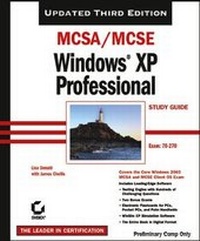
MCSA/MCSE: Windows XP Professional Study Guide
Exam 70-270
3rd Edition
Published on 11. March 2005
Book
Paperback/Softback
784 pages
978-0-7821-4412-3 (ISBN)
Description
Here's the book you need to prepare for the Installing, Configuring, and Administering Microsoft Windows XP Professional exam (70-270). This Study Guide was developed to meet the exacting requirements of today's certification candidates. In addition to the consistent and accessible instructional approach that made Sybex the preferred choice for certification exam candidates, this book provides:
* Practical information on installing, configuring, and administering Windows XP Professional
* Updated and expanded information on key exam topics, including new Service Pack 2 enhancements
* Leading-edge exam preparation software, including a testing engine, electronic flashcards, and simulation software
Authoritative coverage of all exam objectives, including:
* Installing Windows XP Professional
* Implementing and conducting administration of resources
* Implementing, managing, and troubleshooting hardware devices and drivers
* Monitoring and optimizing system performance and reliability
* Configuring and troubleshooting the desktop environment
* Implementing, managing, and troubleshooting network protocols and services
* Implementing, monitoring, and troubleshooting security
* Practical information on installing, configuring, and administering Windows XP Professional
* Updated and expanded information on key exam topics, including new Service Pack 2 enhancements
* Leading-edge exam preparation software, including a testing engine, electronic flashcards, and simulation software
Authoritative coverage of all exam objectives, including:
* Installing Windows XP Professional
* Implementing and conducting administration of resources
* Implementing, managing, and troubleshooting hardware devices and drivers
* Monitoring and optimizing system performance and reliability
* Configuring and troubleshooting the desktop environment
* Implementing, managing, and troubleshooting network protocols and services
* Implementing, monitoring, and troubleshooting security
More details
Edition
3., Auflage
Language
English
Place of publication
New York
United States
Publishing group
John Wiley & Sons Inc
Edition type
Revised edition
Illustrations
colour illustrations
Dimensions
Height: 22.8 cm
Width: 19.3 cm
Thickness: 42 mm
Weight
1310 gr
ISBN-13
978-0-7821-4412-3 (9780782144123)
Schweitzer Classification
Other editions
Previous edition

Lisa Donald | James Chellis
MCSA/MCSE Windows XP Professional Study Guide
Book
06/2003
2nd Edition
Sybex Inc.,U.S.
€67.03
Article exhausted; check for reprint
Persons
Lisa Donald, MCT, MCSE, has worked with numerous Fortune 500 companies, including DEC and Apple. James Chellis, MCSE, is CEO of Comcourse, Inc., an online learning provider that delivers information technology courses through career colleges nationwide.
Content
Introduction.
Assessment Test.
Chapter 1: Getting Started with Windows XP Professional.
Chapter 2: Automating the Windows XP Installation.
Chapter 3: Upgrading to Windows XP Professional.
Chapter 4: Configuring the Windows XP Environment.
Chapter 5: Managing the Windows XP Professional Desktop.
Chapter 6: Managing Users and Groups.
Chapter 7: Managing Security.
Chapter 8: Managing Disks.
Chapter 9: Accessing Files and Folders.
Chapter 10: Managing Network Connections.
Chapter 11: Managing Printing.
Chapter 12: Dial-Up Networking and Internet Connectivity.
Chapter 13: Optimizing Windows XP.
Chapter 14: Performing System Recovery Functions.
Glossary.
Index.
Assessment Test.
Chapter 1: Getting Started with Windows XP Professional.
Chapter 2: Automating the Windows XP Installation.
Chapter 3: Upgrading to Windows XP Professional.
Chapter 4: Configuring the Windows XP Environment.
Chapter 5: Managing the Windows XP Professional Desktop.
Chapter 6: Managing Users and Groups.
Chapter 7: Managing Security.
Chapter 8: Managing Disks.
Chapter 9: Accessing Files and Folders.
Chapter 10: Managing Network Connections.
Chapter 11: Managing Printing.
Chapter 12: Dial-Up Networking and Internet Connectivity.
Chapter 13: Optimizing Windows XP.
Chapter 14: Performing System Recovery Functions.
Glossary.
Index.