

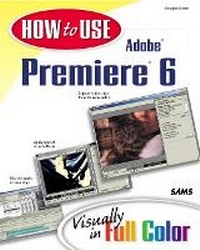
How to Use Adobe Premiere 6
Published on 30. July 2001
Book
Paperback/Softback
272 pages
978-0-672-32166-5 (ISBN)
Description
How to Use Adobe Premiere 6 introduces new users to Premiere and shows them everything they need to get started with video editing to create and share polished video productions. It is more accessible than other reference and training books, with its clear visual design and focus on the basics. It also provides the first step into using Premiere effectively, with everything that one needs to get going, have fun, and get work done. The book does not assume any experience with video editing.
Also available from Doug Dixon, How to Use Adobe Premiere 6.5 (ISBN: 0672321661).
Also available from Doug Dixon, How to Use Adobe Premiere 6.5 (ISBN: 0672321661).
More details
Language
English
Place of publication
Indianapolis
United States
Publishing group
Pearson Education (US)
Target group
College/higher education
Dimensions
Height: 204 mm
Width: 254 mm
Thickness: 14 mm
Weight
644 gr
ISBN-13
978-0-672-32166-5 (9780672321665)
Copyright in bibliographic data and cover images is held by Nielsen Book Services Limited or by the publishers or by their respective licensors: all rights reserved.
Schweitzer Classification
Person
Douglas Dixon is a technologist and author who works in the "Video Valley" of Princeton, NJ. As a technology leader at Sarnoff Corp., and previously as a software product manager at Intel, Doug has extensive experience developing multimedia and Web technology into consumer products. Doug is a contributing editor for Camcorder and Computer Video and Digital Photographer magazines, covering video editing and streaming media technology and tools, from DV to DVD, consumer to professional. He is active in professional activities and speaks at local, regional, and national meetings, from user groups to industry conferences.
Although he writes about new and cutting-edge technology, Doug's focus is on making technology understandable and useful for real people. For more on these topics, see his Manifest Technology web site at www.manifest-tech.com.
Although he writes about new and cutting-edge technology, Doug's focus is on making technology understandable and useful for real people. For more on these topics, see his Manifest Technology web site at www.manifest-tech.com.
Content
1. Getting Started.
2. Working with Projects.
3. Working with Clips.
4. Using the Storyboard and Timeline.
5. Importing Clips.
6. Capturing Video and DV.
7. Assembling Video Clips.
8. Editing Video Clips.
9. Adding Transitions.
10. Mixing Audio.
11. Adding Titles.
12. Compositing Clips.
13. Animating Clips.
14. Video Filters.
15. Producing the Final Video.
16. Creating Video for the Web.
2. Working with Projects.
3. Working with Clips.
4. Using the Storyboard and Timeline.
5. Importing Clips.
6. Capturing Video and DV.
7. Assembling Video Clips.
8. Editing Video Clips.
9. Adding Transitions.
10. Mixing Audio.
11. Adding Titles.
12. Compositing Clips.
13. Animating Clips.
14. Video Filters.
15. Producing the Final Video.
16. Creating Video for the Web.