

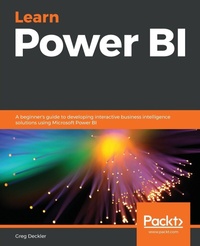
Learn Power BI
A beginner's guide to developing interactive business intelligence solutions using Microsoft Power BI
Published on 13. September 2019
Book
Paperback/Softback
362 pages
978-1-83864-448-2 (ISBN)
Description
Solve business challenges with Microsoft Power BI\'s advanced visualization and data analysis techniques
Key Features
Create effective storytelling reports by implementing simple-to-intermediate Power BI features
Develop powerful analytical models to extract key insights for changing business needs
Build, publish, and share impressive dashboards for your organization
Book DescriptionTo succeed in today's transforming business world, organizations need business intelligence capabilities to make smarter decisions faster than ever before. This Power BI book is an entry-level guide that will get you up and running with data modeling, visualization, and analytical techniques from scratch.
You'll find this book handy if you want to get well-versed with the extensive Power BI ecosystem. You'll start by covering the basics of business intelligence and installing Power BI. You'll then learn the wide range of Power BI features to unlock business insights. As you progress, the book will take you through how to use Power Query to ingest, cleanse, and shape your data, and use Power BI DAX to create simple to complex calculations. You'll also be able to add a variety of interactive visualizations to your reports to bring your data to life. Finally, you'll gain hands-on experience in creating visually stunning reports that speak to business decision makers, and see how you can securely share these reports and collaborate with others.
By the end of this book, you'll be ready to create simple, yet effective, BI reports and dashboards using the latest features of Power BI.What you will learn
Explore the different features of Power BI to create interactive dashboards
Use the Query Editor to import and transform data
Perform simple and complex DAX calculations to enhance analysis
Discover business insights and tell a story with your data using Power BI
Explore data and learn to manage datasets, dataflows, and data gateways
Use workspaces to collaborate with others and publish your reports
Who this book is forIf you're an IT manager, data analyst, or BI user new to using Power BI for solving business intelligence problems, this book is for you. You'll also find this book useful if you want to migrate from other BI tools to create powerful and interactive dashboards. No experience of working with Power BI is expected.
Key Features
Create effective storytelling reports by implementing simple-to-intermediate Power BI features
Develop powerful analytical models to extract key insights for changing business needs
Build, publish, and share impressive dashboards for your organization
Book DescriptionTo succeed in today's transforming business world, organizations need business intelligence capabilities to make smarter decisions faster than ever before. This Power BI book is an entry-level guide that will get you up and running with data modeling, visualization, and analytical techniques from scratch.
You'll find this book handy if you want to get well-versed with the extensive Power BI ecosystem. You'll start by covering the basics of business intelligence and installing Power BI. You'll then learn the wide range of Power BI features to unlock business insights. As you progress, the book will take you through how to use Power Query to ingest, cleanse, and shape your data, and use Power BI DAX to create simple to complex calculations. You'll also be able to add a variety of interactive visualizations to your reports to bring your data to life. Finally, you'll gain hands-on experience in creating visually stunning reports that speak to business decision makers, and see how you can securely share these reports and collaborate with others.
By the end of this book, you'll be ready to create simple, yet effective, BI reports and dashboards using the latest features of Power BI.What you will learn
Explore the different features of Power BI to create interactive dashboards
Use the Query Editor to import and transform data
Perform simple and complex DAX calculations to enhance analysis
Discover business insights and tell a story with your data using Power BI
Explore data and learn to manage datasets, dataflows, and data gateways
Use workspaces to collaborate with others and publish your reports
Who this book is forIf you're an IT manager, data analyst, or BI user new to using Power BI for solving business intelligence problems, this book is for you. You'll also find this book useful if you want to migrate from other BI tools to create powerful and interactive dashboards. No experience of working with Power BI is expected.
More details
Language
English
Place of publication
Birmingham
United Kingdom
Target group
Professional and scholarly
US School Grade: College Graduate Student
Dimensions
Height: 235 mm
Width: 191 mm
Thickness: 20 mm
Weight
676 gr
ISBN-13
978-1-83864-448-2 (9781838644482)
Copyright in bibliographic data and cover images is held by Nielsen Book Services Limited or by the publishers or by their respective licensors: all rights reserved.
Schweitzer Classification
Other editions
Additional editions
Greg Deckler
Learn Power BI
A beginner's guide to developing interactive business intelligence solutions using Microsoft Power BI
E-Book
09/2024
Packt Publishing
€35.49
Available for download
Person
Greg Deckler is a seven-time Microsoft MVP for Data Platform and an active member of the Columbus Ohio IT community, having founded the Columbus Azure ML and Power BI User Group (CAMLPUG) and presented at many conferences and events throughout the country. An active blogger and community member interested in helping new users of Power BI, Greg actively participates in the Power BI community, having authored over 200 Power BI Quick Measures Gallery submissions and over 7,500 authored solutions to community questions. Greg is also vice president at a global consulting firm.
Content
Table of Contents
Introduction to Business Intelligence and Power BI
Up and Running with Power BI Desktop
Connecting and Shaping Data
Creating Data Models and Calculations
Unlocking Insights
Creating the Final Report
Publishing and Sharing
Using Reports in the Service
Understanding Dashboards, Apps and Security
Data Gateways and Refreshing Datasets
Introduction to Business Intelligence and Power BI
Up and Running with Power BI Desktop
Connecting and Shaping Data
Creating Data Models and Calculations
Unlocking Insights
Creating the Final Report
Publishing and Sharing
Using Reports in the Service
Understanding Dashboards, Apps and Security
Data Gateways and Refreshing Datasets