

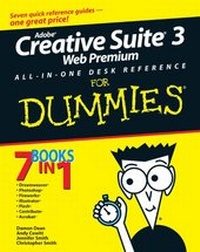
Adobe Creative Suite 3 Web Premium All-in-One Desk Reference For Dummies
1st Edition
Published on 21. August 2007
Book
Paperback/Softback
912 pages
978-0-470-12099-6 (ISBN)
Description
7 books in 1
your key to success with Web Premium
Your one-stop guide to creating a dynamic Web site with today's hottest design tools
Want to build a Web site that wows? Seven handy minibooks give you expert guidance in all the cutting-edge Web development products that are packed in Adobe's Creative Suite. You'll format text, import images, lay out pages, liven up illustrations with color, retouch photos, publish movies, add interactivity to PDF files, and much more!
* Create basic HTML Web pages
*
Work with graphics, text, and fonts
*
Use layers, filters, and effects
*
Punch up pages with forms and frames
*
Add animation, video, and sound
your key to success with Web Premium
Your one-stop guide to creating a dynamic Web site with today's hottest design tools
Want to build a Web site that wows? Seven handy minibooks give you expert guidance in all the cutting-edge Web development products that are packed in Adobe's Creative Suite. You'll format text, import images, lay out pages, liven up illustrations with color, retouch photos, publish movies, add interactivity to PDF files, and much more!
* Create basic HTML Web pages
*
Work with graphics, text, and fonts
*
Use layers, filters, and effects
*
Punch up pages with forms and frames
*
Add animation, video, and sound
More details
Edition
1., Auflage
Language
English
Place of publication
Chichester
United Kingdom
Publishing group
John Wiley and Sons Ltd
Target group
Professional and scholarly
Illustrations
Illustrations
Dimensions
Height: 23.4 cm
Width: 18.7 cm
Weight
1251 gr
ISBN-13
978-0-470-12099-6 (9780470120996)
Schweitzer Classification
Other editions
Additional editions
Damon Dean | Andy Cowitt | Jennifer Smith
Adobe Creative Suite 3 Web Premium All-in-One Desk Reference For Dummies
E-Book
11/2007
Wiley
€21.99
Available for download
Persons
Damon Dean is an experienced Web producer and developer.
Andy Cowitt is a professional Web developer.
Jennifer Smith is a designer and the founder of American Graphics Institute Training.
Christopher Smith is an Adobe Certified Expert.
Andy Cowitt is a professional Web developer.
Jennifer Smith is a designer and the founder of American Graphics Institute Training.
Christopher Smith is an Adobe Certified Expert.
Content
Introduction.
Book I: Dreamweaver CS3.
Chapter 1: Introduction to Dreamweaver CS3.
Chapter 2: Creating Basic Web Pages.
Chapter 3: Creating and Using Dreamweaver Sites.
Chapter 4: Punching Up Your Pages with Forms and Frames.
Chapter 5: Laying Out Pages with AP Divs and AP Elements.
Chapter 6: Advanced Web Page Design Techniques.
Chapter 7: Adding Interactivity with Spry.
Book II: Photoshop CS3.
Chapter 1: Exploring New Features in Photoshop CS3.
Chapter 2: Getting into Photoshop CS3 Basics.
Chapter 3: Messing with Mode Matters.
Chapter 4: Creating a Selection.
Chapter 5: Using the Photoshop Pen Tool.
Chapter 6: Thinking about Resolution Basics.
Chapter 7: Creating a Good Image.
Chapter 8: Working with Painting and Retouching Tools.
Chapter 9: Using Layers.
Chapter 10: Saving Photoshop Images for Print and the Web.
Book III: Fireworks CS3.
Chapter 1: Introduction to Fireworks CS3.
Chapter 2: Fireworks CS3 Basics.
Chapter 3: Working with Text, Shapes, and Images.
Chapter 4: Transforming Text, Shapes, and Images.
Chapter 5: The Power of Layers and Frames.
Chapter 6: Slicing Up Content for the Web.
Chapter 7: Advanced Fireworks CS3 Tools.
Book IV: Illustrator CS3.
Chapter 1: What's New in Adobe Illustrator CS3?
Chapter 2: Discovering Illustrator CS3.
Chapter 3: Using the Selection Tools.
Chapter 4: Creating Basic Shape.
Chapter 5: Using the Pen Tool and Placing Images.
Chapter 6: Using Type in Illustrator.
Chapter 7: Organizing Your Illustrations.
Chapter 8: Using Layers.
Chapter 9: Livening Up Illustrations with Color.
Chapter 10: Using the Transform and Distortions Tools.
Chapter 11: Working with Transparency and Special Effects Tools.
Chapter 12: Using Filters and Effects.
Chapter 13: Using Your Illustrator Images.
Book V: Flash CS3.
Chapter 1: Introduction to Adobe Flash CS3.
Chapter 2: Using the Graphics Tools.
Chapter 3: Working with Symbols.
Chapter 4: Making Your Life Easier with Layers.
Chapter 5: Creating Animation.
Chapter 6: Adding Sound and Video.
Chapter 7: Publishing Movies.
Chapter 8: Using Flash's Components.
Book VI: Contribute CS3.
Chapter 1: Introduction to Contribute CS3.
Chapter 2: Basics for Contributors.
Chapter 3: Contribute CS3 Administration.
Book VII: Acrobat 8.
Chapter 1: Discovering Essential Acrobat Information.
Chapter 2: Creating PDF Files.
Chapter 3: Adding Interactivity to PDF Files.
Chapter 4: Editing and Extracting Text and Graphics.
Chapter 5: Using Commenting and Annotation Tools.
Chapter 6: Securing Your PDF Files.
Index.
Book I: Dreamweaver CS3.
Chapter 1: Introduction to Dreamweaver CS3.
Chapter 2: Creating Basic Web Pages.
Chapter 3: Creating and Using Dreamweaver Sites.
Chapter 4: Punching Up Your Pages with Forms and Frames.
Chapter 5: Laying Out Pages with AP Divs and AP Elements.
Chapter 6: Advanced Web Page Design Techniques.
Chapter 7: Adding Interactivity with Spry.
Book II: Photoshop CS3.
Chapter 1: Exploring New Features in Photoshop CS3.
Chapter 2: Getting into Photoshop CS3 Basics.
Chapter 3: Messing with Mode Matters.
Chapter 4: Creating a Selection.
Chapter 5: Using the Photoshop Pen Tool.
Chapter 6: Thinking about Resolution Basics.
Chapter 7: Creating a Good Image.
Chapter 8: Working with Painting and Retouching Tools.
Chapter 9: Using Layers.
Chapter 10: Saving Photoshop Images for Print and the Web.
Book III: Fireworks CS3.
Chapter 1: Introduction to Fireworks CS3.
Chapter 2: Fireworks CS3 Basics.
Chapter 3: Working with Text, Shapes, and Images.
Chapter 4: Transforming Text, Shapes, and Images.
Chapter 5: The Power of Layers and Frames.
Chapter 6: Slicing Up Content for the Web.
Chapter 7: Advanced Fireworks CS3 Tools.
Book IV: Illustrator CS3.
Chapter 1: What's New in Adobe Illustrator CS3?
Chapter 2: Discovering Illustrator CS3.
Chapter 3: Using the Selection Tools.
Chapter 4: Creating Basic Shape.
Chapter 5: Using the Pen Tool and Placing Images.
Chapter 6: Using Type in Illustrator.
Chapter 7: Organizing Your Illustrations.
Chapter 8: Using Layers.
Chapter 9: Livening Up Illustrations with Color.
Chapter 10: Using the Transform and Distortions Tools.
Chapter 11: Working with Transparency and Special Effects Tools.
Chapter 12: Using Filters and Effects.
Chapter 13: Using Your Illustrator Images.
Book V: Flash CS3.
Chapter 1: Introduction to Adobe Flash CS3.
Chapter 2: Using the Graphics Tools.
Chapter 3: Working with Symbols.
Chapter 4: Making Your Life Easier with Layers.
Chapter 5: Creating Animation.
Chapter 6: Adding Sound and Video.
Chapter 7: Publishing Movies.
Chapter 8: Using Flash's Components.
Book VI: Contribute CS3.
Chapter 1: Introduction to Contribute CS3.
Chapter 2: Basics for Contributors.
Chapter 3: Contribute CS3 Administration.
Book VII: Acrobat 8.
Chapter 1: Discovering Essential Acrobat Information.
Chapter 2: Creating PDF Files.
Chapter 3: Adding Interactivity to PDF Files.
Chapter 4: Editing and Extracting Text and Graphics.
Chapter 5: Using Commenting and Annotation Tools.
Chapter 6: Securing Your PDF Files.
Index.