

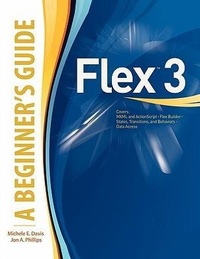
Flex (TM) 3: A Beginner's Guide
Published on 16. May 2008
Book
Paperback/Softback
274 pages
978-0-07-154418-4 (ISBN)
Description
Publisher's Note: Products purchased from Third Party sellers are not guaranteed by the publisher for quality, authenticity, or access to any online entitlements included with the product.
Essential Skills--Made Easy!
Learn to program with Flex 3, the powerful tool for building multimedia-rich, interactive Flash applications for the Web. Flex 3: A Beginner's Guide is an easy-to-follow, fast-paced tutorial that allows you to fully grasp the fundamentals, including MXML, Action Script, Flex Builder, states, transitions, and behaviors. You'll learn how to customize your applications with styles, skins, and themes; access remote data using the XML HTTP Service Request; profile and debug your applications; and manage media assets.
Designed for Easy Learning
Key Skills & Concepts--Chapter-opening lists of specific skills covered in the chapter
Ask the Experts--Q&A sections filled with bonus information and helpful tips
Try This--Short, hands-on exercises to practice your skills
Notes--Bonus information related to the topic being covered
Tips--Helpful reminders or alternate ways of doing things
Cautions--Errors and pitfalls to avoid
Annotated Syntax--Example code with commentary that describes the programming techniques being illustrated
Essential Skills--Made Easy!
Learn to program with Flex 3, the powerful tool for building multimedia-rich, interactive Flash applications for the Web. Flex 3: A Beginner's Guide is an easy-to-follow, fast-paced tutorial that allows you to fully grasp the fundamentals, including MXML, Action Script, Flex Builder, states, transitions, and behaviors. You'll learn how to customize your applications with styles, skins, and themes; access remote data using the XML HTTP Service Request; profile and debug your applications; and manage media assets.
Designed for Easy Learning
Key Skills & Concepts--Chapter-opening lists of specific skills covered in the chapter
Ask the Experts--Q&A sections filled with bonus information and helpful tips
Try This--Short, hands-on exercises to practice your skills
Notes--Bonus information related to the topic being covered
Tips--Helpful reminders or alternate ways of doing things
Cautions--Errors and pitfalls to avoid
Annotated Syntax--Example code with commentary that describes the programming techniques being illustrated
More details
Language
English
Place of publication
New York
United States
Publishing group
McGraw-Hill Education - Europe
Product notice
Paperback (trade)
Unsewn / adhesive bound
Dimensions
Height: 232 mm
Width: 187 mm
Thickness: 22 mm
Weight
486 gr
ISBN-13
978-0-07-154418-4 (9780071544184)
Copyright in bibliographic data and cover images is held by Nielsen Book Services Limited or by the publishers or by their respective licensors: all rights reserved.
Schweitzer Classification
Persons
Michele E. Davis is a technology writer and author or coauthor of more than 17 computer books. She consults as an instructional designer, trainer, and technical writer for Fortune 500 companies including General Mills, ACS, Whirlpool, Best Buy and many others.
Jon A. Phillips designs custom Web solutions and consults as a functional software developer for clients such as the University of Minnesota, Fisher-Rosemount, Lockheed-Martin, and Kinetic Data. He has worked with numerous databases, including Oracle, SQL Server, and MySQL for more than 14 years. Phillips has coauthored five technology books with Michele Davis.
Jon A. Phillips designs custom Web solutions and consults as a functional software developer for clients such as the University of Minnesota, Fisher-Rosemount, Lockheed-Martin, and Kinetic Data. He has worked with numerous databases, including Oracle, SQL Server, and MySQL for more than 14 years. Phillips has coauthored five technology books with Michele Davis.
Content
Acknowledgments
Introduction
Chapter 1. Flex Fundamentals
Chapter 2. Installation and Modules
Chapter 3. Getting Started
Chapter 4. Working with Flex Builder
Chapter 5. States, Transitions, and Behaviors
Chapter 6. Modifying Your Application's Appearance
Chapter 7. Data Access
Chapter 8. Debugging and Profiling
Chapter 9. Working with Media Assets/Deploying
Appendix A: ActionScript and MXML Reference
Glossary
Index
Introduction
Chapter 1. Flex Fundamentals
Chapter 2. Installation and Modules
Chapter 3. Getting Started
Chapter 4. Working with Flex Builder
Chapter 5. States, Transitions, and Behaviors
Chapter 6. Modifying Your Application's Appearance
Chapter 7. Data Access
Chapter 8. Debugging and Profiling
Chapter 9. Working with Media Assets/Deploying
Appendix A: ActionScript and MXML Reference
Glossary
Index