

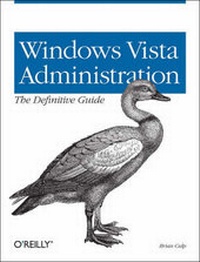
Windows Vista Administration: The Definitive Guide
1st Edition
Published on 31. July 2007
Book
Paperback/Softback
799 pages
978-0-596-52959-8 (ISBN)
Description
Whether you're a system administrator responsible for hundreds of Windows clients, or a just a roomful of computers, this book will help you install, configure, and maintain Microsoft's newest OS. Written in jargon-free English that puts concepts in proper context, the book gives you a better understanding of Vista's innovations and capabilities, teaches you how to leverage Vista to increase worker productivity, and demonstrates how the system can best protect sensitive data.
Best of all, Windows Vista Administration: The Definitive Guide is a problem-solving reference that lets you quickly access the solutions you need, and helps you unlock certain features to improve system performance -- without forcing you to page through the entire book.
In part, the book's topics include:
* A tour of what's new -- including the Aero user interface, Sidebar, BitLocker Drive Encryption, Vista Search
* An overview of all five versions of Windows Vista
* Getting started -- with workgroup networks, user profiles, VPN connections
* Personalizing Vista -- with virtual folders, Flip 3D, the new Control Panel
* Working with software and hardware -- such as installing printers, storage devices, software
* Configuring Internet Explorer 7 -- phishing filters, cookies and privacy, popup blocker, RSS feeds
* Deploying Windows Vista -- installation, imaging software, modules, migrating data
* Optimizing performance -- memory, processor, disks, applications, network, command line administration
* Security -- auditing, disk quotas, account policies, user rights, group rights, IP security
* Troubleshooting tips -- Startup repair tool, frozen applications, remote assistance, backup and restore
And that just scratches the surface. Which new features will significantly improve the operating system experience, and which are mere eye candy? What new features make Windows Vista worth the investment? Author Brian Culp supplies the answers with information-packed chapters, including one on Cool Vista Tricks that explains how to write your own gadgets for Sidebar, how to disable IM and email notifications using Vista Presenter, and a lot more.
Best of all, Windows Vista Administration: The Definitive Guide is a problem-solving reference that lets you quickly access the solutions you need, and helps you unlock certain features to improve system performance -- without forcing you to page through the entire book.
In part, the book's topics include:
* A tour of what's new -- including the Aero user interface, Sidebar, BitLocker Drive Encryption, Vista Search
* An overview of all five versions of Windows Vista
* Getting started -- with workgroup networks, user profiles, VPN connections
* Personalizing Vista -- with virtual folders, Flip 3D, the new Control Panel
* Working with software and hardware -- such as installing printers, storage devices, software
* Configuring Internet Explorer 7 -- phishing filters, cookies and privacy, popup blocker, RSS feeds
* Deploying Windows Vista -- installation, imaging software, modules, migrating data
* Optimizing performance -- memory, processor, disks, applications, network, command line administration
* Security -- auditing, disk quotas, account policies, user rights, group rights, IP security
* Troubleshooting tips -- Startup repair tool, frozen applications, remote assistance, backup and restore
And that just scratches the surface. Which new features will significantly improve the operating system experience, and which are mere eye candy? What new features make Windows Vista worth the investment? Author Brian Culp supplies the answers with information-packed chapters, including one on Cool Vista Tricks that explains how to write your own gadgets for Sidebar, how to disable IM and email notifications using Vista Presenter, and a lot more.
More details
Other editions
Additional editions
E-Book
06/2007
O'Reilly
€41.99
Available for download
Person
Brian Culp, MCSE, MCT, is a recognized Microsoft expert who has been teaching and writing about Windows for many years. He is author or coauthor of seven books, including Windows XP Power Tools (Sybex, 2002), Outlook 2003 Bible (Wiley, 2004), Spring Into Windows XP with Service Pack 2 (Prentice Hall, 2005), and four MCSE study guides (McGraw Hill). He has also authored several tutorials for the Virtual Training Company. Culp lives in Overland Park, Kansas, and tours the U.S. giving presentations for Microsoft on Windows XP, Vista, Small Business Server, and Office 2007. He is currently writing Windows Vista Administration: The Definitive Guide for O'Reilly.
Content
Inhaltsverzeichnis
Preface
1. What's New in Windows Vista?
The Vista User Interface
The Sidebar and Gadgets
Security Features
User Account Control
BitLocker Drive Encryption
Windows Service Hardening
New Ways to Search
Search with Windows Explorer
The New Task Scheduler
Vista SideShow
Vista's New Printing Options
Summary
2. A Look at the Different Versions
Five Vista Versions
Windows Vista on a Tablet PC
Summary
3. Networking with Windows Vista
Joining a Windows Server Domain
Configuring TCP/IP
Vista Networking Tools
Wireless Networking
Using the Network
Offline Files
Creating a User Account
Using Vista with Live OneCare
Summary
4. Personalizing Vista
Controlling the Start Menu
Controlling the Taskbar
Controlling the System Tray
Controlling Desktop Theme and Appearance
Controlling the Display
Summary
5. Making Vista Easier to Use
Changing Language and Regional Settings
Using Handwriting Recognition
Working with Speech Recognition
Accessibility Options
Syncing Devices
Using Bluetooth Devices
Summary
6. Vista Startup and Shutdown
Your Computer's Performance Rating
System Power Up
Startup Performance
Logging On to Windows Vista
Automatic Disk Defragmentation
System Shutdown
Vista Power Management
Advanced Startup Options
Improving System Startup
Summary
7. Working with Hardware
Installing a Device
Installing a New Hard Drive
Printing in Windows Vista
Managing Printing with Print Management
Summary
8. Working with Software
Installing and Removing Software
Installing Vista Components
Starting a Program Automatically
Setting Default Actions and Programs
Using Speech Recognition
Configuring Application Compatibility
Summary
9. Deploying Windows Vista
Vista Deployment Overview
Vista Deployment Scenarios
Running an Attended Installation
Deploying with Imaging Software
Migrating User Information
Summary
10. Internet Explorer 7
For the Audience
Behind the Curtain
Summary
11. Optimize Performance
Gathering System Performance Information
Performance Subsystems
Command-Line Administration
Summary
12. Securing the Vista Environment
Why You Need Security
Security Features in Vista
Managing Auditing
Protecting Against Malware
File Encryption
Managing Disk Quotas
Network Security
Other Data Safeguards
Staying Current on Security Issues
Summary
13. Vista and Group Policy
Windows Group Policies
What You Can Manage with a Group Policy
Summary
14. Troubleshooting Essentials
Automatically Updating Vista
Troubleshooting the Hard Disk
Using Remote Assistance
Remote Desktop
Troubleshooting Network Connectivity
Backup and Restore
Using the Vista Logs
Getting Help from a Newsgroup
Summary
15. Vista Tips and Tricks
Several Really Cool Things, in No Particular Order
And Now, What I Would Have Changed About Windows Vista If Only-
Summary
Index
Preface
1. What's New in Windows Vista?
The Vista User Interface
The Sidebar and Gadgets
Security Features
User Account Control
BitLocker Drive Encryption
Windows Service Hardening
New Ways to Search
Search with Windows Explorer
The New Task Scheduler
Vista SideShow
Vista's New Printing Options
Summary
2. A Look at the Different Versions
Five Vista Versions
Windows Vista on a Tablet PC
Summary
3. Networking with Windows Vista
Joining a Windows Server Domain
Configuring TCP/IP
Vista Networking Tools
Wireless Networking
Using the Network
Offline Files
Creating a User Account
Using Vista with Live OneCare
Summary
4. Personalizing Vista
Controlling the Start Menu
Controlling the Taskbar
Controlling the System Tray
Controlling Desktop Theme and Appearance
Controlling the Display
Summary
5. Making Vista Easier to Use
Changing Language and Regional Settings
Using Handwriting Recognition
Working with Speech Recognition
Accessibility Options
Syncing Devices
Using Bluetooth Devices
Summary
6. Vista Startup and Shutdown
Your Computer's Performance Rating
System Power Up
Startup Performance
Logging On to Windows Vista
Automatic Disk Defragmentation
System Shutdown
Vista Power Management
Advanced Startup Options
Improving System Startup
Summary
7. Working with Hardware
Installing a Device
Installing a New Hard Drive
Printing in Windows Vista
Managing Printing with Print Management
Summary
8. Working with Software
Installing and Removing Software
Installing Vista Components
Starting a Program Automatically
Setting Default Actions and Programs
Using Speech Recognition
Configuring Application Compatibility
Summary
9. Deploying Windows Vista
Vista Deployment Overview
Vista Deployment Scenarios
Running an Attended Installation
Deploying with Imaging Software
Migrating User Information
Summary
10. Internet Explorer 7
For the Audience
Behind the Curtain
Summary
11. Optimize Performance
Gathering System Performance Information
Performance Subsystems
Command-Line Administration
Summary
12. Securing the Vista Environment
Why You Need Security
Security Features in Vista
Managing Auditing
Protecting Against Malware
File Encryption
Managing Disk Quotas
Network Security
Other Data Safeguards
Staying Current on Security Issues
Summary
13. Vista and Group Policy
Windows Group Policies
What You Can Manage with a Group Policy
Summary
14. Troubleshooting Essentials
Automatically Updating Vista
Troubleshooting the Hard Disk
Using Remote Assistance
Remote Desktop
Troubleshooting Network Connectivity
Backup and Restore
Using the Vista Logs
Getting Help from a Newsgroup
Summary
15. Vista Tips and Tricks
Several Really Cool Things, in No Particular Order
And Now, What I Would Have Changed About Windows Vista If Only-
Summary
Index