

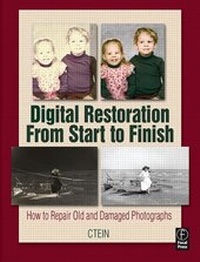
Digital Restoration From Start to Finish
How to repair old and damaged photographs
Published on 28. December 2006
Book
Paperback/Softback
480 pages
978-0-240-80814-7 (ISBN)
Description
Digital Restoration: Start to Finish guides you step-by-step through the entire process of restoring old photographs and repairing new ones using Adobe Photoshop, plug-ins, and Picture Window. Nothing is left out, from choosing the right hardware and software and getting the photographs into the computer, to getting the finished photo out of the computer and preserving it for posterity.
With this book you will learn how to:
. scan faded and damaged prints and films
. improve snapshots with the Shadow/Highlight adjustment
. correct uneven exposure and do dodging and burning-in with Curves adjustment layers
. scan and recover nearly blank photograph
. fix color with Curves and Hue/Saturation adjustment layers
. fix skin tones with airbrush layers
. hand-tint a photograph easily with masked layers
. fix color with plug-ins
. clean up dust and scratches
. repair small and large cracks with masks and filter
. eliminate tarnish and silvered-out spots from a photograph
. minimize unwanted print surface textures
. erase mildew spots
. eliminate the dots from newspaper photographs
. increase sharpness and fine detail in a photograph
With this book you will learn how to:
. scan faded and damaged prints and films
. improve snapshots with the Shadow/Highlight adjustment
. correct uneven exposure and do dodging and burning-in with Curves adjustment layers
. scan and recover nearly blank photograph
. fix color with Curves and Hue/Saturation adjustment layers
. fix skin tones with airbrush layers
. hand-tint a photograph easily with masked layers
. fix color with plug-ins
. clean up dust and scratches
. repair small and large cracks with masks and filter
. eliminate tarnish and silvered-out spots from a photograph
. minimize unwanted print surface textures
. erase mildew spots
. eliminate the dots from newspaper photographs
. increase sharpness and fine detail in a photograph
Reviews / Votes
This thorough compendium of digital photo-restoration techniques, by PT contributing editor Ctein, explains almost anything you could need to know about repairing aged or damaged photographs using a scanner and Photoshop ( with occasional help from some additional software.)-Photo Techniques, Mar-Apr 2007The book features restoration tips and methods for handling a range of deteriorated images by using a variety of tools, and then shows how these techniques can be applied to contemporary photographs that have poor color or tonal rendition, as well as misexposed prints.-Photographic Trade News, February 2007
More details
Language
English
Place of publication
Oxford
United Kingdom
Publishing group
Taylor & Francis Ltd
Target group
Professional and scholarly
Amateur photographers looking to do their own photo restoration work, and photo business owners offering restoration services. It is assumed the reader already understands the basics of working with computers, printers, and photographs.
Dimensions
Height: 229 mm
Width: 178 mm
ISBN-13
978-0-240-80814-7 (9780240808147)
Copyright in bibliographic data and cover images is held by Nielsen Book Services Limited or by the publishers or by their respective licensors: all rights reserved.
Schweitzer Classification
Person
Ctein (http:ctein.com) is a photographer, artist and contributor to PHOTO Techniques Magazine and The Online Photographer. Widely recognized as one of the finest color printers alive today, he is an expert in processes from classic dye transfer printing to state-of-the-art digital. He has nearly four decades of experience with electronic/digital printing and photography and runs his own photo restoration business: http://photo-repair.com.
Content
Part 1: Introduction; Why Restore Digitally? Good Software For Restoration; Good Hardware For Restoration; Getting The Photo Into The Computer; Part II. Working Techniques; Restoring Tone; Retoring Color; Repairing Small Physical Damage; Repairing Large Physical Damage; Improving Beyond The Original: Part III. Getting The Photo Back Out Of The Computer; Prinint; Archiving And Permanence