

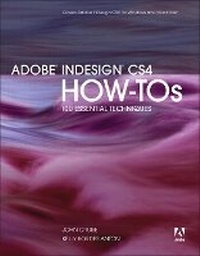
Adobe InDesign CS4 How-Tos
100 Essential Techniques
Published on 8. December 2008
Book
Paperback/Softback
272 pages
978-0-321-59094-7 (ISBN)
Description
InDesign CS4 is more than just a page layout tool; as part of Adobe's new Creative Suite 4, it's a key component of an overall design workflow that lets users work seamlessly among all of their graphics applications to create spectacular layouts. Work faster, create more is what Adobe wants users to do with InDesign, and this info-packed guide lets users get right down to doing just that by focusing on the InDesign CS4 features they're most likely to use and showcasing each in a stand-alone tip--complete with a relevant hint or two and a graphic example. In this fashion, readers learn as they go, exploring the program in a way that makes sense to them. Before they know it, users will be using the Bridge to manage their files, object styles to format their images, and snippets to save layout parts for reuse.
Features new to InDesign CS4 that are covered include: live preflight, customizable Links panel, conditional text, cross references, interactive document capability with the new SWF file, animated page transitions, export to Flash CS4 functionality, Smart Guides and Smart Spacing, spread rotation, and smart text reflow.
Features new to InDesign CS4 that are covered include: live preflight, customizable Links panel, conditional text, cross references, interactive document capability with the new SWF file, animated page transitions, export to Flash CS4 functionality, Smart Guides and Smart Spacing, spread rotation, and smart text reflow.
More details
Language
English
Place of publication
Indianapolis
United States
Publishing group
Pearson Education (US)
Target group
Professional and scholarly
Dimensions
Height: 229 mm
Width: 179 mm
Thickness: 14 mm
Weight
426 gr
ISBN-13
978-0-321-59094-7 (9780321590947)
Copyright in bibliographic data and cover images is held by Nielsen Book Services Limited or by the publishers or by their respective licensors: all rights reserved.
Schweitzer Classification
Other editions
Previous edition
Book
05/2007
Adobe Press,U.S.
€22.27
Article exhausted; check for reprint
Persons
John Cruise is an Adobe-certified InDesign expert, writer, and design instructor. He has been a technical writer at Quark and has coauthored several books including Adobe InDesign CS3 How-Tos and the InDesign Bible. Kelly Kordes Anton is a freelance writer and editor based in Littleton, Colorado. She coauthored Adobe InDesign CS3 How-Tos, and she writes regularly for Quark and works as copy editor for many publishers.
Content
Chapter One: Getting Started with InDesign
Chapter Two: Working with Documents
Chapter Three: Working with Text
Chapter Four: Typography and Tables
Chapter Five: Drawing Lines and Shapes
Chapter Six: Working with Graphics
Chapter Seven: Working with Objects
Chapter Eight: Working with Color
Chapter Nine: Laying Out Pages and Creating Long Documents
Chapter Ten: Creating Rich Interactive Documents
Chapter Eleven: Preflight and Output
Index
Chapter Two: Working with Documents
Chapter Three: Working with Text
Chapter Four: Typography and Tables
Chapter Five: Drawing Lines and Shapes
Chapter Six: Working with Graphics
Chapter Seven: Working with Objects
Chapter Eight: Working with Color
Chapter Nine: Laying Out Pages and Creating Long Documents
Chapter Ten: Creating Rich Interactive Documents
Chapter Eleven: Preflight and Output
Index