

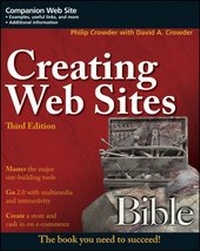
Creating Web Sites Bible
3rd Edition
Published on 27. June 2008
Book
Paperback/Softback
888 pages
978-0-470-22363-5 (ISBN)
Description
Build your business or personal Web site in a 2.0 world
If you want to build your own Web site in a 2.0 world, you've come to right place. From facing HTML without fear to adding new ?air with multimedia, interactivity, and blogging, this comprehensive guide provides you with everything you need. Loaded with nearly a thousand pages of invaluable techniques and step-by-step instructions, this is your one-stop resource for designing a site, taking it live, keeping it fresh, and moving into the world of e-commerce.
*
Learn the Do's and Don'ts of Web development
*
Master HTML, CSS, and other design tools
*
Keep your Web site lively with color, backgrounds, hotspots, and links
*
Understand JavaScript and create dynamic pages
*
Add flash with Flash and other multimedia elements
*
Get up to speed on Ajax, XHTML, and XML
Companion Web Site
From the book's Web site, you can access most of the programs and documents used in the course of the book, including CSS templates for the tutorials and sample code discussed in each chapter. Check out www.wiley.com/go/creatingwebsites.
If you want to build your own Web site in a 2.0 world, you've come to right place. From facing HTML without fear to adding new ?air with multimedia, interactivity, and blogging, this comprehensive guide provides you with everything you need. Loaded with nearly a thousand pages of invaluable techniques and step-by-step instructions, this is your one-stop resource for designing a site, taking it live, keeping it fresh, and moving into the world of e-commerce.
*
Learn the Do's and Don'ts of Web development
*
Master HTML, CSS, and other design tools
*
Keep your Web site lively with color, backgrounds, hotspots, and links
*
Understand JavaScript and create dynamic pages
*
Add flash with Flash and other multimedia elements
*
Get up to speed on Ajax, XHTML, and XML
Companion Web Site
From the book's Web site, you can access most of the programs and documents used in the course of the book, including CSS templates for the tutorials and sample code discussed in each chapter. Check out www.wiley.com/go/creatingwebsites.
More details
Series
Edition
3. Auflage
Language
English
Place of publication
Chichester
United Kingdom
Publishing group
John Wiley and Sons Ltd
Target group
Professional and scholarly
Edition type
Revised edition
Illustrations
illustrations
Dimensions
Height: 23.4 cm
Width: 18.7 cm
Thickness: 4.5 cm
Weight
1288 gr
ISBN-13
978-0-470-22363-5 (9780470223635)
Schweitzer Classification
Other editions
Previous edition
David A. Crowder
Creating Web Sites Bible
Book
10/2004
2nd Edition
Hungry Minds Inc,U.S.
€25.90
Article exhausted; check for reprint
Persons
Philip Crowder of Bristol, Tennessee, is the director of the Computer and Information Management (CIM) program at Virginia Intermont College where he teaches future Web designers and programmers the ins and outs of HTML, XHTML, XML, CSS, JavaScript, and a variety of other Web languages and technologies. He has also done funded research into computer-based human language translation systems.
David A. Crowder is a professional Web developer, and the author or coauthor of more than 20 books on Web design and development. He has been involved in the online community for more than a decade, and has helped to teach hundreds of thousands of readers to create their own cutting-edge Web sites.
David A. Crowder is a professional Web developer, and the author or coauthor of more than 20 books on Web design and development. He has been involved in the online community for more than a decade, and has helped to teach hundreds of thousands of readers to create their own cutting-edge Web sites.
Content
Introduction.
Part I Laying the Foundation.
Chapter 1: The Basics of Building Web Pages and Sites.
Chapter 2: Popular Web Design Tools.
Part II The Basics.
Chapter 3: History and Development of the Internet and HTML.
Chapter 4: HTML Building Blocks.
Chapter 5: Links, Hotspots, and Web Site Navigation.
Chapter 6: The Elements of Color and Images in Web Pages.
Chapter 7: Text Formatting.
Part III Advanced Design Features.
Chapter 8: Harnessing the Power of Tables.
Chapter 9: Organizing Your Site with Frames.
Chapter 10: Getting Input with Forms.
Part IV Making It Look Professional
Chapter 11: Adding Multimedia and Other Objects.
Chapter 12: Styling Web Pages with Cascading Style Sheets.
Chapter 13: Making Dynamic Pages with JavaScript.
Chapter 14: Putting It on the Web.
Part V Transitioning to the Future: XHTML, XML, and Ajax.
Chapter 15: XHTML.
Chapter 16: Designing with XML.
Chapter 17: Ajax.
Part VI Images on the Web.
Chapter 18: Finding, Creating, and Enhancing Images on the Web.
Part VII Cashing in on eCommerce.
Chapter 19: Setting Up Your Store.
Chapter 20: Using Advertising.
Chapter 21: Covering All the Bases.
Part VIII Keeping Your Site Fresh.
Chapter 22: Maintaining Your Site.
Chapter 23: RSS.
Chapter 24: Blogging.
Index.
Part I Laying the Foundation.
Chapter 1: The Basics of Building Web Pages and Sites.
Chapter 2: Popular Web Design Tools.
Part II The Basics.
Chapter 3: History and Development of the Internet and HTML.
Chapter 4: HTML Building Blocks.
Chapter 5: Links, Hotspots, and Web Site Navigation.
Chapter 6: The Elements of Color and Images in Web Pages.
Chapter 7: Text Formatting.
Part III Advanced Design Features.
Chapter 8: Harnessing the Power of Tables.
Chapter 9: Organizing Your Site with Frames.
Chapter 10: Getting Input with Forms.
Part IV Making It Look Professional
Chapter 11: Adding Multimedia and Other Objects.
Chapter 12: Styling Web Pages with Cascading Style Sheets.
Chapter 13: Making Dynamic Pages with JavaScript.
Chapter 14: Putting It on the Web.
Part V Transitioning to the Future: XHTML, XML, and Ajax.
Chapter 15: XHTML.
Chapter 16: Designing with XML.
Chapter 17: Ajax.
Part VI Images on the Web.
Chapter 18: Finding, Creating, and Enhancing Images on the Web.
Part VII Cashing in on eCommerce.
Chapter 19: Setting Up Your Store.
Chapter 20: Using Advertising.
Chapter 21: Covering All the Bases.
Part VIII Keeping Your Site Fresh.
Chapter 22: Maintaining Your Site.
Chapter 23: RSS.
Chapter 24: Blogging.
Index.