

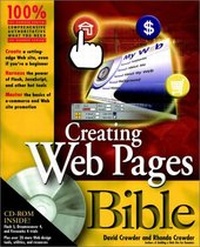
Creating Web Pages Bible
Published on 29. July 2001
Book
Mixed media product
XXIV, 744 pages
978-0-7645-4791-1 (ISBN)
Description
Creating Web Pages Bible covers everything beginning to advanced users need to create dynamic Web pages: from planning and building a simple Web page with HTML and authoring tools to creating interactive sites with forms, multimedia, and animation techniques to actually going live with your site. There's even a section on e-commerce. This Bible is a 100 per cent comprehensive reference on creating Web pages, for all user levels.
More details
Other editions
New editions
David A. Crowder
Creating Web Sites Bible
Book
10/2004
2nd Edition
Hungry Minds Inc,U.S.
€25.90
Article exhausted; check for reprint
Content
Preface. Acknowledgments. Quick Start: Building a Flash Web Site. PART I: Building Web Pages and Sites. Chapter 1: Planning Your Web Pages. Chapter 2: Using HTML Building Blocks to Create Your Pages. Chapter 3: Organizing Your Web Pages into Sites. Chapter 4: Putting It on the Web. PART II: Enhancing Web Pages with Fonts, Images, and Color. Chapter 5: Getting Fancy with Text. Chapter 6: Finding Images. Chapter 7: Blending Images into Your Pages. Chapter 8: Creating and Enhancing Images. Chapter 9: Adding Color Throughout Your Site. PART III: Designing Web Layouts. Chapter 10: Harnessing the Power of Tables. Chapter 11: Organizing Your Site with Frames. Chapter 12: Styling Web Pages with Cascading Style Sheets. Chapter 13: Positioning Elements with Layers. PART IV: Adding Interactivity with Flash, Forms, and Other Tools. Chapter 14: Getting Input with Forms. Chapter 15: Making Dynamic Web Pages with JavaScript. Chapter 16: Navigating Your Web Site. Chapter 17: Adding Dynamic Page Elements. Chapter 18: Animating with Macromedia Flash. Chapter 19: Adding Multimedia and Other Objects. PART V: Cashing in on E-Commerce. Chapter 20: Setting Up Your Store. Chapter 21: Covering All the Bases. PART VI: Promoting and Maintaining Your Site. Chapter 22: Promoting Your Site. Chapter 23: Maintaining Your Site. Chapter 24: Updating Your Site. Appendix A: What's on the CD-ROM? Appendix B: HTML 4.01 Specification. Appendix C: XHTML 1.0 Specification. Appendix D: JavaScript Reference. Glossary. Index. End-User License Agreement. CD-ROM Installation Instructions.