

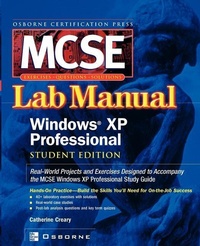
MCSE Windows XP Professional Lab Manual
(Exam 70-270)
Published on 25. June 2002
Book
Paperback/Softback
304 pages
978-0-07-222512-9 (ISBN)
Description
This study guide features labs that challenge students to solve problems based on realistic case studies. Its clear measurable lab objectives map to certification objectives, and lab analysis tests offer context-oriented assessment of student's comprehension of key concepts.
More details
Series
Edition
Student ed.
Language
English
Place of publication
New York
United States
Publishing group
McGraw-Hill Education - Europe
Target group
College/higher education
Professional and scholarly
Product notice
Paperback (trade)
Illustrations
1
Dimensions
Height: 231 mm
Width: 187 mm
Thickness: 18 mm
Weight
621 gr
ISBN-13
978-0-07-222512-9 (9780072225129)
Copyright in bibliographic data and cover images is held by Nielsen Book Services Limited or by the publishers or by their respective licensors: all rights reserved.
Schweitzer Classification
Person
Catherine Creary is a certified network trainer and educational consultant. She is the author of the Network+ All-In-One Lab Manual and she has designed and written online courses for Digital Think, including a course on Microsoft Windows 2000 Configuring, Supporting, and Extending Remote Access. Catherine has a degree in education. Gene Villarin will serve as technical editor for this project. Gene (MCSE, MCT) is an experienced curriculum developer and instructor who reviews and evaluates textbooks for Computer Education Institute (CEI).
Content
Ch. 1: Introduction to Installing, Configuring, and Administering Microsoft Windows XP Professional; Ch. 2: Performing an Attended Installation of Windows XP Professional; Ch. 3: Performing an Unattended Installation of Windows XP Professional; Ch. 4: Configuring and Troubleshooting the Desktop Environment; Ch. 5: Managing Windows XP Hardware; Ch. 6: Configure and Manage I/O Devices; Ch. 7: Configuring Disk Drives and Disk Volumes; Ch. 8: Printing and Faxing; Ch. 9: Resource Administration; Ch. 10: Networking; Ch. 11: Internet Connections, Remote Desktop, and Remote Assistance; Ch. 12: Configuring Managing and Troubleshooting Security; Ch. 13: Monitoring and Optimising System; Performance and Reliability