

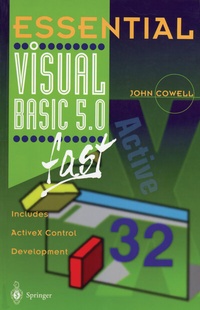
Essential Visual Basic 5.0 Fast
Includes ActiveX Control Development
1st Edition
Published on 8. August 1997
Book
Paperback/Softback
XII, 235 pages
978-3-540-76148-8 (ISBN)
Description
Visual Basic has sold over 4 million copies and is the most widely used development environment for creating Windows 95 applications. Developers enjoyed using the powerful, intuitive facilities in version 4 but wanted more. Version 5 is the latest and b est version which significantly extends the power of previous versions and offers a range of new features, in particular Active X component development. If you are new to Visual Basic or an existing Visual Basic user Essential Visual Basic 5.0 fast is written to give you the critical information that you need to write object oriented applications in Visual Basic 5 fast. New features, in particular how to write Active X components and how to use the Visual Data Manager, are covered in detail, with many examples. Essential Visual Basic 5 is designed for professional developers or students who need to learn the maximum in the minimum time and to develop applications fast.
More details
Series
Edition
1st Edition.
Language
English
Place of publication
London
United Kingdom
Publishing group
Springer Berlin
Target group
Professional and scholarly
Professional/practitioner
Illustrations
XII, 235 p.
Dimensions
Height: 235 mm
Width: 155 mm
Thickness: 14 mm
Weight
382 gr
ISBN-13
978-3-540-76148-8 (9783540761488)
DOI
10.1007/978-1-4471-0983-9
Schweitzer Classification
Other editions
Additional editions
E-Book
12/2012
Springer
€53.49
Available for download
Content
1 Why Use Visual Basic 5?.- 2 The Visual Basic Environment.- 3 Shrinking and Growing.- 4 Managing Projects and Files.- 5 Standard Controls.- 6 Buying a New PC.- 7 Displaying Text.- 8 Declaring and Using Variables.- 9 Controlling Program Flow.- 10 Procedures and Functions.- 11 Debugging.- 12 Object Oriented Programming.- 13 ActiveX Controls.- 14 Creating and Using Menus.- 15 Using Custom Controls.- 16 Creating and Using Graphics.- 17 Mouse and Keyboard Events.- 18 Databases.- 19 Menu and Toolbar Reference.