

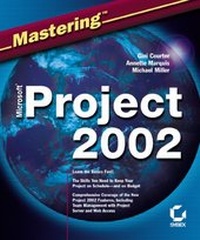
Mastering Microsoft Project 2002
1st Edition
Published on 21. January 2003
Book
Paperback/Softback
772 pages
978-0-7821-4147-4 (ISBN)
Description
Don't Let Project's Complexity Get in the Way of Effective Project Management
Don't fear its complexity. Microsoft Project 2002 is more adaptable than ever. Mastering Microsoft Project 2002 shows you how to make Project really work for you, whether you're managing a sprawling, enterprise-wide project or something much smaller. Learn basic tasks and quickly move on to more advanced features, choosing the path that will make you and your organization efficient and successful. Coverage includes:
* Understanding the project management process
* Creating a new project
* Entering project tasks
* Scheduling and linking project tasks
* Defining project resources and costs
* Assigning and scheduling resources and costs
* Communicating project information with other team members
* Tracking project process
* Assessing and managing risks
* Sharing resources and tasks among multiple projects
* Analyzing data using views and reports
* Importing and exporting project data
* Installing and administering Project Server
* Using Project Professional and Project Server for enterprise-wide projects
* Using Web Access for group projects
* Creating Project macros
* Customizing fields and forms
* Automating Project with VBA
Don't fear its complexity. Microsoft Project 2002 is more adaptable than ever. Mastering Microsoft Project 2002 shows you how to make Project really work for you, whether you're managing a sprawling, enterprise-wide project or something much smaller. Learn basic tasks and quickly move on to more advanced features, choosing the path that will make you and your organization efficient and successful. Coverage includes:
* Understanding the project management process
* Creating a new project
* Entering project tasks
* Scheduling and linking project tasks
* Defining project resources and costs
* Assigning and scheduling resources and costs
* Communicating project information with other team members
* Tracking project process
* Assessing and managing risks
* Sharing resources and tasks among multiple projects
* Analyzing data using views and reports
* Importing and exporting project data
* Installing and administering Project Server
* Using Project Professional and Project Server for enterprise-wide projects
* Using Web Access for group projects
* Creating Project macros
* Customizing fields and forms
* Automating Project with VBA
More details
Edition
1., Auflage
Language
English
Place of publication
New York
United States
Publishing group
John Wiley & Sons Inc
Target group
College/higher education
Professional and scholarly
Edition type
Revised edition
Dimensions
Height: 22.9 cm
Width: 18.8 cm
Thickness: 41 mm
Weight
1280 gr
ISBN-13
978-0-7821-4147-4 (9780782141474)
Schweitzer Classification
Other editions
Previous edition

Gini Courter | Annette Marquis
Mastering Microsoft Project 2000
Book
03/2000
Sybex Inc.,U.S.
€50.94
Article exhausted; check for reprint
Persons
Gini Courter and Annette Marquis are seasoned Project trainers. They are co-owners of TRIAD Consulting and authors of the best-selling Mastering Office and Mastering Outlook from Sybex. Michael Miller has authored more than three dozen non-fiction how-to books in the past decade, including Sybex's PowerPoint! I Didn't Know You Could Do That! and Mastering Word 2000 Premium Edition, 2E. Mr. Miller has established a reputation for explaining technical topics to non-technical readers, and for offering useful real-world advice about complicated topics.
Content
Introduction.
Part I: Introducing Microsoft Project 2002.
Chapter 1: Project 2002 Basics.
Chapter 2: Understanding Project Management.
Chapter 3: Understanding Project Management Tasks.
Chapter 4: Project 2002 Quickstart.
Part II: Creating a Project from Start to Finish.
Chapter 5: Working in Project 2002.
Chapter 6: Building a New Project.
Chapter 7: Entering Project Tasks.
Chapter 8: Scheduling and Linking Project Tasks.
Chapter 9: Defining Project Resources and Costs.
Chapter 10: Assigning and Scheduling Resources and Costs.
Chapter 11: Preparing Your Project for Publication.
Chapter 12: Tracking Project Progress.
Part III: Juggling and Managing Projects.
Chapter 13: Assessing and Managing Risks.
Chapter 14: Sharing Resources and Tasks among Multiple Projects.
Chapter 15: Communicating Project Information.
Part IV: Evaluating and Analyzing Project Data.
Chapter 16: Using Views to Evaluate Data.
Chapter 17: Using Reports to Analyze Data.
Chapter 18: Importing and Exporting Project Data.
Chapter 19: Closing a Project.
Part V: Using Microsoft Project Server.
Chapter 20: Installing and Administering Microsoft Project Server.
Chapter 21: Using Project Server 2002 for Enterprise-Wide Projects.
Chapter 22: Using Web Access for Group Projects.
Part VI: Customizing and Automating Project 2002.
Chapter 23: Customizing Project 2002.
Chapter 24: Creating Project 2002 Macros.
Chapter 25: Customizing Fields and Forms.
Chapter 26: Automating Project 2002 with VBA.
Chapter 27: Advanced Programming in Project 2002.
Appendix.
Glossary.
Index.
Part I: Introducing Microsoft Project 2002.
Chapter 1: Project 2002 Basics.
Chapter 2: Understanding Project Management.
Chapter 3: Understanding Project Management Tasks.
Chapter 4: Project 2002 Quickstart.
Part II: Creating a Project from Start to Finish.
Chapter 5: Working in Project 2002.
Chapter 6: Building a New Project.
Chapter 7: Entering Project Tasks.
Chapter 8: Scheduling and Linking Project Tasks.
Chapter 9: Defining Project Resources and Costs.
Chapter 10: Assigning and Scheduling Resources and Costs.
Chapter 11: Preparing Your Project for Publication.
Chapter 12: Tracking Project Progress.
Part III: Juggling and Managing Projects.
Chapter 13: Assessing and Managing Risks.
Chapter 14: Sharing Resources and Tasks among Multiple Projects.
Chapter 15: Communicating Project Information.
Part IV: Evaluating and Analyzing Project Data.
Chapter 16: Using Views to Evaluate Data.
Chapter 17: Using Reports to Analyze Data.
Chapter 18: Importing and Exporting Project Data.
Chapter 19: Closing a Project.
Part V: Using Microsoft Project Server.
Chapter 20: Installing and Administering Microsoft Project Server.
Chapter 21: Using Project Server 2002 for Enterprise-Wide Projects.
Chapter 22: Using Web Access for Group Projects.
Part VI: Customizing and Automating Project 2002.
Chapter 23: Customizing Project 2002.
Chapter 24: Creating Project 2002 Macros.
Chapter 25: Customizing Fields and Forms.
Chapter 26: Automating Project 2002 with VBA.
Chapter 27: Advanced Programming in Project 2002.
Appendix.
Glossary.
Index.