

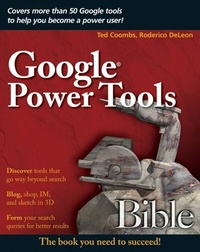
Google Power Tools Bible
1st Edition
Published on 9. March 2007
Book
Paperback/Softback
614 pages
978-0-470-09712-0 (ISBN)
Description
The most thorough and comprehensive guide to Google
Expand your world with the dozens of Google tools, applications, and services you'll find in this comprehensive book. Going well beyond the basics of search, this in-depth resource shows you how to access and apply every one of Google's features--things like Gmail, Google Maps, and SketchUp--while also explaining how to program Google, become a Froogle merchant, and much more. With thorough coverage, step-by-step instructions, and hundreds of tips and workarounds, it's what you need to succeed with Google.
* Review the basics of keywords, queries, and PageRank technology
* Delve into search features such as the I'm Feeling Lucky button
* Find your way with Google Maps and mobile GMaps
* Check financial news, get quotes, and manage your portfolio
* Import, view, and fix photos with Picasa
* Google-ize your computer with Google gadgets and plug-ins
* Use Google Analytics to evaluate Web site traffic
* Explore Google's future with a sneak peak at R&D
Expand your world with the dozens of Google tools, applications, and services you'll find in this comprehensive book. Going well beyond the basics of search, this in-depth resource shows you how to access and apply every one of Google's features--things like Gmail, Google Maps, and SketchUp--while also explaining how to program Google, become a Froogle merchant, and much more. With thorough coverage, step-by-step instructions, and hundreds of tips and workarounds, it's what you need to succeed with Google.
* Review the basics of keywords, queries, and PageRank technology
* Delve into search features such as the I'm Feeling Lucky button
* Find your way with Google Maps and mobile GMaps
* Check financial news, get quotes, and manage your portfolio
* Import, view, and fix photos with Picasa
* Google-ize your computer with Google gadgets and plug-ins
* Use Google Analytics to evaluate Web site traffic
* Explore Google's future with a sneak peak at R&D
More details
Series
Edition
1., Auflage
Language
English
Place of publication
Chichester
United Kingdom
Publishing group
John Wiley and Sons Ltd
Target group
Professional and scholarly
Illustrations
illustrations
Dimensions
Height: 23.4 cm
Width: 18.7 cm
Thickness: 35 mm
Weight
907 gr
ISBN-13
978-0-470-09712-0 (9780470097120)
Schweitzer Classification
Other editions
Additional editions
Ted Coombs | Roderico DeLeon
Google Power Tools Bible
E-Book
06/2008
Wiley
€27.30
Available for download
Persons
Ted Coombs is a veteran programmer and software engineer who has written more than a dozen books on computer technology, including dBASE for Windows Programming For Dummies, PowerBuilder Programming For Dummies, and Setting Up an Internet Site For Dummies.
Roderico DeLeon has worked as a PC and networking consultant and is the author of several books.
Roderico DeLeon has worked as a PC and networking consultant and is the author of several books.
Content
About the Authors.
Preface.
How To Use This Book.
Using the Book's Icons.
Acknowledgments.
Introduction.
Part I: Navigating Google Information.
Chapter 1: Searching the Web.
Chapter 2: Focusing Your Web Search.
Chapter 3: Topic Searching.
Chapter 4: Discovering Images on the Web.
Chapter 5: Hunting for Videos.
Chapter 6: Searching through Books.
Chapter 7: Searching Google Catalogs.
Chapter 8: Shopping as a Sport.
Chapter 9: Making Use of Directories.
Chapter 10: Keeping in Touch with E-Mail Alerts.
Chapter 11: Personalizing Google Desktop.
Chapter 12: Exploring Google Maps
Chapter 13: Exploring the World with Google Earth.
Chapter 14: Staying Current with Google News.
Chapter 15: Researching with Google Scholar.
Chapter 16: Managing Your Portfolio with Google Finance.
Chapter 17: Google Base.
Chapter 18: Using Google "Office."
Part II: Communicating Google-Style.
Chapter 19: Staying in Touch with Gmail.
Chapter 20: Chatting with Google Talk.
Chapter 21: Editing and Sharing Photos with Picasa2.
Chapter 22: Participating in Google Groups.
Chapter 23: Creating Web Pages with Page Creator.
Chapter 24: Introducing Blogs.
Chapter 25: Communicating with Blogger.
Chapter 26: Organizing Your Day with Google Calendar.
Part III: Going Mobile.
Chapter 27: Finding Your Way with Google
Chapter 28: Using Google Mobile.
Part IV: Google-izing Your Computer.
Chapter 29: Messaging with Google.
Chapter 30: Getting to Know the Google Pack.
Chapter 31: Managing the Google Toolbar.
Chapter 32: Creating 3-D Models with SketchUp.
Chapter 33: Using 3-D Models.
Part V: Google and the Enterprise.
Chapter 34: Increasing Web Traffic with AdWords.
Chapter 35: Making Cents with AdSense.
Chapter 36: Making Decisions with Google Analytics.
Chapter 37: Creating a Google Enterprise.
Chapter 38: Introducing Enterprise Hardware.
Part VI: Exploring Google Innovation.
Chapter 39: Exploring the Future of Google.
Chapter 40: Graduating from the Product Labs.
Index.
Preface.
How To Use This Book.
Using the Book's Icons.
Acknowledgments.
Introduction.
Part I: Navigating Google Information.
Chapter 1: Searching the Web.
Chapter 2: Focusing Your Web Search.
Chapter 3: Topic Searching.
Chapter 4: Discovering Images on the Web.
Chapter 5: Hunting for Videos.
Chapter 6: Searching through Books.
Chapter 7: Searching Google Catalogs.
Chapter 8: Shopping as a Sport.
Chapter 9: Making Use of Directories.
Chapter 10: Keeping in Touch with E-Mail Alerts.
Chapter 11: Personalizing Google Desktop.
Chapter 12: Exploring Google Maps
Chapter 13: Exploring the World with Google Earth.
Chapter 14: Staying Current with Google News.
Chapter 15: Researching with Google Scholar.
Chapter 16: Managing Your Portfolio with Google Finance.
Chapter 17: Google Base.
Chapter 18: Using Google "Office."
Part II: Communicating Google-Style.
Chapter 19: Staying in Touch with Gmail.
Chapter 20: Chatting with Google Talk.
Chapter 21: Editing and Sharing Photos with Picasa2.
Chapter 22: Participating in Google Groups.
Chapter 23: Creating Web Pages with Page Creator.
Chapter 24: Introducing Blogs.
Chapter 25: Communicating with Blogger.
Chapter 26: Organizing Your Day with Google Calendar.
Part III: Going Mobile.
Chapter 27: Finding Your Way with Google
Chapter 28: Using Google Mobile.
Part IV: Google-izing Your Computer.
Chapter 29: Messaging with Google.
Chapter 30: Getting to Know the Google Pack.
Chapter 31: Managing the Google Toolbar.
Chapter 32: Creating 3-D Models with SketchUp.
Chapter 33: Using 3-D Models.
Part V: Google and the Enterprise.
Chapter 34: Increasing Web Traffic with AdWords.
Chapter 35: Making Cents with AdSense.
Chapter 36: Making Decisions with Google Analytics.
Chapter 37: Creating a Google Enterprise.
Chapter 38: Introducing Enterprise Hardware.
Part VI: Exploring Google Innovation.
Chapter 39: Exploring the Future of Google.
Chapter 40: Graduating from the Product Labs.
Index.