

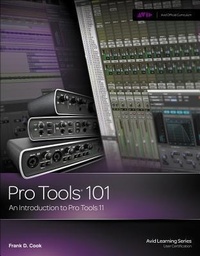
Pro Tools 101
An Introduction to Pro Tools 11 (with DVD)
Will be published approx. on 22. August 2013
Book
Paperback/Softback
336 pages
978-1-285-77484-8 (ISBN)
Description
PRO TOOLS 101 AN INTRODUCTION TO PRO TOOLS 11 takes a comprehensive approach to learning the fundamentals of Pro Tools systems. Now updated for Pro Tools 11 software, this new edition from the definitive authority on Pro Tools covers everything you need to know to complete a Pro Tools project. Learn to build sessions that include multitrack recordings of live instruments, MIDI sequences, and virtual instruments. Through hands-on tutorials, develop essential techniques for recording, editing, and mixing. PRO TOOLS 101 AN INTRODUCTION TO PRO TOOLS 11 is the first of two courses designed to prepare users for the Avid Pro Tools 11 Certified User exam. The second course, Pro Tools 110: Pro Tools Production I, is available exclusively through Avid Learning Partners. To find an Avid Learning Partner, please visit http://www.avid.com/support/training/find-partner.
More details
Language
English
Place of publication
Florence
United States
Target group
College/higher education
Dimensions
Height: 276 mm
Width: 217 mm
Thickness: 30 mm
Weight
1285 gr
ISBN-13
978-1-285-77484-8 (9781285774848)
Copyright in bibliographic data and cover images is held by Nielsen Book Services Limited or by the publishers or by their respective licensors: all rights reserved.
Schweitzer Classification
Other editions
Previous edition
Book
11/2011
Cengage Learning, Inc
€85.71
Shipment within 10-20 days
Person
Frank D. Cook is a bass guitarist and longtime Pro Tools user. The owner of Insource Writing Solutions and NextPoint Training, Frank has worked in the technical publications and education industries for more than fifteen years. As a writer, editor, technical publications manager, and business owner, Frank has authored and contributed to hundreds of guides, manuals, reports, textbooks, and other publications for clients in a wide variety of industries. His writing and consulting company, Insource Writing Solutions, specializes in documentation for the digital audio industry. His training venture, NextPoint Training, focuses on advanced training in Pro Tools, VENUE, digital media, and related products and technologies. Frank also teaches Pro Tools courses as an adjunct professor at American River College in Sacramento, California.
Content
1. Getting to Know Pro Tools.
2. Getting Inside Pro Tools.
3. Creating Your First Session.
4. Making Your First Audio Recording.
5. Importing and Working with Media in a Session.
6. Making Your First MIDI Recording.
7. Selecting and Navigating.
8. Basic Editing Techniques.
9. Basic Mixing Techniques.
10. Finishing Your Work.
11. Project Introduction and Setup.
12. Music Hands-On Project.
13. Post Hands-On Project.
14. Information for Course Completion.
2. Getting Inside Pro Tools.
3. Creating Your First Session.
4. Making Your First Audio Recording.
5. Importing and Working with Media in a Session.
6. Making Your First MIDI Recording.
7. Selecting and Navigating.
8. Basic Editing Techniques.
9. Basic Mixing Techniques.
10. Finishing Your Work.
11. Project Introduction and Setup.
12. Music Hands-On Project.
13. Post Hands-On Project.
14. Information for Course Completion.