

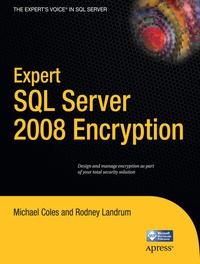
Expert SQL Server 2008 Encryption
Published on 6. April 2011
Book
Paperback/Softback
320 pages
978-1-4302-2464-8 (ISBN)
Description
Every day, organizations large and small fall victim to attacks on their data. Encryption provides a shield to help defend against intruders. Because of increasing pressure from government regulators, consumers, and the business community at large, the job descriptions of SQL DBAs and developers are expanding to include encryption. Expert SQL Server 2008 Encryption will show you how to efficiently implement SQL Server 2008 encryption functionality and features to secure your organizational data.
- Introduces encryption, guiding readers through its implementation in SQL Server
- Demonstrates advanced techniques such as the use of hardware security modules
- Covers all that a SQL Server database administrator needs to know about encryption
More details
Other editions
Additional editions
Michael Coles | Rodney Landrum
Expert SQL Server 2008 Encryption
E-Book
06/2011
APress
€44.99
Available for download
Persons
Michael Coles has more than a decade's experience designing and administering SQL Server databases. A prolific writer of articles on all aspects of SQL Server, particularly on the expert use of T-SQL, he holds MCDBA and MCP certifications. He graduated magna cum laude with a bachelor of science degree in information technology from American Intercontinental University in Georgia. A member of the United States Army Reserve, he was activated for two years following 9/11.
Content
Part I - Developing Microsoft Windows 7 Multi-Touch Applications with WPF 1. The Business Case 2. Drafting the Best Players 3. Coming up with a Game Plan 4. Spring Training 5. Ballpark Security 6. Selecting the table, entering number of guests, entering orders, modifying orders 7. Separate checks and printing checks 8. Accepting payment 9. What if.? Using Multi-Touch in the Tablet Form Part II - Developing Microsoft Surface Applications 10. The Business Case 11. Drafting the Best Players 12. The Game plan 13. Spring Training 14. Who's on First? 15. Peanuts, Beer and Cotton Candy: Making Choices 16. The Seventh Inning Stretch 17. The Big Show - Adding Rich Experiences to Surface 18. Bottom of the Ninth - The Big Finish 19. Extra Innings - Free ball! Part III - Teamwork -Windows 7 and Surface Together Post-Season Discussion