

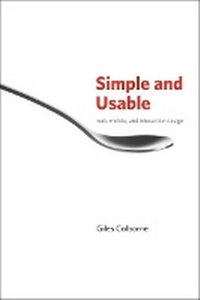
Simple and Usable Web, Mobile, and Interaction Design
Published on 28. September 2010
Book
Paperback/Softback
208 pages
978-0-321-70354-5 (ISBN)
Description
In a complex world, products that are easy to use win favor with consumers. This is the first book on the topic of simplicity aimed specifically at interaction designers. It shows how to drill down and simplify user experiences when designing digital tools and applications. It begins by explaining why simplicity is attractive, explores the laws of simplicity, and presents proven strategies for achieving simplicity. Remove, hide, organize and displace become guidelines for designers, who learn simplicity by seeing before and after examples and case studies where the results speak for themselves.
More details
Other editions
New editions
Giles Colborne
Simple and Usable Web, Mobile, and Interaction Design
Book
01/2018
2nd Edition
New Riders
€37.50
Shipment within 15-20 days
Content
Part 1
Why are we here?
A story about simplicity
The power of simplicity
Increasing complexity is unsustainable
Not that kind of simple
Character
Fake simplicity
Know yourself
Part 2
Setting a vision
Two ways to describe what's core
Get out of your office
What to look for
Three types of user
Why you should ignore expert customers
Design for the mainstream
What mainstreamers want
Emotional needs
Simplicity is about control
Choosing the right "what"
Describing the user experience
Putting it all together
World, character, Extreme usability
The quick and dirty way
Insight
Getting the right vision
Share it
Part 3
Four strategies for simplicity
Simplify this
The remote control
The four strategies
Part 4
Remove
Remove
How not to do it
Focus on what's core
Kill lame features
What if the user...?
But our customers want it
Solutions, not processes
When features don't matter
Will it hurt?
Prioritizing features Load Decisions
Distractions
Smart defaults
Options and preferences
When one option is too many
Errors
Visual clutter
Removing words
Simplifying sentences
Removing too much
You can do it
Focus
Part 5
Organize
Organize
Chunking
Organizing for behavior
Hard edges
Alphabets and formats
Search
Time and space
Grids
Size and location Layers
Color coding
Desire paths
Part 6
Hide
Hide
Infrequent but necessary
Customizing
Automatic customization
Progressive disclosure
Staged disclosure
X doesn't mark the spot
Cues and clues
Making things easy to find
After you hide
Part 7
Displace
Displace
Displacing between devices
Mobile vs. desktop
Displacing to the user
What users do best
Creating open experiences
Kitchen knives and pianos
Unstructured data
Trust
Part 8
Before we go
Conservation of complexity
Details
Simplicity happens in the user's head
Photo Credits 186
Index 189
Why are we here?
A story about simplicity
The power of simplicity
Increasing complexity is unsustainable
Not that kind of simple
Character
Fake simplicity
Know yourself
Part 2
Setting a vision
Two ways to describe what's core
Get out of your office
What to look for
Three types of user
Why you should ignore expert customers
Design for the mainstream
What mainstreamers want
Emotional needs
Simplicity is about control
Choosing the right "what"
Describing the user experience
Putting it all together
World, character, Extreme usability
The quick and dirty way
Insight
Getting the right vision
Share it
Part 3
Four strategies for simplicity
Simplify this
The remote control
The four strategies
Part 4
Remove
Remove
How not to do it
Focus on what's core
Kill lame features
What if the user...?
But our customers want it
Solutions, not processes
When features don't matter
Will it hurt?
Prioritizing features Load Decisions
Distractions
Smart defaults
Options and preferences
When one option is too many
Errors
Visual clutter
Removing words
Simplifying sentences
Removing too much
You can do it
Focus
Part 5
Organize
Organize
Chunking
Organizing for behavior
Hard edges
Alphabets and formats
Search
Time and space
Grids
Size and location Layers
Color coding
Desire paths
Part 6
Hide
Hide
Infrequent but necessary
Customizing
Automatic customization
Progressive disclosure
Staged disclosure
X doesn't mark the spot
Cues and clues
Making things easy to find
After you hide
Part 7
Displace
Displace
Displacing between devices
Mobile vs. desktop
Displacing to the user
What users do best
Creating open experiences
Kitchen knives and pianos
Unstructured data
Trust
Part 8
Before we go
Conservation of complexity
Details
Simplicity happens in the user's head
Photo Credits 186
Index 189