

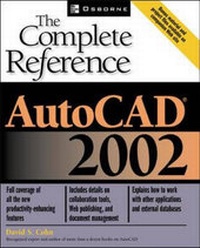
AutoCAD 2002
The Complete Reference
Published on 26. April 2002
Book
Paperback/Softback
1100 pages
978-0-07-222429-0 (ISBN)
Description
This comprehensive resource - written by a well-known and experienced AutoCAD expert - covers all key topics including drawing and editing in 3D, managing content with DesignCenter, working with external databases, customizing without programming, and more.
More details
Series
Language
English
Place of publication
New York
United States
Publishing group
McGraw-Hill Education - Europe
Target group
Professional and scholarly
Illustrations
800 illustrations
Dimensions
Height: 231 mm
Width: 185 mm
Thickness: 57 mm
Weight
1822 gr
ISBN-13
978-0-07-222429-0 (9780072224290)
Copyright in bibliographic data and cover images is held by Nielsen Book Services Limited or by the publishers or by their respective licensors: all rights reserved.
Schweitzer Classification
Person
David S. Cohn is a computer consultant and technical writer specializing in helping architects, engineers, and designer leverage computer technology. He is also a licensed architect with over 20 years of experience, including 16 years using AutoCAD. A contributing editor ot Desktop Engineering magazine, David was also the executive editor of Architectura, a CD-ROM based magazine for architects and engineers who use AutoCAD, and for over 7 years served as the senior editor of CADalyst, the AutoCAD magazine. In addition, to this book and over a dozen other books on AutoCAD, he has aso written books on Internet web design and his many articles also appear in Cadence, Computer Graphics World, and PC Magazine. Working from his home in Bellingham, Washington - which includes its own LAN and intranet - David also consults to numerous software companies and has written the user manuals engineering programs. When he's not writing or consulting, David can be found skiing, sailing, or working on model railroads, in the company of his wife and four children. You may contact him at dcohn@home.com.
Content
Part I: AutoCAD Basics 1: Getting Started with AutoCAD 2: Drawing Basics 3: Creating Simple 2-D Objects 4: Creating More Complex 2-D Objects 5: Viewing Your Drawing 6: Working with Coordinates 7: Modifying Objects Part II: Moving Beyond the Basics 8: Organizing Drawing Information 9: Getting Drawing Information 10: Editing Complex Objects 11: Changing Properties 12: Adding Cross Hatching 13: Working with Text 14: Dimensioning Your Drawing 15: Working with Blocks, Attributes, and 16: Managing Content with AutoCAD DesignCenter 17: Creating a Layout to Plot 18: Plotting Your Drawing Part III: Becoming an Expert 19: Drawing in Three Dimensions 20: Editing in Three Dimensions 21: Editing Three-Dimensional Solids 22: Creating Three-Dimensional Images 23: Using Raster Images 24: Working with Other Applications Part IV: Advanced Topics 25: Web-Enabling AutoCAD Drawings 26: Leveraging the Internet 27: Working with External Databases 28: Customizing AutoCAD Without Programming 29: Some Programming Required Part V: About the Appendixes Online