

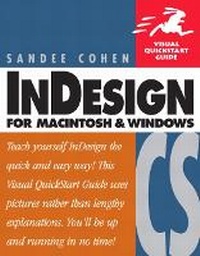
InDesign CS for Macintosh and Windows
Visual QuickStart Guide
Published on 4. December 2003
Book
Paperback/Softback
576 pages
978-0-321-21348-8 (ISBN)
Description
Now that you've finally figured out that InDesign's increasingly tight integration with the rest of Adobe's creative products will enable you to work more creatively and efficiently, all you want to do is get up to speed on it--yesterday, if possible! Enter InDesign CS for Macintosh and Windows: Visual QuickStart Guide. Using the task-based, visual approach that has become the hallmark Peachpit's popular Visual QuickStart Guides, this volume provides a fast, easy, comprehensive introduction to everything InDesign. You'll learn about all aspects of the InDesign interface, including its tools and palettes, as well as how to create and navigate documents, import and style text and objects, automate your work, manage long documents, use the Bezier pen tools, and work with color. You'll also find complete coverage of more advanced topics (like preflighting and advanced text control) and a thorough introduction to all of InDesign CS' new features: an updated Story Editor, nested styles, separation previews, and the Package for GoLive command.
More details
Language
English
Place of publication
Berkeley
United States
Publishing group
Pearson Education (US)
Target group
College/higher education
Dimensions
Height: 181 mm
Width: 234 mm
Thickness: 29 mm
Weight
875 gr
ISBN-13
978-0-321-21348-8 (9780321213488)
Copyright in bibliographic data and cover images is held by Nielsen Book Services Limited or by the publishers or by their respective licensors: all rights reserved.
Schweitzer Classification
Other editions
New editions
Book
10/2005
Peachpit Press Publications
€22.27
Article exhausted; check for reprint
Person
Sandee Cohen, is the graphics curriculum coordinator at the New School University Computer Instruction Center in New York City. In addition, she is also a frequent speaker at the Seybold, Thunder Lizard, and Macworld Expo conferences.
Content
Introduction.
1: Getting Started.
2: Document Setup.
3: Basic Text.
4: Working with Objects.
5: Working in Color.
6: Styling Objects.
7: Pen and Bezier Tools.
8: Imported Graphics.
9: Text Effects.
10: Pages And Books.
11: Layers.
12: Libraries.
13: Tabs and Tables.
14: Automating Text.
15: Typography Controls.
16: Color Management.
17: Interactive PDF Elements.
18: Output.
19: Exporting.
20: Customizing InDesign.
Appendix.
1: Getting Started.
2: Document Setup.
3: Basic Text.
4: Working with Objects.
5: Working in Color.
6: Styling Objects.
7: Pen and Bezier Tools.
8: Imported Graphics.
9: Text Effects.
10: Pages And Books.
11: Layers.
12: Libraries.
13: Tabs and Tables.
14: Automating Text.
15: Typography Controls.
16: Color Management.
17: Interactive PDF Elements.
18: Output.
19: Exporting.
20: Customizing InDesign.
Appendix.