

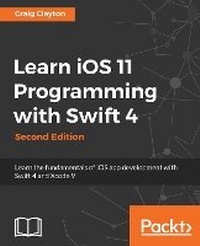
Learn iOS 11 Programming with Swift 4
Learn the fundamentals of iOS app development with Swift 4 and Xcode 9
2nd Edition
Published on 31. January 2018
Book
Paperback/Softback
812 pages
978-1-78839-075-0 (ISBN)
Description
Begin your iOS development journey using Swift 4 and XCode 9 with this easy to learn, practical guide.
Key Features
[*] Explore the latest features of iOS 11 and Swift 4 to build robust applications
[*] Kickstart your iOS development career by building your first application from scratch
[*]Manage databases and integrate standard elements such as photos and GPS into your app
Book DescriptionYou want to build iOS applications but where do you start? Forget sifting through tutorials and blog posts, this book is a direct route into iOS development, taking you through the basics and showing you how to put the principles into practice. So take advantage of this developer-friendly guide and start building applications that may just take the App Store by storm!
Whether you're an experienced programmer or a complete novice, this book guides you through every facet of iOS development. From Xcode and Swift, the building blocks of modern iOS development, you'll quickly gain a solid foundation to begin venturing deeper into your development journey. Experienced programmers can jump right in and learn the latest iOS 11 features.
You'll also learn advanced topics of iOS design, such as gestures and animations, to give your app the edge. Explore the latest developments in Swift 4 and iOS 11 by incorporating new features, custom-rich notifications, drag and drop features, and the latest developments in SiriKit. With further guidance on beta testing with TestFlight, you'll quickly learn everything you need to get your project on the App Store!
What you will learn
[*]Get to grips with Swift 4 and Xcode 9, the building blocks of Apple development
[*]Get to know the fundamentals of Swift 4, including strings, variables, constants, and control flow
[*]Discover the distinctive design principles that define the iOS user experience
[*]Build a responsive UI and add privacy to your custom-rich notifications
[*]Preserve data and manipulate images with filters and effects
[*]Bring in SiriKit to create payment requests inside your app
[*] Collect valuable feedback with TestFlight before you release your apps on the App Store
Who this book is forThis book is for beginners who want to be able to create iOS applications. You do not need any knowledge of Swift or any prior programming experience. However, if you have some programming experience, this book is a great way to get a full understanding of how to create an iOS application from scratch and submit it to the App Store
Key Features
[*] Explore the latest features of iOS 11 and Swift 4 to build robust applications
[*] Kickstart your iOS development career by building your first application from scratch
[*]Manage databases and integrate standard elements such as photos and GPS into your app
Book DescriptionYou want to build iOS applications but where do you start? Forget sifting through tutorials and blog posts, this book is a direct route into iOS development, taking you through the basics and showing you how to put the principles into practice. So take advantage of this developer-friendly guide and start building applications that may just take the App Store by storm!
Whether you're an experienced programmer or a complete novice, this book guides you through every facet of iOS development. From Xcode and Swift, the building blocks of modern iOS development, you'll quickly gain a solid foundation to begin venturing deeper into your development journey. Experienced programmers can jump right in and learn the latest iOS 11 features.
You'll also learn advanced topics of iOS design, such as gestures and animations, to give your app the edge. Explore the latest developments in Swift 4 and iOS 11 by incorporating new features, custom-rich notifications, drag and drop features, and the latest developments in SiriKit. With further guidance on beta testing with TestFlight, you'll quickly learn everything you need to get your project on the App Store!
What you will learn
[*]Get to grips with Swift 4 and Xcode 9, the building blocks of Apple development
[*]Get to know the fundamentals of Swift 4, including strings, variables, constants, and control flow
[*]Discover the distinctive design principles that define the iOS user experience
[*]Build a responsive UI and add privacy to your custom-rich notifications
[*]Preserve data and manipulate images with filters and effects
[*]Bring in SiriKit to create payment requests inside your app
[*] Collect valuable feedback with TestFlight before you release your apps on the App Store
Who this book is forThis book is for beginners who want to be able to create iOS applications. You do not need any knowledge of Swift or any prior programming experience. However, if you have some programming experience, this book is a great way to get a full understanding of how to create an iOS application from scratch and submit it to the App Store
More details
Edition
2nd Revised edition
Language
English
Place of publication
Birmingham
United Kingdom
Edition type
Revised edition
Dimensions
Height: 235 mm
Width: 191 mm
ISBN-13
978-1-78839-075-0 (9781788390750)
Copyright in bibliographic data and cover images is held by Nielsen Book Services Limited or by the publishers or by their respective licensors: all rights reserved.
Schweitzer Classification
Person
Craig Clayton is a self-taught, senior iOS engineer, instructor and mentor at Ed Farm, specializing in cultivate change and promote innovation in education. He also volunteered as the organizer of the Suncoast iOS meetup group in the Tampa/St. Petersburg area for three years, preparing presentations and hands-on talks for this group and other groups in the community.
Content
Table of Contents
Getting Familiar with Xcode
Building a Foundation with Swift
Building on the Swift Foundation
Digging Deeper
Digging into Collections
Starting the UI Setup
Setting Up the Basic Structure
Building Our App Structure in Storyboard
Finishing Up Our App Structure in Storyboard
Designing Cells
Designing Static Tables
Designing a Photo Filter and Review Form
Getting Started with the Grid
Getting Data into Our Grid
Getting Started with the List
Where Are We?
Working with an API
Displaying Data in Restaurant Detail
Foodie Reviews
Working with Photo Filters
Understanding Core Data
Saving Reviews
Universal
iMessages
Notifications
Just a Peek
Drag and Drop
SiriKit
Beta and Store Submission
Getting Familiar with Xcode
Building a Foundation with Swift
Building on the Swift Foundation
Digging Deeper
Digging into Collections
Starting the UI Setup
Setting Up the Basic Structure
Building Our App Structure in Storyboard
Finishing Up Our App Structure in Storyboard
Designing Cells
Designing Static Tables
Designing a Photo Filter and Review Form
Getting Started with the Grid
Getting Data into Our Grid
Getting Started with the List
Where Are We?
Working with an API
Displaying Data in Restaurant Detail
Foodie Reviews
Working with Photo Filters
Understanding Core Data
Saving Reviews
Universal
iMessages
Notifications
Just a Peek
Drag and Drop
SiriKit
Beta and Store Submission