

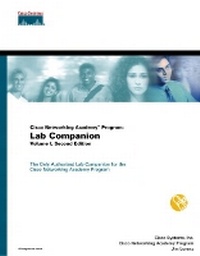
Cisco Networking Academy Program
Lab Companion, Volume I
2nd Edition
Published on 6. June 2001
Book
Mixed media product
288 pages
978-1-58713-027-4 (ISBN)
Description
The Only Authorized Lab Companion for the Cisco Networking Academy Program.
Cisco-approved study materials for the Networking Academies course
Written by the course developer
Maps to online curriculum version
Increased integration across print products for more effective learning resource
Expanded CD-ROM - To include interactive e-Lab activities, over 400 CCNA preparation questions, Real Media movies and animations and more
Includes all of the labs that appear on the online curriculum and more than a dozen challenge labs.
Provides excellent directions and hints for getting the most out of the labs.
Cisco Networking Academy Program: Lab Companion, Vol. I, Second Edition is the lab companion product to the Cisco Networking Academy Program semesters 1 and 2. This book has been strongly integrated with the Cisco Networking Academy Program: First-Year Companion Guide, Second Edition and the Cisco Networking Academy Program: Engineering Journal and Workbook, Volume I, Second Edition. It saves you the time and cost of printing out the online materials.
The Lab Companion contains all the labs from Version 2.1 of the online curriculum, along with additional instruction and bonus labs not found anywhere else. Also includes a CD-ROM containing additional learning materials and e-Labs for reality-based lab training and learning.
Cisco-approved study materials for the Networking Academies course
Written by the course developer
Maps to online curriculum version
Increased integration across print products for more effective learning resource
Expanded CD-ROM - To include interactive e-Lab activities, over 400 CCNA preparation questions, Real Media movies and animations and more
Includes all of the labs that appear on the online curriculum and more than a dozen challenge labs.
Provides excellent directions and hints for getting the most out of the labs.
Cisco Networking Academy Program: Lab Companion, Vol. I, Second Edition is the lab companion product to the Cisco Networking Academy Program semesters 1 and 2. This book has been strongly integrated with the Cisco Networking Academy Program: First-Year Companion Guide, Second Edition and the Cisco Networking Academy Program: Engineering Journal and Workbook, Volume I, Second Edition. It saves you the time and cost of printing out the online materials.
The Lab Companion contains all the labs from Version 2.1 of the online curriculum, along with additional instruction and bonus labs not found anywhere else. Also includes a CD-ROM containing additional learning materials and e-Labs for reality-based lab training and learning.
More details
Edition
2nd edition
Language
English
Place of publication
Indianapolis
United States
Publishing group
Pearson Education (US)
Target group
College/higher education
Dimensions
Width: 280 mm
Thickness: 16 mm
Weight
696 gr
ISBN-13
978-1-58713-027-4 (9781587130274)
Copyright in bibliographic data and cover images is held by Nielsen Book Services Limited or by the publishers or by their respective licensors: all rights reserved.
Schweitzer Classification
Other editions
New editions
Cisco Systems, Inc. | Cisco Networking Academy Program
CCNA 3 and 4 Lab Companion (Cisco Networking Academy Program)
Book
07/2003
3rd Edition
Cisco Press
€47.22
Article is exhausted; no reprint
Previous edition
Book
10/2000
Cisco Press
€34.24
Article exhausted; check for reprint
Persons
Cisco Systems, Inc., is the worldwide leader in networking for the Internet. Cisco solutions, which include industry-leading publications from Cisco Press, educate and provide competitive advantage to customers through more efficient and timely exchange of information, leading to cost savings, process efficiencies, and closer business relationships. These solutions form the networking foundation for many organizations worldwide.
Jim Lorenz created the Cisco Networking Academy Program Lab Companions for Semesters 1-4 from Cisco Press, and is a curriculum developer and faculty intern for Cisco Systems in North Carolina.
Jim Lorenz created the Cisco Networking Academy Program Lab Companions for Semesters 1-4 from Cisco Press, and is a curriculum developer and faculty intern for Cisco Systems in North Carolina.
Content
SEMESTER 1.
1. Computing Basics.
Lab 1.1.1 PC Hardware. Lab 1.1.4 NIC Installation. Lab 1.2.1.1 TCP/IP Network Settings. Lab 1.2.1.2 PC Software. Lab 1.2.2 Web Browser Literacy. Lab 1.2.3 Basic Troubleshooting. Lab 1.3.6 Binary Numbering.
2. The OSI Model.
Lab 2.2.5 OSI Model Layers. Lab 2.3.4 OSI Model and TCP/IP.
3. Local-Area Networks (LANS).
Lab 3.4.2 Basic LAN Setup.
4. Layer 1: Electronics and Signals.
Lab 4.2.1 Safe Handling and Use of a Multimeter. Lab 4.2.2 Resistance Measurements. Lab 4.2.3 Voltage Measurements. Lab 4.2.4 Series Circuits. Lab 4.2.5 Communications Circuit.
5. Layer 1: Media, Connections and Collisions.
Lab 5.3.1 Basic Cable Tester. Lab 5.3.2 Straight-Through Cable. Lab 5.3.3 Rollover Cable. Lab 5.3.4 Crossover Cable. Lab 5.3.5 Cable Tester-Wire Map. Lab 5.3.6 Straight-Through Cable Tester. Lab 5.3.7 Cable Tester-Length.
7. Layer 2: Technologies. Lab 7.6.2 Network Discovery. Lab 7.6.3 Network Inspector Problem Log. Lab 7.6.4 Protocol Inspector Frame Stats.
9. Structured Cabling Project.
Lab 9.2.12 RJ-45 Jack Install. Lab 9.5.1 Demo Cable Installation. Lab 9.7.13 Demo Cable Testing.
10. Layer 3: Routing and Addressing.
Lab 10.4.1 IP Addressing. Lab 10.6.6 Subnet Mask 1-Class C with 2 Subnets. Lab 10.7.5 Subnet Mask 2-Class B with 3 Subnets. Lab10.7.7 Subnet Mask 3-Class C with 3 Subnets.
11. Layer 3: Protocols.
Lab 11.9.1 Protocol Inspector and ARP. Lab 12.4.1 Protocol Inspector and TCP.
SEMESTER 2.
2. WANs and Routers.
Lab 2.2.2 Router Characteristics. Lab 2.2.3.1 Router Lab Setup. Lab 2.2.3.2 Router Lab Configuration.
3. Router Command-Line Interface (CLI).
Lab 3.2.1 Router User Interface. Lab 3.2.2 Router User Interface Modes.
4. Router Components. Lab 4.2.4 Router Show Commands. Lab 4.3.5 CDP Neighbors. Lab 4.4.2 Remote Telnet Access. Lab 4.4.3 ICMP Ping. Lab 4.4.4 Traceroute Command. Lab 4.4.7 Show Interface and Clear Counters. Lab 4.5.1 Troubleshooting Tools Challenge.
5. Router Startup and Setup.
Lab 5.2.3 Router Setup Command. Lab 5.3.1 Router Setup Challenge.
6. Router Configuration 1.
Lab 6.1.2 Router Configuration with HyperTerminal. Lab 6.1.4 Router Configuration with TFTP. Lab 6.2.1 Basic Router Configuration. Lab 6.2.5 Router Interface Configuration. Lab 6.3.3 Router Password Recovery. Lab 6.4.1 Router Configuration Challenge. Lab 6.4.2 Cisco ConfigMaker. Lab 6.4.3 Router Configuration with a Web Browser.
7. Cisco Internetwork Operating System (IOS) Images.
Lab 7.1.3 IOS Image Boot. Lab 7.3.5 IOS Image Backup/Restore.
8. Router Configuration 2.
Lab 8.1.2 Router Password Recovery. Lab 8.2.1 Individual Router Configuration.
9. TCP/IP.
Lab 9.2.4.1 Show ARP and Clear ARP. Lab 9.2.4.2 ARP Challenge. Lab X.X.X.X Network Troubleshooting Challenge.
10. IP Addressing.
Lab 10.1.4 IP Addressing and Subnets Challenge. Lab 10.4.1 Semester 2 Topology Challenge.
12. Routing Protocols.
Lab 12.1.5 Static Routes. Lab 12.3.5 RIP Routing. Lab 12.5.1 RIP Convergence. Lab 12.5.2 Routing Loops Challenge. Lab 12.5.3 Routing Loops Prevention Challenge.
13. Network Troubleshooting.
Lab 13.1.6 Troubleshooting 5-Router Network.
1. Computing Basics.
Lab 1.1.1 PC Hardware. Lab 1.1.4 NIC Installation. Lab 1.2.1.1 TCP/IP Network Settings. Lab 1.2.1.2 PC Software. Lab 1.2.2 Web Browser Literacy. Lab 1.2.3 Basic Troubleshooting. Lab 1.3.6 Binary Numbering.
2. The OSI Model.
Lab 2.2.5 OSI Model Layers. Lab 2.3.4 OSI Model and TCP/IP.
3. Local-Area Networks (LANS).
Lab 3.4.2 Basic LAN Setup.
4. Layer 1: Electronics and Signals.
Lab 4.2.1 Safe Handling and Use of a Multimeter. Lab 4.2.2 Resistance Measurements. Lab 4.2.3 Voltage Measurements. Lab 4.2.4 Series Circuits. Lab 4.2.5 Communications Circuit.
5. Layer 1: Media, Connections and Collisions.
Lab 5.3.1 Basic Cable Tester. Lab 5.3.2 Straight-Through Cable. Lab 5.3.3 Rollover Cable. Lab 5.3.4 Crossover Cable. Lab 5.3.5 Cable Tester-Wire Map. Lab 5.3.6 Straight-Through Cable Tester. Lab 5.3.7 Cable Tester-Length.
7. Layer 2: Technologies. Lab 7.6.2 Network Discovery. Lab 7.6.3 Network Inspector Problem Log. Lab 7.6.4 Protocol Inspector Frame Stats.
9. Structured Cabling Project.
Lab 9.2.12 RJ-45 Jack Install. Lab 9.5.1 Demo Cable Installation. Lab 9.7.13 Demo Cable Testing.
10. Layer 3: Routing and Addressing.
Lab 10.4.1 IP Addressing. Lab 10.6.6 Subnet Mask 1-Class C with 2 Subnets. Lab 10.7.5 Subnet Mask 2-Class B with 3 Subnets. Lab10.7.7 Subnet Mask 3-Class C with 3 Subnets.
11. Layer 3: Protocols.
Lab 11.9.1 Protocol Inspector and ARP. Lab 12.4.1 Protocol Inspector and TCP.
SEMESTER 2.
2. WANs and Routers.
Lab 2.2.2 Router Characteristics. Lab 2.2.3.1 Router Lab Setup. Lab 2.2.3.2 Router Lab Configuration.
3. Router Command-Line Interface (CLI).
Lab 3.2.1 Router User Interface. Lab 3.2.2 Router User Interface Modes.
4. Router Components. Lab 4.2.4 Router Show Commands. Lab 4.3.5 CDP Neighbors. Lab 4.4.2 Remote Telnet Access. Lab 4.4.3 ICMP Ping. Lab 4.4.4 Traceroute Command. Lab 4.4.7 Show Interface and Clear Counters. Lab 4.5.1 Troubleshooting Tools Challenge.
5. Router Startup and Setup.
Lab 5.2.3 Router Setup Command. Lab 5.3.1 Router Setup Challenge.
6. Router Configuration 1.
Lab 6.1.2 Router Configuration with HyperTerminal. Lab 6.1.4 Router Configuration with TFTP. Lab 6.2.1 Basic Router Configuration. Lab 6.2.5 Router Interface Configuration. Lab 6.3.3 Router Password Recovery. Lab 6.4.1 Router Configuration Challenge. Lab 6.4.2 Cisco ConfigMaker. Lab 6.4.3 Router Configuration with a Web Browser.
7. Cisco Internetwork Operating System (IOS) Images.
Lab 7.1.3 IOS Image Boot. Lab 7.3.5 IOS Image Backup/Restore.
8. Router Configuration 2.
Lab 8.1.2 Router Password Recovery. Lab 8.2.1 Individual Router Configuration.
9. TCP/IP.
Lab 9.2.4.1 Show ARP and Clear ARP. Lab 9.2.4.2 ARP Challenge. Lab X.X.X.X Network Troubleshooting Challenge.
10. IP Addressing.
Lab 10.1.4 IP Addressing and Subnets Challenge. Lab 10.4.1 Semester 2 Topology Challenge.
12. Routing Protocols.
Lab 12.1.5 Static Routes. Lab 12.3.5 RIP Routing. Lab 12.5.1 RIP Convergence. Lab 12.5.2 Routing Loops Challenge. Lab 12.5.3 Routing Loops Prevention Challenge.
13. Network Troubleshooting.
Lab 13.1.6 Troubleshooting 5-Router Network.