

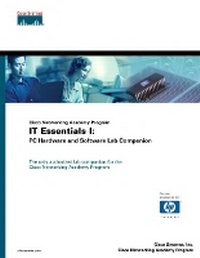
Cisco Networking Academy Program IT Essentials I
PC Hardware and Software Lab Companion
Published on 16. January 2003
Book
Paperback/Softback
224 pages
978-1-58713-094-6 (ISBN)
Description
Prepare for the CompTIA A+ exam with the official Networking Academy Lab Companion of the IT Essentials I: PC Hardware and Software course
Maps directly to the Cisco Networking Academy's Web-based course
Includes hands-on exercises to help students prepare for both CompTIA A+ certification exams
The Cisco Networking Academy Program launched the IT Essentials I: PC Hardware and Software course in the summer of 2002, and the first courses were offered during the Fall 2002 semester. The IT Essentials I: PC Hardware and Software course can be used as a precursor to the well-established and very successful CCNA curriculum, or it can be taught as a stand alone course within the Networking Academy Program. This course will prepare students for CompTIA's A+ certification exam, an industry-accepted certification for entrance into the information technology sector.
The Lab Companion covers all the topics and objectives of the A+ exam and maps directly to the Web-based course. The Lab Companion will give students hands-on practice in installing, configuring, upgrading, troubleshooting and repairing microcomputer hardware. It will reinforce what the student has learned about desktop and portable systems, basic networking concepts, and printers. Safety and common preventive maintenance procedures are also addressed. The Lab Companion includes additional exercises unique to the course for added certification preparation.
Maps directly to the Cisco Networking Academy's Web-based course
Includes hands-on exercises to help students prepare for both CompTIA A+ certification exams
The Cisco Networking Academy Program launched the IT Essentials I: PC Hardware and Software course in the summer of 2002, and the first courses were offered during the Fall 2002 semester. The IT Essentials I: PC Hardware and Software course can be used as a precursor to the well-established and very successful CCNA curriculum, or it can be taught as a stand alone course within the Networking Academy Program. This course will prepare students for CompTIA's A+ certification exam, an industry-accepted certification for entrance into the information technology sector.
The Lab Companion covers all the topics and objectives of the A+ exam and maps directly to the Web-based course. The Lab Companion will give students hands-on practice in installing, configuring, upgrading, troubleshooting and repairing microcomputer hardware. It will reinforce what the student has learned about desktop and portable systems, basic networking concepts, and printers. Safety and common preventive maintenance procedures are also addressed. The Lab Companion includes additional exercises unique to the course for added certification preparation.
More details
Language
English
Place of publication
Indianapolis
United States
Publishing group
Pearson Education (US)
Target group
College/higher education
Dimensions
Height: 276 mm
Width: 214 mm
Thickness: 12 mm
Weight
506 gr
ISBN-13
978-1-58713-094-6 (9781587130946)
Copyright in bibliographic data and cover images is held by Nielsen Book Services Limited or by the publishers or by their respective licensors: all rights reserved.
Schweitzer Classification
Other editions
New editions
Cisco Systems, Inc. | ABC, Inc.
HP IT Essentials I
PC Hardware and Software Lab Companion (Cisco Networking Academy Program)
Book
06/2004
2nd Edition
Cisco Press
€45.99
Article exhausted; check for reprint
Persons
The Cisco Systems Worldwide Education curriculum development team in Phoenix is the developer of the Cisco Networking Academy Program online curriculum, and is the co-developer of this book, with Aries Technology, Inc. Aries is a multimedia curriculum development company located in Tempe, Arizona who has been working with WWE in developing the online curriculum. Aries education products and information can be viewed at www.aries.net
Content
Lab 1. Information Technology Basics.
Lab 2. How Computers Work.
Lab 3. Assembling a Computer.
Lab 4. Operating System Fundamentals.
Lab 5. Windows 9X Operating Systems.
Lab 6. Adding Multimedia Capabilities.
Lab 7. Windows NT/2000/XP Operating Systems.
Lab 8. Networking Fundamentals.
Lab 9. Printers and Printing.
Lab 10. Preventive Maintenance.
Lab 11. Troubleshooting PC Hardware.
Lab 12. Troubleshooting Software.
Appendix A. IT Professional.
Appendix B. A+ Certification Exam Review.
Lab 2. How Computers Work.
Lab 3. Assembling a Computer.
Lab 4. Operating System Fundamentals.
Lab 5. Windows 9X Operating Systems.
Lab 6. Adding Multimedia Capabilities.
Lab 7. Windows NT/2000/XP Operating Systems.
Lab 8. Networking Fundamentals.
Lab 9. Printers and Printing.
Lab 10. Preventive Maintenance.
Lab 11. Troubleshooting PC Hardware.
Lab 12. Troubleshooting Software.
Appendix A. IT Professional.
Appendix B. A+ Certification Exam Review.