

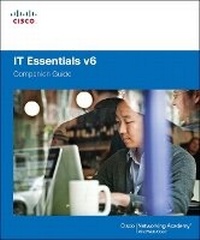
IT Essentials Companion Guide v6
6th Edition
Published on 13. February 2017
Book
Hardback
928 pages
978-1-58713-355-8 (ISBN)
Description
IT Essentials v6 Companion Guide supports the Cisco Networking Academy IT Essentials version 6 course. The course is designed for Cisco Networking Academy students who want to pursue careers in IT and learn how computers work, how to assemble computers, and how to safely and securely troubleshoot hardware and software issues.
As CompTIA Approved Quality Content, the course also helps you prepare for the CompTIA A+ certification exams 220-901 and 220-902. Students must pass both exams to earn the CompTIA A+ certification.
The features of the Companion Guide are designed to help you study and succeed in this course:
Chapter objectives-Review core concepts by answering the focus questions listed at the beginning of each chapter.
Key terms-Refer to the updated lists of networking vocabulary introduced, and turn to the highlighted terms in context.
Course section numbering-Follow along with the course heading numbers to easily jump online to complete labs, activities, and quizzes referred to within the text.
Check Your Understanding Questions and Answer Key-Evaluate your readiness with the updated end-of-chapter questions that match the style of questions you see on the online course quizzes.
This icon in the Companion Guide indicates when there is a hands-on Lab to do. All the Labs from the course are compiled and published in the separate book, IT Essentials v6 Lab Manual. Practicing and performing all these tasks will reinforce the concepts and help you become a successful PC technician.
As CompTIA Approved Quality Content, the course also helps you prepare for the CompTIA A+ certification exams 220-901 and 220-902. Students must pass both exams to earn the CompTIA A+ certification.
The features of the Companion Guide are designed to help you study and succeed in this course:
Chapter objectives-Review core concepts by answering the focus questions listed at the beginning of each chapter.
Key terms-Refer to the updated lists of networking vocabulary introduced, and turn to the highlighted terms in context.
Course section numbering-Follow along with the course heading numbers to easily jump online to complete labs, activities, and quizzes referred to within the text.
Check Your Understanding Questions and Answer Key-Evaluate your readiness with the updated end-of-chapter questions that match the style of questions you see on the online course quizzes.
This icon in the Companion Guide indicates when there is a hands-on Lab to do. All the Labs from the course are compiled and published in the separate book, IT Essentials v6 Lab Manual. Practicing and performing all these tasks will reinforce the concepts and help you become a successful PC technician.
More details
Series
Edition
6th edition
Language
English
Place of publication
Indianapolis
United States
Publishing group
Pearson Education (US)
Target group
Professional and scholarly
Dimensions
Height: 240 mm
Width: 210 mm
Thickness: 40 mm
Weight
1830 gr
ISBN-13
978-1-58713-355-8 (9781587133558)
Schweitzer Classification
Other editions
New editions
Cisco Networking Academy
IT Essentials Companion Guide v7
Book
07/2020
Cisco Press
€78.59
Shipment within 15-20 days
Previous edition

Cisco Networking Academy
IT Essentials
Book
07/2013
5th Edition
Cisco Press
€79.41
Article exhausted; check for reprint
Person
Cisco Networking Academy is an innovative Cisco education initiative that delivers information and communication technology skills to improve career and economic opportunities around the world. The Academy provides online courses, interactive tools, and lab activities to prepare individuals for information technology and networking careers in virtually every industry.
Content
Chapter 1 Introduction to the Personal Computer System
Chapter 2 Introduction to Lab Procedures and Tool Use
Chapter 3 Computer Assembly
Chapter 4 Overview of Preventive Maintenance
Chapter 5 Windows Installation
Chapter 6 Windows Configuration and Management
Chapter 7 Networking Concepts
Chapter 8 Applied Networking
Chapter 9 Laptops and Mobile Devices
Chapter 10 Mobile, Linux, and OS X Operating Systems
Chapter 11 Printers
Chapter 12 Security
Chapter 13 The IT Professional
Appendix A Answers to "Check Your Understanding" Questions
Glossary
Chapter 2 Introduction to Lab Procedures and Tool Use
Chapter 3 Computer Assembly
Chapter 4 Overview of Preventive Maintenance
Chapter 5 Windows Installation
Chapter 6 Windows Configuration and Management
Chapter 7 Networking Concepts
Chapter 8 Applied Networking
Chapter 9 Laptops and Mobile Devices
Chapter 10 Mobile, Linux, and OS X Operating Systems
Chapter 11 Printers
Chapter 12 Security
Chapter 13 The IT Professional
Appendix A Answers to "Check Your Understanding" Questions
Glossary