

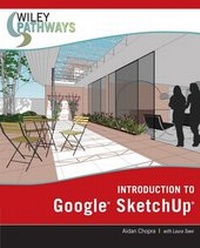
Wiley Pathways Introduction to Google SketchUp
1st Edition
Published on 12. October 2007
Book
Paperback/Softback
480 pages
978-0-470-17565-1 (ISBN)
Description
You can get there
Whether you're already working and looking to expand your skills in the computer-aided modeling field or setting out on a new career path that involves 3D design, Wiley Pathways Introduction to Google SketchUp will help you get there. Easy-to-read, practical, and up-to-date, this text not only helps you learn how to use Google SketchUp at your own pace; it helps you master the core competencies and skills you need to succeed.
Developed with architects and other design gurus in mind, Google SketchUp is the fast, easy way to build 3D models of anything you want--buildings, furniture, or your own unique creations.
With this book, you will be able to:
* Understand the basic concepts behind Google SketchUp and the general workflow for creating and sharing a model
* Use Google SketchUp to make buildings, draw and extrude simple plans, model stairs, and construct roofs
* Use advanced techniques for modeling objects like vehicles, furniture, and more
* Build models using photographs with Google SketchUp's new photo matching feature
* Present your finished design using such features as Styles, Shadows, and Sections
* Get your models out into the world through Google Earth and the 3D Warehouse
* Print and export images and animations from your model file
Whether you're already working and looking to expand your skills in the computer-aided modeling field or setting out on a new career path that involves 3D design, Wiley Pathways Introduction to Google SketchUp will help you get there. Easy-to-read, practical, and up-to-date, this text not only helps you learn how to use Google SketchUp at your own pace; it helps you master the core competencies and skills you need to succeed.
Developed with architects and other design gurus in mind, Google SketchUp is the fast, easy way to build 3D models of anything you want--buildings, furniture, or your own unique creations.
With this book, you will be able to:
* Understand the basic concepts behind Google SketchUp and the general workflow for creating and sharing a model
* Use Google SketchUp to make buildings, draw and extrude simple plans, model stairs, and construct roofs
* Use advanced techniques for modeling objects like vehicles, furniture, and more
* Build models using photographs with Google SketchUp's new photo matching feature
* Present your finished design using such features as Styles, Shadows, and Sections
* Get your models out into the world through Google Earth and the 3D Warehouse
* Print and export images and animations from your model file
More details
Edition
1., Auflage
Language
English
Place of publication
Chichester
United Kingdom
Publishing group
John Wiley and Sons Ltd
Target group
Professional and scholarly
Dimensions
Height: 23.6 cm
Width: 18.6 cm
Thickness: 1.6 cm
Weight
671 gr
ISBN-13
978-0-470-17565-1 (9780470175651)
Schweitzer Classification
Other editions
New editions
Aidan Chopra | Laura Town | Chris Pichereau
Introduction to Google SketchUp
Book
04/2012
2nd Edition
Wiley
€93.90
Article is exhausted; no reprint

Aidan Chopra | Laura Town
Introduction to Google SketchUp
Book
02/2009
Wiley
€52.90
The article will not be published
Persons
Aidan Chopra is the Product Evangelist at Google for SketchUp and Google Earth. He writes and lectures about how SketchUp is used in design, and writes the SketchUpdate, a monthly email newsletter that reaches SketchUp users worldwide. He holds a Master of Architecture degree from Rice University, and has taught architecture at the university level and, at Google, works on ways to mediate between power and usability.
Content
Chapter 1: Meeting Google SketchUp
Chapter 2: Establishing the Modeling Mindset
Chapter 3: Building Simple Models
Chapter 4: Modeling Buildings
Chapter 5: Keeping Your Model Organized
Chapter 6: Creating Everyday Objects
Chapter 7: Modeling with Photographs
Chapter 8: Changing Your Model's Appearance
Chapter 9: Working with Light and Shadow
Chapter 10: Presenting Your Model Inside SketchUp
Chapter 11: Working with Google Earth and the 3D Warehouse
Chapter 12: Printing Your Work
Chapter 13: Exporting Images and Animations
Chapter 14: Exporting to CAD, Illustration, and Other Modeling Software
Chapter 15: Creating Presentation Documents with LayOut
Chapter 16: Troubleshooting and Using Additional Resources
Chapter 2: Establishing the Modeling Mindset
Chapter 3: Building Simple Models
Chapter 4: Modeling Buildings
Chapter 5: Keeping Your Model Organized
Chapter 6: Creating Everyday Objects
Chapter 7: Modeling with Photographs
Chapter 8: Changing Your Model's Appearance
Chapter 9: Working with Light and Shadow
Chapter 10: Presenting Your Model Inside SketchUp
Chapter 11: Working with Google Earth and the 3D Warehouse
Chapter 12: Printing Your Work
Chapter 13: Exporting Images and Animations
Chapter 14: Exporting to CAD, Illustration, and Other Modeling Software
Chapter 15: Creating Presentation Documents with LayOut
Chapter 16: Troubleshooting and Using Additional Resources