

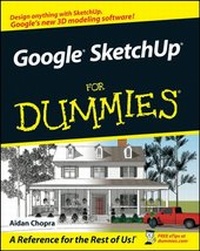
Google SketchUp For Dummies
1st Edition
Published on 22. June 2007
Book
Paperback/Softback
432 pages
978-0-470-13744-4 (ISBN)
Description
Get a whole new perspective on 3D modeling
Build your house in 3D, do some remodeling, and share it in Google Earth
Developed with architects and other design gurus in mind, Google SketchUp is the fast, easy way to build 3D models of anything you want -- buildings, furniture, or your own unique creations. Best of all, it's free! You don't have to know anything about 3D to use this handy guide -- just download SketchUp, fire it up, and you'll be modeling in no time.
* Create models from photos
*
Master the interface and 3D tools
*
Animate a walkthrough of your model
*
Arrange furniture and decorate your space
*
Try out landscape designs
Build your house in 3D, do some remodeling, and share it in Google Earth
Developed with architects and other design gurus in mind, Google SketchUp is the fast, easy way to build 3D models of anything you want -- buildings, furniture, or your own unique creations. Best of all, it's free! You don't have to know anything about 3D to use this handy guide -- just download SketchUp, fire it up, and you'll be modeling in no time.
* Create models from photos
*
Master the interface and 3D tools
*
Animate a walkthrough of your model
*
Arrange furniture and decorate your space
*
Try out landscape designs
Reviews / Votes
"full of tips and techniques" (British Woodworking, October 2007)More details
Edition
1., Auflage
Language
English
Place of publication
Chichester
United Kingdom
Publishing group
John Wiley and Sons Ltd
Target group
Professional and scholarly
Illustrations
col. Illustrations
Dimensions
Height: 23.3 cm
Width: 18.7 cm
Thickness: 2.5 cm
Weight
635 gr
ISBN-13
978-0-470-13744-4 (9780470137444)
Schweitzer Classification
Person
Aidan Chopra has always had a thing for computers -- his parents thoughtfully sent him to Apple camp instead of hockey lessons like every other eight-year-old in Montreal -- but he learned to draft and build physical models the old-fashioned way, working for his architect father. These days, Aidan is a Product Evangelist at Google, where he's been since that company bought SketchUp in the first part of 2006. In the three years since he graduated with a Master of Architecture degree from Rice University, he's done a lot of writing and lecturing about the way software is used in design. Aidan writes the SketchUpdate, a monthly e-mail newsletter that reaches a half million SketchUp users worldwide. He has taught architecture at the university level and, at Google, works on ways to mediate between power and usability; he believes the best software in the world isn't worth a darn if nobody can figure out how it works. Aidan is based in Boulder, Colorado, even though he is what many would consider to be the diametric opposite of a world-class endurance athlete.
Content
Introduction.
Part I: Getting Started with SketchUp.
Chapter 1: Meeting Google SketchUp.
Chapter 2: Establishing the Modeling Mind-set.
Chapter 3: Getting Off to a Running Start.
Part II: Modeling in SketchUp.
Chapter 4: Building Buildings.
Chapter 5: Keeping Your Model Organized.
Chapter 6: Going Beyond Buildings.
Chapter 7: Modeling with Photographs.
Part III: Viewing Your Model in Different Ways.
Chapter 8: Changing Your Model's Appearance with Styles.
Chapter 9: Working with Light and Shadow.
Chapter 10: Presenting Your Model Inside SketchUp.
Part IV: Sharing What You've Made.
Chapter 11: Working with Google Earth and the 3D Warehouse.
Chapter 12: Printing Your Work.
Chapter 13: Exporting Images and Animations.
Chapter 14: Exporting to CAD, Illustration, and Other Modeling Software.
Chapter 15: Creating Presentation Documents with LayOut.
Part V: The Part of Tens.
Chapter 16: Ten SketchUp Traps and Their Work-arounds.
Chapter 17: Ten Plugins, Extensions, and Resources Worth Getting.
Chapter 18: Ten Ways to Discover Even More.
Index.
Part I: Getting Started with SketchUp.
Chapter 1: Meeting Google SketchUp.
Chapter 2: Establishing the Modeling Mind-set.
Chapter 3: Getting Off to a Running Start.
Part II: Modeling in SketchUp.
Chapter 4: Building Buildings.
Chapter 5: Keeping Your Model Organized.
Chapter 6: Going Beyond Buildings.
Chapter 7: Modeling with Photographs.
Part III: Viewing Your Model in Different Ways.
Chapter 8: Changing Your Model's Appearance with Styles.
Chapter 9: Working with Light and Shadow.
Chapter 10: Presenting Your Model Inside SketchUp.
Part IV: Sharing What You've Made.
Chapter 11: Working with Google Earth and the 3D Warehouse.
Chapter 12: Printing Your Work.
Chapter 13: Exporting Images and Animations.
Chapter 14: Exporting to CAD, Illustration, and Other Modeling Software.
Chapter 15: Creating Presentation Documents with LayOut.
Part V: The Part of Tens.
Chapter 16: Ten SketchUp Traps and Their Work-arounds.
Chapter 17: Ten Plugins, Extensions, and Resources Worth Getting.
Chapter 18: Ten Ways to Discover Even More.
Index.