

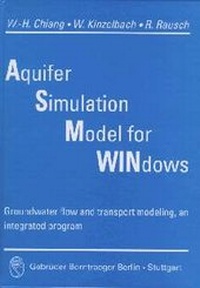
Aquifer Simulation Model for Windows
Groundwater flow and transport modeling, an integrated program
Published in 1998
Book
Hardback
IV, 137 pages
978-3-443-01039-3 (ISBN)
Description
ASM (Aquifer Simulation Model) is a complete implementation of a 2-D groundwater model for use on a PC under MS-Windows 3.1x/95/98/NT (tm). It was originally developed as a tool for the education of students in hydrogeology, civil and environmental engineering. The first version of ASM was published in 1989 and ran under MS-DOS. Since that time ASM has been continually enhanced and improved. This users manual documents the latest and most powerful version 6.0 of ASM which runs under the Microsoft Windows(tm) operating system. The most notable change in this version is the use of a new, friendly graphical user interface which replaces the character oriented interfaces of previous versions. At the same time, ASM-6.0 allows the manipulation of larger model grids which makes it suitable for professional use. It is hoped that this very user-friendly implementation of a groundwater model on Windows(tm) PCs will lower the threshold which inhibits the widespread use of computer based groundwater models. Its ease of use allows getting acquainted with the properties and peculiarities of groundwater flow and transport paths by experimenting with the models by changing relevant parameters. Readers unfamiliar with the theoretical background of groundwater hydraulics and groundwater modelling are referred to the textbooks listed in the references section of this manual.
More details
Content
Contents
Preface V
Acknowledgements V
1. Introduction 1
System Requirements 2
Setting Up ASMWIN 2
Online Help 3
Updates 3
2. Your First Groundwater Model with ASMWIN 5 the Sample Problem 5
Starting ASMWIN 6
2.1 Run a Steady-State Flow Simulation 6
2.2 Simulation of Solute Transport 24
2.2.1 Perform the transport simulation with ASMT2SIM 24
2.2.2 Perform a random walk transport simulation with ASMWALK 27
2.3 Automatic Calibration 31
3. The Modeling Environment 37
3.1 The Grid Editor 37
3.2 The Data Editor 40
Display Modes 40 the Cell-by-Cell Input Method 40 the Zone Input Method 42
3.3 ASMWIN Menus 44
3.3.1 The File Menu 45
3.3.2 The Grid Menu 47
3.3.3 The Parameters Menu 49
3.3.4 The Packages Menu 53
3.3.5 The Run Menu 56
3.3.6 The Tools Menu 60
3.3.7 The Value Menu 60
3.3.8 The Options Menu 65
4. Transport Models 69
4.1 The Advective Transport Model ASMPATH 69
4.1.1 Particle Tracking Methods 70
4.1.2 ASMPATH Modeling Environment 74
4.1.3 ASMPATH Options 79
4.1.4 ASMPATH Output Files 83
4.2 The Random Walk Transport Model ASMWALK 84
4.2.1 ASMWALK Modeling Environment 85
4.2.2 ASMWALK Options 89
4.2.3 ASMWALK Output Files 93
5. Modeling Tools 95
5.1 The Digitizer 95
5.2 The Field Interpolator 96
5.3 The Field Generator 102
5.4 The Results Extractor 103
5.5 The Water Budget Calculator 103
5.6 The Graph Viewer 104
6. Applications and Sample Problems 109
6.1 Flow towards a Well in a Confined Aquifer (Theis problem) 109
6.2 Inflow of Water into an Excavation Pit 111
6.3 Confined Seepage under a Weir 113
6.4 Transport in a Uniform Flow Field 115
6.5 An Example for Stochastic Modeling 118
6.6 Using the Field Interpolator 120
6.7 A Field Application 123
Appendix 1 125
Appendix 2 126
References 133
Index 135
Preface V
Acknowledgements V
1. Introduction 1
System Requirements 2
Setting Up ASMWIN 2
Online Help 3
Updates 3
2. Your First Groundwater Model with ASMWIN 5 the Sample Problem 5
Starting ASMWIN 6
2.1 Run a Steady-State Flow Simulation 6
2.2 Simulation of Solute Transport 24
2.2.1 Perform the transport simulation with ASMT2SIM 24
2.2.2 Perform a random walk transport simulation with ASMWALK 27
2.3 Automatic Calibration 31
3. The Modeling Environment 37
3.1 The Grid Editor 37
3.2 The Data Editor 40
Display Modes 40 the Cell-by-Cell Input Method 40 the Zone Input Method 42
3.3 ASMWIN Menus 44
3.3.1 The File Menu 45
3.3.2 The Grid Menu 47
3.3.3 The Parameters Menu 49
3.3.4 The Packages Menu 53
3.3.5 The Run Menu 56
3.3.6 The Tools Menu 60
3.3.7 The Value Menu 60
3.3.8 The Options Menu 65
4. Transport Models 69
4.1 The Advective Transport Model ASMPATH 69
4.1.1 Particle Tracking Methods 70
4.1.2 ASMPATH Modeling Environment 74
4.1.3 ASMPATH Options 79
4.1.4 ASMPATH Output Files 83
4.2 The Random Walk Transport Model ASMWALK 84
4.2.1 ASMWALK Modeling Environment 85
4.2.2 ASMWALK Options 89
4.2.3 ASMWALK Output Files 93
5. Modeling Tools 95
5.1 The Digitizer 95
5.2 The Field Interpolator 96
5.3 The Field Generator 102
5.4 The Results Extractor 103
5.5 The Water Budget Calculator 103
5.6 The Graph Viewer 104
6. Applications and Sample Problems 109
6.1 Flow towards a Well in a Confined Aquifer (Theis problem) 109
6.2 Inflow of Water into an Excavation Pit 111
6.3 Confined Seepage under a Weir 113
6.4 Transport in a Uniform Flow Field 115
6.5 An Example for Stochastic Modeling 118
6.6 Using the Field Interpolator 120
6.7 A Field Application 123
Appendix 1 125
Appendix 2 126
References 133
Index 135