

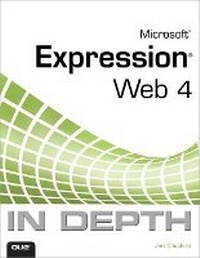
Microsoft Expression Web 4 In Depth
Published on 27. January 2011
Book
Paperback/Softback
648 pages
978-0-7897-4724-2 (ISBN)
Description
The ultimate guide to creating and managing websites using Microsoft Expression Web 4.
"In the trenches" guidance, big-picture insights, and exclusive troubleshooting help for building standards-compliant, cross-browser web sites
Case studies draw on the author's extensive experience building Web solutions with Microsoft technologies
Leverage ASP.NET's power without writing code - and use the free Visual Web Developer Express Edition to develop robust ASP.NET apps
Four bonus chapters located online! Download Part 7: Creating Add-ins Using JavaScript and HTML including:
36.Expression Web 4 Add-in Basics
37.Creating a Basic Add-in
38.Packaging, Testing, and Debugging Add-ins
39.Expression Web 4 JavaScript API Reference
"In the trenches" guidance, big-picture insights, and exclusive troubleshooting help for building standards-compliant, cross-browser web sites
Case studies draw on the author's extensive experience building Web solutions with Microsoft technologies
Leverage ASP.NET's power without writing code - and use the free Visual Web Developer Express Edition to develop robust ASP.NET apps
Four bonus chapters located online! Download Part 7: Creating Add-ins Using JavaScript and HTML including:
36.Expression Web 4 Add-in Basics
37.Creating a Basic Add-in
38.Packaging, Testing, and Debugging Add-ins
39.Expression Web 4 JavaScript API Reference
More details
Language
English
Place of publication
United States
Publishing group
Pearson Education (US)
Target group
Professional and scholarly
Dimensions
Height: 176 mm
Width: 233 mm
Thickness: 33 mm
Weight
990 gr
ISBN-13
978-0-7897-4724-2 (9780789747242)
Copyright in bibliographic data is held by Nielsen Book Services Limited or its licensors: all rights reserved.
Schweitzer Classification
Other editions
New editions
Book
07/2012
2nd Edition
Que Corporation,U.S.
€56.56
Article is exhausted; no reprint
Person
Jim Cheshire is an expert on Expression Web and ASP.NET and is the owner of Jimco Software and Books. Jim has been employed by Microsoft for over 10 years and is currently a senior escalation engineer on the ASP.NET and IIS teams. You can reach Jim at one of his websites, www.jimcosoftware.com or www.jimcobooks.com.
Content
An Overview
1. An Overview of Expression Web 4
Creating Content in Expression Web 4
2. Creating, Opening, and Importing Sites
3. Creating Pages and Basic Page Editing
4. Using Page Views
5. Using Tables
6. Using Frames
7. Editing Tag Properties
8. Using the Quick Tag Tools
9. Using Graphics and Multimedia
10. Using Find and Replace
11. Configuring Page Editor Options
12. Maintaining Compatibility and Accessibility
13. Using SuperPreview
Publishing and Managing Websites
14. Publishing a Site
15. Site Management and Reporting
16. Using Personal Web Packages
Using CSS in Expression Web 4
17. Creating Style Sheets
18. Managing CSS Styles
Scripting, DHTML, and Other Dynamic Content
19. Using Dynamic Web Templates
20. Using Interactive Buttons
21. Using Behaviors
22. Client Scripting
23. Using Layers
24. Using Form Controls
ASP.NET and PHP Development
25. Using Standard ASP.NET Controls
26. Using ASP.NET Navigation Controls
27. Using ASP.NET Master Pages and User Controls
28. Developing a Login System Using ASP.NET
29. Form Validation Using ASP.NET
30. Using ASP.NET Web Parts
31. Using ASP.NET AJAX
32. Using PHP
33. Using the Microsoft Expression Development Server
Managing Data with ASP.NET
34. Displaying and Editing Database Data with ASP.NET
35. Creating an ASP.NET Email Contact Form
(BONUS DOWNLOAD CHAPTERS)
Creating Add-ins Using JavaScript and HTML
36.Expression Web 4 Add-in Basics (bonus download chapter)
37.Creating a Basic Add-in (bonus download chapter)
38.Packaging, Testing, and Debugging Add-ins (bonus download chapter)
39.Expression Web 4 JavaScript API Reference (bonus download chapter)
1. An Overview of Expression Web 4
Creating Content in Expression Web 4
2. Creating, Opening, and Importing Sites
3. Creating Pages and Basic Page Editing
4. Using Page Views
5. Using Tables
6. Using Frames
7. Editing Tag Properties
8. Using the Quick Tag Tools
9. Using Graphics and Multimedia
10. Using Find and Replace
11. Configuring Page Editor Options
12. Maintaining Compatibility and Accessibility
13. Using SuperPreview
Publishing and Managing Websites
14. Publishing a Site
15. Site Management and Reporting
16. Using Personal Web Packages
Using CSS in Expression Web 4
17. Creating Style Sheets
18. Managing CSS Styles
Scripting, DHTML, and Other Dynamic Content
19. Using Dynamic Web Templates
20. Using Interactive Buttons
21. Using Behaviors
22. Client Scripting
23. Using Layers
24. Using Form Controls
ASP.NET and PHP Development
25. Using Standard ASP.NET Controls
26. Using ASP.NET Navigation Controls
27. Using ASP.NET Master Pages and User Controls
28. Developing a Login System Using ASP.NET
29. Form Validation Using ASP.NET
30. Using ASP.NET Web Parts
31. Using ASP.NET AJAX
32. Using PHP
33. Using the Microsoft Expression Development Server
Managing Data with ASP.NET
34. Displaying and Editing Database Data with ASP.NET
35. Creating an ASP.NET Email Contact Form
(BONUS DOWNLOAD CHAPTERS)
Creating Add-ins Using JavaScript and HTML
36.Expression Web 4 Add-in Basics (bonus download chapter)
37.Creating a Basic Add-in (bonus download chapter)
38.Packaging, Testing, and Debugging Add-ins (bonus download chapter)
39.Expression Web 4 JavaScript API Reference (bonus download chapter)