

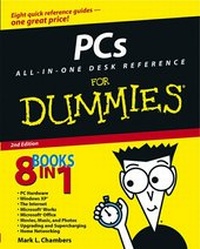
PCs All-in-One Desk Reference For Dummies
2nd Edition
Published on 4. July 2003
Book
Paperback/Softback
788 pages
978-0-7645-3941-1 (ISBN)
Description
This all-encompassing desk reference covers the most popular PC applications and tools available today. It's eight books in one, covering PC Hardware, Windows XP, the Internet, Microsoft Works, Microsoft Office 11, Multimedia (Movies, Music, and Photos), Upgrading/Supercharging Your PC, and Home Networking.
Reviews / Votes
"...recommended for new PC users..." (PC Utilities, September 2003)More details
Edition
2., Aufl.
Language
English
Place of publication
Foster City
United States
Publishing group
John Wiley & Sons Inc
Edition type
Revised edition
Illustrations
Illustrations
Dimensions
Height: 23.4 cm
Width: 18.8 cm
Thickness: 38 mm
Weight
1077 gr
ISBN-13
978-0-7645-3941-1 (9780764539411)
Schweitzer Classification
Other editions
New editions

Mark L. Chambers
PCs All-in-One Desk Reference For Dummies
Book
01/2006
3rd Edition
Wiley
€27.90
Article exhausted; check for reprint
Previous edition
Dan Gookin
PCs All in One Desk Reference For Dummies
Book
03/2001
Hungry Minds Inc,U.S.
€42.90
Article exhausted; check for reprint
Person
Mark L. Chambers is a computer consultant, programmer, hardware technician, and author. His previous books include Building a PC For Dummies and Scanners For Dummies.
Content
Introduction. Book I: PC Hardware. Chapter 1: Starting with the Basics. Chapter 2: Additional Toys Your PC Will Enjoy. Chapter 3: Connectors, Ports, and Sundry Openings. Chapter 4: Maintaining Your Hardware. Book II: Windows XP. Chapter 1: Shake Hands with Windows XP. Chapter 2: The Many Windows of Windows. Chapter 3: Windows XP Basics. Chapter 4: Customizing Windows XP. Chapter 5: Maintaining the XP Beast. Chapter 6: Taking Control of the Control Panel. Chapter 7: Easy XP Troubleshooting. Book III: The Internet. Chapter 1: Making Sense of the Internet. Chapter 2: Adding a Dialup Connection to Windows XP. Chapter 3: Protecting Your Internet Privacy. Chapter 4: Cruising the Web with Internet Explorer. Chapter 5: Harnessing Your E-Mail. Chapter 6: Instant Messaging Done Right. Book IV: Microsoft Works. Chapter 1: An Overview of Works. Chapter 2: Word Processing in Works. Chapter 3: Working with Spreadsheets. Chapter 4: Using the Works Calendar. Chapter 5: Having Fun with Works Database. Book V: Office XP. Chapter 1: Introducing Office XP. Chapter 2: Using Word. Chapter 3: Putting Excel to Work. Chapter 4: Performing with PowerPoint. Chapter 5: Doing Database Magic with Access. Chapter 6: Staying in Touch with Outlook. Book VI: Fun with Movies, Music, and Photos. Chapter 1: Scanning with Gusto. Chapter 2: Dude, MP3 Rocks. Chapter 3: Making Movies with Your PC. Chapter 4: I Can Make My Own DVDs? Chapter 5: I'm Okay, You're a Digital Camera. Book VII: Upgrading and Supercharging. Chapter 1: Determining What to Upgrade. Chapter 2: Adding RAM to Your Hot Rod. Chapter 3: Scotty, I Need More Power! Chapter 4: Adding Hard Drive Territory to Your System. Chapter 5: Partying with USB, FireWire, and Hubs. Chapter 6: Pumping Up Your Sound and Video. Book VIII: Home Networking. Chapter 1: Do I Really Need a Network? Chapter 2: Ethernet to the Rescue. Chapter 3: Going Wireless. Chapter 4: Sharing Your Internet Connection. Index.