


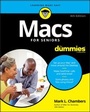
Macs For Seniors For Dummies
3rd Edition
Published on 23. September 2016
Book
Paperback/Softback
336 pages
978-1-119-24550-6 (ISBN)
Description
Your ticket to entering the exciting world of Macs!
If you've always thought computers were too complicated and intimidating, you're in for a pleasant surprise! Written and designed with your unique needs in mind, Macs For Seniors For Dummies makes it faster and easier than ever to experience all your Apple computer has to offer. In no time, you'll find out how to stay connected with family and friends, explore the Internet, create and print documents, watch your favorite movies, get apps from the App Store, and so much more.
From advice on which Mac you should buy to getting started with set up and configurations, this hands-on, accessible guide covers everything needed to help you make the most of your new computer. You'll learn how to customize OS X El Capitan, work with files and folders, connect to a printer, use Safari to browse the web, and keep in touch through social media--and that's just the tip of the iceberg.
* Set up your Mac and move around the desktop
* Make FaceTime calls and send emails
* Store photos and files using iCloud
* Play videos, music, and games
With the help of Macs For Seniors For Dummies, you'll soon discover that you don't have to be a millennial to make a Mac your minion!
If you've always thought computers were too complicated and intimidating, you're in for a pleasant surprise! Written and designed with your unique needs in mind, Macs For Seniors For Dummies makes it faster and easier than ever to experience all your Apple computer has to offer. In no time, you'll find out how to stay connected with family and friends, explore the Internet, create and print documents, watch your favorite movies, get apps from the App Store, and so much more.
From advice on which Mac you should buy to getting started with set up and configurations, this hands-on, accessible guide covers everything needed to help you make the most of your new computer. You'll learn how to customize OS X El Capitan, work with files and folders, connect to a printer, use Safari to browse the web, and keep in touch through social media--and that's just the tip of the iceberg.
* Set up your Mac and move around the desktop
* Make FaceTime calls and send emails
* Store photos and files using iCloud
* Play videos, music, and games
With the help of Macs For Seniors For Dummies, you'll soon discover that you don't have to be a millennial to make a Mac your minion!
More details
Other editions
New editions
Mark L. Chambers
Macs for Seniors for Dummies
Book
11/2019
4th Edition
Wiley
€32.18
Article exhausted; check for reprint
Previous edition

Mark L. Chambers
Macs For Seniors For Dummies
Book
05/2012
2nd Edition
Wiley
€23.90
Article exhausted; check for reprint
Person
Mark L. Chambers is a major Mac fan who's been a technical author, computer consultant, programmer, and hardware technician for more than 30 years. Currently a full-time writer and tech editor, he has authored more than 30 computer books, including MacBook For Dummies, 6th Edition, iMac For Dummies, 9th Edition, and OS X Yosemite All-in-One For Dummies.
Content
Introduction 1
Part 1: Buying and Setting Up Your Mac 7
CHAPTER 1: Buying a Mac 9
CHAPTER 2: Setting Up Your Mac 23
Part 2: Getting Started with Your Mac 45
CHAPTER 3: Getting Around the Mac Desktop 47
CHAPTER 4: Customizing El Capitan 77
CHAPTER 5: Working with Files and Folders 97
CHAPTER 6: Working with Printers and Scanners 117
CHAPTER 7: Getting Help 125
Part 3: Having Fun and Getting Things Done with Software 133
CHAPTER 8: Creating Documents with Pages 135
CHAPTER 9: Working with Numbers 153
CHAPTER 10: Getting the Most from Photos 169
CHAPTER 11: Enjoying Music, Video, and Podcasts 185
CHAPTER 12: Playing Games in El Capitan 201
Part 4: Exploring the Internet 209
CHAPTER 13: Understanding Internet Basics 211
CHAPTER 14: Browsing the Web with Safari 229
CHAPTER 15: Using Mail 249
CHAPTER 16: Connecting with People Online 271
Part 5: Taking Care of Your Computer 287
CHAPTER 17: Protecting El Capitan 289
CHAPTER 18: Maintaining Your Mac 299
Index 307
Part 1: Buying and Setting Up Your Mac 7
CHAPTER 1: Buying a Mac 9
CHAPTER 2: Setting Up Your Mac 23
Part 2: Getting Started with Your Mac 45
CHAPTER 3: Getting Around the Mac Desktop 47
CHAPTER 4: Customizing El Capitan 77
CHAPTER 5: Working with Files and Folders 97
CHAPTER 6: Working with Printers and Scanners 117
CHAPTER 7: Getting Help 125
Part 3: Having Fun and Getting Things Done with Software 133
CHAPTER 8: Creating Documents with Pages 135
CHAPTER 9: Working with Numbers 153
CHAPTER 10: Getting the Most from Photos 169
CHAPTER 11: Enjoying Music, Video, and Podcasts 185
CHAPTER 12: Playing Games in El Capitan 201
Part 4: Exploring the Internet 209
CHAPTER 13: Understanding Internet Basics 211
CHAPTER 14: Browsing the Web with Safari 229
CHAPTER 15: Using Mail 249
CHAPTER 16: Connecting with People Online 271
Part 5: Taking Care of Your Computer 287
CHAPTER 17: Protecting El Capitan 289
CHAPTER 18: Maintaining Your Mac 299
Index 307