

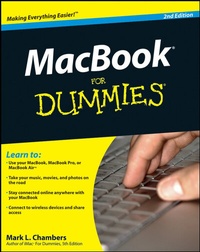
MacBook For Dummies
2nd Edition
Published on 22. July 2008
Book
Paperback/Softback
408 pages
978-0-470-27816-1 (ISBN)
Description
Have more fun and get more done with your MacBook - here's how to claim your freedom!
Chained to a desktop computer? Not you! You want to take your movies, music, documents, and Internet wherever the action is. This handy guide gets you up and running, and even walks you through Mac OS(r) X Leopard(r), common upgrades, and troubleshooting.
* Fall in love with Leopard - get familiar with the latest Mac operating system and learn to use all its features
* Explore the iLife - learn to use iTunes(r), iMovie(r), iPhoto(r), iDVD(r), and GarageBand(r), all packaged with your MacBook
* Make the switch from a PC to a Mac - learn how to move your existing files and how you can still run Windows on your MacBook
* Back up your MacBook - discover how to use Time Machine and iDisk storage to keep your files safe
* Be cool with Bluetooth - get your wireless devices communicating with your MacBook
* Maintain your Mac - find out how to keep your laptop updated and running smoothly
Open the book and find:
* Full coverage of all three MacBook models
* How to migrate files from another Mac or PC
* Tips for conserving battery power
* Advice on customizing your preferences for productivity
* Maintenance and troubleshooting solutions for your MacBook
* Steps for networking your Macs
* Secrets for customizing Leopard
* Explanations for managing your digital music, photos, and movies
Chained to a desktop computer? Not you! You want to take your movies, music, documents, and Internet wherever the action is. This handy guide gets you up and running, and even walks you through Mac OS(r) X Leopard(r), common upgrades, and troubleshooting.
* Fall in love with Leopard - get familiar with the latest Mac operating system and learn to use all its features
* Explore the iLife - learn to use iTunes(r), iMovie(r), iPhoto(r), iDVD(r), and GarageBand(r), all packaged with your MacBook
* Make the switch from a PC to a Mac - learn how to move your existing files and how you can still run Windows on your MacBook
* Back up your MacBook - discover how to use Time Machine and iDisk storage to keep your files safe
* Be cool with Bluetooth - get your wireless devices communicating with your MacBook
* Maintain your Mac - find out how to keep your laptop updated and running smoothly
Open the book and find:
* Full coverage of all three MacBook models
* How to migrate files from another Mac or PC
* Tips for conserving battery power
* Advice on customizing your preferences for productivity
* Maintenance and troubleshooting solutions for your MacBook
* Steps for networking your Macs
* Secrets for customizing Leopard
* Explanations for managing your digital music, photos, and movies
More details
Edition
2., Auflage
Language
English
Place of publication
Chichester
United Kingdom
Publishing group
John Wiley and Sons Ltd
Target group
Professional and scholarly
Edition type
Revised edition
Illustrations
ill
Dimensions
Height: 23.5 cm
Width: 18.8 cm
Thickness: 23 mm
Weight
606 gr
ISBN-13
978-0-470-27816-1 (9780470278161)
Schweitzer Classification
Other editions
New editions
Mark L. Chambers
MacBook For Dummies
Book
10/2010
3rd Edition
Wiley
€23.90
Article exhausted; check for reprint
Previous edition

Person
Mark L. Chambers is an author, tech editor, and unabashed Mac fan. He is the author of more than 30 computer books including Mac OS X Leopard All-in-One Desk Reference For Dummies and AppleTV For Dummies.
Content
Introduction.
Part I: Tie Myself Down with a Desktop? Preposterous!
Chapter 1: Hey, It Really Does Have Ever y thing I Need.
Chapter 2: Turning On Your Por table Powerhouse.
Chapter 3: The Laptop Owner's Introduction to Mac OS X.
Part II: Shaking Hands with Mac OS X.
Chapter 4: Opening and Closing and Clicking and Such.
Chapter 5: Get ting to the Hear t of the Leopard.
Chapter 6: A Nerd's Guide to System Preferences.
Chapter 7: Sif ting through Your Stuff.
Part III: Connecting and Communicating.
Chapter 8: Taking Your Laptop on Safari!
Chapter 9:.Mac Is.Made for Mac Laptops.
Chapter 10: Spiffy Connections for the Road Warrior.
Part IV: Living the iLife.
Chapter 11: The Multimedia Joy of iTunes.
Chapter 12: That Masterpiece That Is iPhoto.
Chapter 13: Making Film History with iMovie.
Chapter 14: Creating DVDs on the Road with iDVD.
Chapter 15: GarageBand on the Go.
Part V: Sharing Access and Information.
Chapter 16: Your Laptop Goes Multiuser.
Chapter 17: Working Well with Networks.
Chapter 18: Communicating with That Bluetooth Guy.
Part V I: Necessary Evils: Troubleshooting, Upgrading, Maintaining.
Chapter 19: When Good Mac Laptops Go Bad.
Chapter 20: Adding New Stuff to Your Laptop.
Chapter 21: Tackling the Housekeeping.
Part V II: The Part of Tens.
Chapter 22: Top Ten Laptop Rules to Follow.
Chapter 23: Ten Things to Avoid Like the Plague.
Index.
Part I: Tie Myself Down with a Desktop? Preposterous!
Chapter 1: Hey, It Really Does Have Ever y thing I Need.
Chapter 2: Turning On Your Por table Powerhouse.
Chapter 3: The Laptop Owner's Introduction to Mac OS X.
Part II: Shaking Hands with Mac OS X.
Chapter 4: Opening and Closing and Clicking and Such.
Chapter 5: Get ting to the Hear t of the Leopard.
Chapter 6: A Nerd's Guide to System Preferences.
Chapter 7: Sif ting through Your Stuff.
Part III: Connecting and Communicating.
Chapter 8: Taking Your Laptop on Safari!
Chapter 9:.Mac Is.Made for Mac Laptops.
Chapter 10: Spiffy Connections for the Road Warrior.
Part IV: Living the iLife.
Chapter 11: The Multimedia Joy of iTunes.
Chapter 12: That Masterpiece That Is iPhoto.
Chapter 13: Making Film History with iMovie.
Chapter 14: Creating DVDs on the Road with iDVD.
Chapter 15: GarageBand on the Go.
Part V: Sharing Access and Information.
Chapter 16: Your Laptop Goes Multiuser.
Chapter 17: Working Well with Networks.
Chapter 18: Communicating with That Bluetooth Guy.
Part V I: Necessary Evils: Troubleshooting, Upgrading, Maintaining.
Chapter 19: When Good Mac Laptops Go Bad.
Chapter 20: Adding New Stuff to Your Laptop.
Chapter 21: Tackling the Housekeeping.
Part V II: The Part of Tens.
Chapter 22: Top Ten Laptop Rules to Follow.
Chapter 23: Ten Things to Avoid Like the Plague.
Index.