

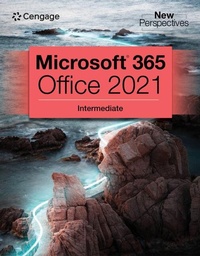
New Perspectives Collection, MicrosoftA (R) 365A (R) & OfficeA (R) 2021 Intermediate
Published on 6. December 2022
Book
Paperback/Softback
840 pages
978-0-357-67212-9 (ISBN)
Description
Using a unique in-depth, case-based approach, Cengage's NEW PERSPECTIVES COLLECTION, MICROSOFT (R) 365 (R) & OFFICE (R) 2021 INTERMEDIATE thoroughly prepares you for the Microsoft (R) Office (R) Specialist (MOS) certification exam -- and success in your future career. As you apply Microsoft (R) Office (R) skills to real-world business scenarios based on Burning Glass market insights, you will sharpen your critical-thinking and problem-solving skills. Professional tips and insights incorporated throughout provide context and relevancy to real-world practice, while ProSkills Boxes help strengthen your employability skills, including written and verbal communication. Updated coverage of Microsoft (R) 365 (R) features and enhanced support for Mac users are also included. In addition, MindTap and up-to-date SAM (Skills Assessment Manager) online resources provide interactive study tools to help maximize your study time -- and results.
More details
Edition
New edition
Language
English
Place of publication
Boston, MA
United States
Publishing group
Cengage Learning, Inc
Target group
College/higher education
Edition type
New edition
Dimensions
Height: 216 mm
Width: 276 mm
Thickness: 34 mm
Weight
1850 gr
ISBN-13
978-0-357-67212-9 (9780357672129)
Copyright in bibliographic data and cover images is held by Nielsen Book Services Limited or by the publishers or by their respective licensors: all rights reserved.
Schweitzer Classification
Other editions
New editions
Jennifer Campbell | Patrick Carey | Ann Shaffer
New Perspectives MicrosoftA (R) 365A (R) & OfficeA (R) Intermediate, First Edition
Book
06/2024
Course Technology Inc
€249.50
Shipment within 15-20 days
Previous edition

Patrick Carey | Katherine Pinard | Ann Shaffer
New Perspectives MicrosoftA (R)Office 365 & Office 2019 Intermediate
Book
05/2019
Course Technology Inc
€106.45
Shipment within 15-20 days
Person
N/A
Content
WORD MODULES.
Module 5: Working with Templates, Themes, and Styles: Creating a Summary Report.
Module 6: Using Mail Merge: Creating a Form Letter, Mailing Labels, and a Phone Directory.
Module 7: Collaborating with Others and Integrating Data: Preparing an Information Sheet.
EXCEL MODULES.
Module 5: Generating Reports from Multiple Worksheets and Workbooks: Summarizing Profit and Loss Statements.
Module 6: Managing Data with Data Tools: Analyzing Employment Data.
Module 7: Summarizing Data with PivotTables: Preparing a Social Media Marketing Report.
Module 8: Performing What-If Analyses: Maximizing Profits with the Right Product Mix.
ACCESS MODULES.
Module 5: Creating Advanced Queries and Enhancing Table Design: Making the Clinic Database Easier to Use.
Module 6: Using Form Tools and Creating Custom Forms: Creating Forms for Lakewood Community Health Services.
Module 7: Creating Custom Reports: Creating Custom Reports for Lakewood Community Health Services.
Module 8: Sharing, Integrating, and Analyzing Data: Importing, Exporting, Linking, and Analyzing Data in the Clinic Database.
POWERPOINT MODULES.
Module 3: Applying Advanced Formatting to Objects: Formatting Objects in a Presentation for a Sales and Marketing Company.
Module 4: Advanced Animations and Distributing Presentations: Creating an Advanced Presentation for Agricultural Development.
Module 5: Working with Templates, Themes, and Styles: Creating a Summary Report.
Module 6: Using Mail Merge: Creating a Form Letter, Mailing Labels, and a Phone Directory.
Module 7: Collaborating with Others and Integrating Data: Preparing an Information Sheet.
EXCEL MODULES.
Module 5: Generating Reports from Multiple Worksheets and Workbooks: Summarizing Profit and Loss Statements.
Module 6: Managing Data with Data Tools: Analyzing Employment Data.
Module 7: Summarizing Data with PivotTables: Preparing a Social Media Marketing Report.
Module 8: Performing What-If Analyses: Maximizing Profits with the Right Product Mix.
ACCESS MODULES.
Module 5: Creating Advanced Queries and Enhancing Table Design: Making the Clinic Database Easier to Use.
Module 6: Using Form Tools and Creating Custom Forms: Creating Forms for Lakewood Community Health Services.
Module 7: Creating Custom Reports: Creating Custom Reports for Lakewood Community Health Services.
Module 8: Sharing, Integrating, and Analyzing Data: Importing, Exporting, Linking, and Analyzing Data in the Clinic Database.
POWERPOINT MODULES.
Module 3: Applying Advanced Formatting to Objects: Formatting Objects in a Presentation for a Sales and Marketing Company.
Module 4: Advanced Animations and Distributing Presentations: Creating an Advanced Presentation for Agricultural Development.