

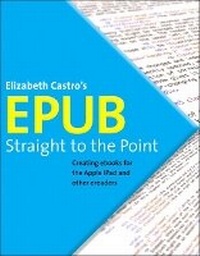
EPUB Straight to the Point
Creating ebooks for the Apple iPad and other ereaders
Published on 5. August 2010
Book
Paperback/Softback
192 pages
978-0-321-73468-6 (ISBN)
Description
Almost overnight, EPUB has become the favored standard for displaying digital text on ereaders. The EPUB specification is a powerful method for creating gorgeous ebooks for EPUB-capable readers such as the iPad, Nook, and Kindle. Alas, it is far from perfect, with frustrating limitations, sketchy documentation, and incomplete creation tools. This extensively researched guide to creating EPUB files by best-selling author Elizabeth Castro shows you how to prepare EPUB files, make the files look great on the screen, work around EPUB weaknesses, and fix common errors. In this essential book, Liz shares her hard-earned experience for how to:
Create EPUB files from existing Microsoft Word or Adobe InDesign files, or from scratch.
Tweak EPUB files to take full advantage of the power of EPUB in each respective ereader.
Control spacing, indents, and margins.
Insert images and sidebars and wrap text around them.
Create links to external sources and cross-references to internal ones.
Add video to ebooks for the iPad.
Create EPUB files from existing Microsoft Word or Adobe InDesign files, or from scratch.
Tweak EPUB files to take full advantage of the power of EPUB in each respective ereader.
Control spacing, indents, and margins.
Insert images and sidebars and wrap text around them.
Create links to external sources and cross-references to internal ones.
Add video to ebooks for the iPad.
More details
Other editions
Additional editions
E-Book
07/2010
1st Edition
Peachpit Press Publications
from
€33.29
Available for download
Content
Introduction
1. Using Word to Write EPUB
2. Using InDesign to create EPUB
3. Inside an EPUB file
4. Advanced EPUB Formatting
Index
1. Using Word to Write EPUB
2. Using InDesign to create EPUB
3. Inside an EPUB file
4. Advanced EPUB Formatting
Index