

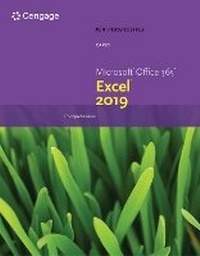
New Perspectives MicrosoftA (R) Office 365A (R) & ExcelA (R) 2019 Comprehensive
Published on 16. July 2019
Book
Paperback/Softback
912 pages
978-0-357-02576-5 (ISBN)
Description
Develop the Microsoft (R) Office 365 and Excel 2019 skills students need to be successful in college and beyond with the emphasis on critical-thinking, problem-solving, and in-depth coverage found in NEW PERSPECTIVES MICROSOFT OFFICE 365 & EXCEL 2019 COMPREHENSIVE. Updated with all-new case scenarios, this edition clearly applies the skills students are learning to real-world situations to make concepts even more relevant across the applications and reinforces critical skills to make them successful in their educational and professional careers. NEW PERSPECTIVES MICROSOFT OFFICE 365 & EXCEL 2019 COMPREHENSIVE demonstrates the importance of what students are learning while strengthening your skills and helping students transfer those skills to other applications and disciplines for further success. In addition, MindTap and updated SAM (Skills Assessment Manager) online resources are available to guide additional study and ensure successful results.
More details
Edition
New edition
Language
English
Place of publication
Boston, MA
United States
Publishing group
Cengage Learning, Inc
Target group
College/higher education
Edition type
New edition
Dimensions
Height: 30 mm
Width: 218 mm
Thickness: 274 mm
Weight
1746 gr
ISBN-13
978-0-357-02576-5 (9780357025765)
Copyright in bibliographic data and cover images is held by Nielsen Book Services Limited or by the publishers or by their respective licensors: all rights reserved.
Schweitzer Classification
Other editions
New editions
Book
09/2022
Course Technology Inc
€248.50
Shipment within 15-20 days
Person
A leading textbook author, lecturer and instructor, Patrick Carey has authored or co-authored more than 40 popular academic and trade texts for the academic market. He has taught and written about a wide range of topics, including website design, JavaScript programming, Microsoft Office and Excel, statistics, data analysis and mathematics. Mr. Carey received his Master of Science in biostatistics from the University of Wisconsin, where he worked as a researcher designing and analyzing clinical studies. Today, he splits his time between Wisconsin and Colorado, and when he is not writing, he can be found hiking and cycling.
Content
1. Getting Started with Excel.
2. Formatting Workbook Text and Data.
3. Performing Calculations with Formulas and Functions.
4. Analyzing and Charting Financial Data.
5. Generating Reports from Multiple Worksheets and Workbooks.
6. Managing Data with Data Tools.
7. Summarizing Data with PivotTables.
8. Performing What-If Analyses.
9. Exploring Financial Tools and Functions.
10. Analyzing Data with Business Intelligence Tools.
11. Exploring PivotTable Design.
12. Developing an Excel Application.
Excel Appendix A: Customizing Your Workspace Text and Graphics. (Digital Only).
Excel Appendix B: Introducing Power BI (Digital Only).
Excel Appendix C: Collaborating with Your Team. (Digital Only).
Index.
2. Formatting Workbook Text and Data.
3. Performing Calculations with Formulas and Functions.
4. Analyzing and Charting Financial Data.
5. Generating Reports from Multiple Worksheets and Workbooks.
6. Managing Data with Data Tools.
7. Summarizing Data with PivotTables.
8. Performing What-If Analyses.
9. Exploring Financial Tools and Functions.
10. Analyzing Data with Business Intelligence Tools.
11. Exploring PivotTable Design.
12. Developing an Excel Application.
Excel Appendix A: Customizing Your Workspace Text and Graphics. (Digital Only).
Excel Appendix B: Introducing Power BI (Digital Only).
Excel Appendix C: Collaborating with Your Team. (Digital Only).
Index.