

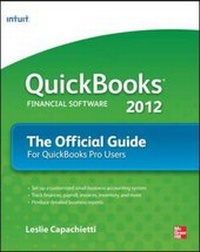
QuickBooks 2012 The Official Guide
Published on 16. December 2011
Book
Paperback/Softback
656 pages
978-0-07-177621-9 (ISBN)
Description
The only official guide to the #1 bestselling financial softwarePacked with insider tips and expert advice, QuickBooks 2012: The Official Guide shows you how to set up a comprehensive, well-organized small business financial management system with ease! Find out the most effective methods for accomplishing essential business tasks and customizing QuickBooks for your needs.
Fully endorsed by Intuit, makers of QuickBooks, this official guide provides best practices for tracking finances, managing payroll, processing invoices, controlling inventory, managing sales and expenses, and maximizing the software's features. Run an efficient and successful small business using the proven techniques and time-saving shortcuts inside this authoritative guide to QuickBooks 2012.
Configure and customize QuickBooks for your businessAvoid common mistakesEnter transactions quickly and accuratelyManage accounts payable and receivableSet up and manage inventoryTrack employee hours and manage payrollUse Online BankingReconcile bank accountsSet up and manage budgetsCreate standard and customized business reportsMake key business decisions with confidence
Leslie Capachietti, MBA, is a nationally recognized speaker and trainer for Intuit and the Principal of Automated Financial Solutions, an accounting systems consulting firm located in the Boston area. She has been supporting small business owners across the U.S. for more than 15 years, helping them gain control of their financial operations using QuickBooks software. Leslie is the author of QuickBooks 2011: The Official Guide.
Fully endorsed by Intuit, makers of QuickBooks, this official guide provides best practices for tracking finances, managing payroll, processing invoices, controlling inventory, managing sales and expenses, and maximizing the software's features. Run an efficient and successful small business using the proven techniques and time-saving shortcuts inside this authoritative guide to QuickBooks 2012.
Configure and customize QuickBooks for your businessAvoid common mistakesEnter transactions quickly and accuratelyManage accounts payable and receivableSet up and manage inventoryTrack employee hours and manage payrollUse Online BankingReconcile bank accountsSet up and manage budgetsCreate standard and customized business reportsMake key business decisions with confidence
Leslie Capachietti, MBA, is a nationally recognized speaker and trainer for Intuit and the Principal of Automated Financial Solutions, an accounting systems consulting firm located in the Boston area. She has been supporting small business owners across the U.S. for more than 15 years, helping them gain control of their financial operations using QuickBooks software. Leslie is the author of QuickBooks 2011: The Official Guide.
More details
Language
English
Place of publication
United States
Publishing group
McGraw-Hill Education - Europe
Dimensions
Height: 231 mm
Width: 185 mm
Thickness: 33 mm
Weight
1041 gr
ISBN-13
978-0-07-177621-9 (9780071776219)
Copyright in bibliographic data and cover images is held by Nielsen Book Services Limited or by the publishers or by their respective licensors: all rights reserved.
Schweitzer Classification
Person
Leslie Capachietti (Winchester, MA) is an Advanced Certified QuickBooks ProAdvisor and a member of Intuits Accountant Training Network. She is the Principal of Automated Financial Solutions, an accounting systems consulting firm that specializes in helping small business owners get the most from their QuickBooks software. Leslie is a nationally recognized speaker and author who has trained thousands of fellow accountants on how to better serve their QuickBooks clients. She holds an MBA degree from Boston University.
Content
Part One: Getting Started
Chapter 1. Using QuickBooks for the First Time
Chapter 2. The Chart of Accounts
Chapter 3. Entering Your Customers
Chapter 4. Entering Your Vendors
Chapter 5. Creating Items
Chapter 6. Setting Up Inventory
Chapter 7. Creating Other Lists You Need
Chapter 8. Entering Your Starting Balances
Part Two: Daily Operations Using QuickBooks
Chapter 9. Invoicing Customers
Chapter 10. Receiving and Tracking Customer Payments
Chapter 11. Managing Vendor Bills
Chapter 12. Paying Vendors
Chapter 13. Working with Bank and Credit Card Accounts
Chapter 14. Reconciling Bank Accounts
Chapter 15. Using Online Banking Services
Chapter 16. Tracking Time and Mileage
Chapter 17. Running Payroll
Chapter 18. Payroll Reports and Liability Payments
Chapter 19. Journal Entries
Part Three: Financial Planning and Reporting
Chapter 20. Accountant's Copy
Chapter 21. Creating Reports and Analyzing Your QuickBooks Information
Chapter 22. Customizing Reports
Chapter 23. Budgets and Planning Tools
Chapter 24. Year-End Procedures
Part Four: Managing QuickBooks
Chapter 25. Printing, E-mailing, and Managing Documents in QuickBooks
Chapter 26. Managing Users and Permissions
Chapter 27. Managing Your QuickBooks Files
Chapter 28. Customizing QuickBooks
Part Five: Appendixes
Appendix A. Installing QuickBooks on a Network
Appendix B. Multiple Currencies
Index
Chapter 1. Using QuickBooks for the First Time
Chapter 2. The Chart of Accounts
Chapter 3. Entering Your Customers
Chapter 4. Entering Your Vendors
Chapter 5. Creating Items
Chapter 6. Setting Up Inventory
Chapter 7. Creating Other Lists You Need
Chapter 8. Entering Your Starting Balances
Part Two: Daily Operations Using QuickBooks
Chapter 9. Invoicing Customers
Chapter 10. Receiving and Tracking Customer Payments
Chapter 11. Managing Vendor Bills
Chapter 12. Paying Vendors
Chapter 13. Working with Bank and Credit Card Accounts
Chapter 14. Reconciling Bank Accounts
Chapter 15. Using Online Banking Services
Chapter 16. Tracking Time and Mileage
Chapter 17. Running Payroll
Chapter 18. Payroll Reports and Liability Payments
Chapter 19. Journal Entries
Part Three: Financial Planning and Reporting
Chapter 20. Accountant's Copy
Chapter 21. Creating Reports and Analyzing Your QuickBooks Information
Chapter 22. Customizing Reports
Chapter 23. Budgets and Planning Tools
Chapter 24. Year-End Procedures
Part Four: Managing QuickBooks
Chapter 25. Printing, E-mailing, and Managing Documents in QuickBooks
Chapter 26. Managing Users and Permissions
Chapter 27. Managing Your QuickBooks Files
Chapter 28. Customizing QuickBooks
Part Five: Appendixes
Appendix A. Installing QuickBooks on a Network
Appendix B. Multiple Currencies
Index