

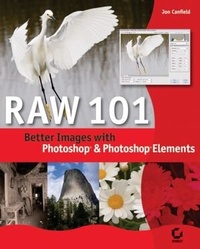
Raw 101
Better Images with Photoshop Elements and Photoshop
1st Edition
Published on 27. July 2005
Book
Paperback/Softback
200 pages
978-0-7821-4432-1 (ISBN)
Description
"This is a must read for anyone interested in getting the most from their advanced digital camera."--George Schaub, Editor, Shutterbug Magazine
Now that support for digital RAW capture is built into so many cameras and both Photoshop and Photoshop Elements, more photographers are using RAW to seize creative control of their digital images. If you're ready to explore RAW capture, or if you've tried it and bumped into obstacles, this book will show you how to optimize RAW files to achieve optimal results.
The first introductory book on using Adobe Camera Raw, RAW 101 covers all practical aspects of RAW in Photoshop Elements 3 and Photoshop CS2. Just follow the heavily illustrated, step-by-step examples and you'll quickly figure out how to attain the greatest accuracy from your RAW files, whether it's correcting shadow and highlight detail, fixing white balance, or eliminating noise. Once you see the startling results, you'll no longer want to rely on your camera to make critical decisions for you.
Inside, you'll learn everything you need to know to:
* Get your images ready for RAW file conversion
* Navigate the Adobe Camera Raw workspace
* Master RAW conversion controls for exposure, shadows, brightness, and contrast
* Extend beyond the basics to control white balance, color tint, noise, and more
* Automate Camera Raw to optimize your workflow
* Use advanced conversion options in Photoshop CS2, such as curves control, cropping, and straightening
* Put the finishing touches on your images--adjust levels, use filters, resize, and much more!
Now that support for digital RAW capture is built into so many cameras and both Photoshop and Photoshop Elements, more photographers are using RAW to seize creative control of their digital images. If you're ready to explore RAW capture, or if you've tried it and bumped into obstacles, this book will show you how to optimize RAW files to achieve optimal results.
The first introductory book on using Adobe Camera Raw, RAW 101 covers all practical aspects of RAW in Photoshop Elements 3 and Photoshop CS2. Just follow the heavily illustrated, step-by-step examples and you'll quickly figure out how to attain the greatest accuracy from your RAW files, whether it's correcting shadow and highlight detail, fixing white balance, or eliminating noise. Once you see the startling results, you'll no longer want to rely on your camera to make critical decisions for you.
Inside, you'll learn everything you need to know to:
* Get your images ready for RAW file conversion
* Navigate the Adobe Camera Raw workspace
* Master RAW conversion controls for exposure, shadows, brightness, and contrast
* Extend beyond the basics to control white balance, color tint, noise, and more
* Automate Camera Raw to optimize your workflow
* Use advanced conversion options in Photoshop CS2, such as curves control, cropping, and straightening
* Put the finishing touches on your images--adjust levels, use filters, resize, and much more!
More details
Edition
1., Auflage
Language
English
Place of publication
New York
United States
Publishing group
John Wiley & Sons Inc
Target group
Professional and scholarly
Illustrations
col. Illustrations
Dimensions
Height: 25.5 cm
Width: 20.4 cm
Thickness: 11 mm
Weight
514 gr
ISBN-13
978-0-7821-4432-1 (9780782144321)
Schweitzer Classification
Person
Jon Canfield helped develop digital-imaging products for Microsoft, including Picture It and Digital Image Professional. The coauthor of Photo Finish, he teaches classes on digital photography, contributes articles to Shutterbug, Nature Photographer, and MSN, and writes the Output Options column for eDigitalPhoto.
Content
Introduction.
Chapter 1: Preliminary Workflow.
Chapter 2: Adobe Camera Raw.
Chapter 3: RAW Conversion.
Chapter 4: Beyond the Basics.
Chapter 5: Automating Camera Raw.
Chapter 6: Advanced Conversion Options.
Chapter 7: Finishing Touches.
Summary.
Index.
Chapter 1: Preliminary Workflow.
Chapter 2: Adobe Camera Raw.
Chapter 3: RAW Conversion.
Chapter 4: Beyond the Basics.
Chapter 5: Automating Camera Raw.
Chapter 6: Advanced Conversion Options.
Chapter 7: Finishing Touches.
Summary.
Index.