


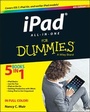
iPad All-in-One For Dummies
5th Edition
Published on 4. January 2013
Book
Paperback/Softback
640 pages
978-1-118-49696-1 (ISBN)
Description
It's all iPad, all the time - at home, at work, and on the go - updated for iOS 6!
The iPad was an overnight sensation and now it's simply indispensable. Whether you use it for work, play, or everyday life, the new iPad is packed with even more features and power than ever. In this fun and practical guide, veteran For Dummies author Nancy C. Muir walks you through the latest features and functions, including what the new iOS6 software brings to the table. Go beyond the basics, get serious about using your iPad for all it's worth, and don't miss the ways to have fun with it as well. This book covers it all, and in full color!
* Covers the third-generation iPad, iPad 2 and original iPad and is fully updated for iOS 6
* Packs six minibooks in one full-color guide: iPad Basics, Just for Fun, iPad on the Go, Getting Productive with iWork, Using iPad to Get Organized, and Must-Have iPad Apps
* Explores the latest iPad and iOS 6 features, including Siri, Passbook, FaceTime video calls over cellular, a brand new Maps app, Facebook integration, and more
* Walks you through enhanced functions, such as improved e-mail with a VIP inbox and new iCloud browsing tabs
* Shows you how to use iWork and other productivity apps to dress up your documents, create stellar spreadsheets, add pizzazz to your presentations, and maintain your schedule on the run
* Covers the best-of-the-best business, travel, educational, news, weather, and financial apps
Your world is just a touch away with iPad and iPad All-in-One For Dummies, 5th Edition.
The iPad was an overnight sensation and now it's simply indispensable. Whether you use it for work, play, or everyday life, the new iPad is packed with even more features and power than ever. In this fun and practical guide, veteran For Dummies author Nancy C. Muir walks you through the latest features and functions, including what the new iOS6 software brings to the table. Go beyond the basics, get serious about using your iPad for all it's worth, and don't miss the ways to have fun with it as well. This book covers it all, and in full color!
* Covers the third-generation iPad, iPad 2 and original iPad and is fully updated for iOS 6
* Packs six minibooks in one full-color guide: iPad Basics, Just for Fun, iPad on the Go, Getting Productive with iWork, Using iPad to Get Organized, and Must-Have iPad Apps
* Explores the latest iPad and iOS 6 features, including Siri, Passbook, FaceTime video calls over cellular, a brand new Maps app, Facebook integration, and more
* Walks you through enhanced functions, such as improved e-mail with a VIP inbox and new iCloud browsing tabs
* Shows you how to use iWork and other productivity apps to dress up your documents, create stellar spreadsheets, add pizzazz to your presentations, and maintain your schedule on the run
* Covers the best-of-the-best business, travel, educational, news, weather, and financial apps
Your world is just a touch away with iPad and iPad All-in-One For Dummies, 5th Edition.
More details
Other editions
New editions
Nancy C. Muir
iPad All-in-One For Dummies
Book
01/2014
6th Edition
Wiley
€36.90
Article exhausted; check for reprint
Person
Nancy Muir is a writer and consultant as well as the author of more than 100 books on business and technology topics, including all editions of the bestselling iPhone For Seniors For Dummies and iPad For Seniors For Dummies.
Content
Introduction 1
Book I: iPad Basics 7
Chapter 1: Buying Your iPad 9
Chapter 2: Getting Started with iPad 21
Chapter 3: iPad Accessibility Settings 47
Chapter 4: Overview of Bundled Apps 65
Chapter 5: Setting Up iTunes to Sync and Buy Apps 77
Chapter 6: Browsing the Web 97
Chapter 7: Working with E-mail in Mail 119
Chapter 8: Managing iPad Settings 139
Chapter 9: Maintaining and Troubleshooting 153
Book II: Just for Fun 165
Chapter 1: Buying Content at iTunes and Beyond 167
Chapter 2: Playing Music on iPad 181
Chapter 3: Watching Videos 193
Chapter 4: Getting the Most Out of iPad Cameras and FaceTime 201
Chapter 5: Getting Social with Twitter, Facebook, and iMessage 217
Chapter 6: Playing with the Photos App 227
Chapter 7: Using Your iPad as an E-reader 243
Chapter 8: Playing Games 269
Book III: iPad on the Go 285
Chapter 1: Confi guring iPad to Connect Everywhere 287
Chapter 2: Finding Your Way with Maps 297
Chapter 3: Apps for Road Warriors 321
Book IV: Getting Productive with iWork 333
Chapter 1: Introducing the iWork for iOS Apps for iPad 335
Chapter 2: Pages Has a Way with Words 359
Chapter 3: Counting on Numbers 371
Chapter 4: Presenting Keynote 399
Book V: Using iPad to Get Organized 417
Chapter 1: Managing Files and Printing 419
Chapter 2: Making Notes 431
Chapter 3: Keeping On Schedule with the Calendar and Clock Apps 443
Chapter 4: Working with Reminders and Notifi cations 465
Chapter 5: Managing Contacts 477
Chapter 6: Talking to Your iPad with Siri 499
Book VI: Must-Have iPad Apps 511
Chapter 1: Business Apps 513
Chapter 2: Travel Apps 525
Chapter 3: Social Web Apps 539
Chapter 4: News, Sports, and Weather Apps 547
Chapter 5: Financial Apps 559
Chapter 6: Entertainment Apps 573
Index 587
Book I: iPad Basics 7
Chapter 1: Buying Your iPad 9
Chapter 2: Getting Started with iPad 21
Chapter 3: iPad Accessibility Settings 47
Chapter 4: Overview of Bundled Apps 65
Chapter 5: Setting Up iTunes to Sync and Buy Apps 77
Chapter 6: Browsing the Web 97
Chapter 7: Working with E-mail in Mail 119
Chapter 8: Managing iPad Settings 139
Chapter 9: Maintaining and Troubleshooting 153
Book II: Just for Fun 165
Chapter 1: Buying Content at iTunes and Beyond 167
Chapter 2: Playing Music on iPad 181
Chapter 3: Watching Videos 193
Chapter 4: Getting the Most Out of iPad Cameras and FaceTime 201
Chapter 5: Getting Social with Twitter, Facebook, and iMessage 217
Chapter 6: Playing with the Photos App 227
Chapter 7: Using Your iPad as an E-reader 243
Chapter 8: Playing Games 269
Book III: iPad on the Go 285
Chapter 1: Confi guring iPad to Connect Everywhere 287
Chapter 2: Finding Your Way with Maps 297
Chapter 3: Apps for Road Warriors 321
Book IV: Getting Productive with iWork 333
Chapter 1: Introducing the iWork for iOS Apps for iPad 335
Chapter 2: Pages Has a Way with Words 359
Chapter 3: Counting on Numbers 371
Chapter 4: Presenting Keynote 399
Book V: Using iPad to Get Organized 417
Chapter 1: Managing Files and Printing 419
Chapter 2: Making Notes 431
Chapter 3: Keeping On Schedule with the Calendar and Clock Apps 443
Chapter 4: Working with Reminders and Notifi cations 465
Chapter 5: Managing Contacts 477
Chapter 6: Talking to Your iPad with Siri 499
Book VI: Must-Have iPad Apps 511
Chapter 1: Business Apps 513
Chapter 2: Travel Apps 525
Chapter 3: Social Web Apps 539
Chapter 4: News, Sports, and Weather Apps 547
Chapter 5: Financial Apps 559
Chapter 6: Entertainment Apps 573
Index 587