


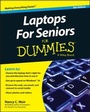
Laptops For Seniors For Dummies
3rd Edition
Published on 14. October 2013
Book
Paperback/Softback
480 pages
978-1-118-71105-7 (ISBN)
Description
It's never too late to get up and running on a laptop
Just bought your first laptop and not sure where to start? Here's the book you need. Easy-to-follow instructions (plus really easy-to-read fonts!) help you unlock the most convenient and fun aspects to using a laptop. Get advice on selecting the right laptop for you, learn to navigate the operating system without hassle, and get comfortable with files and folders, wireless printing, downloading apps, syncing to mobile phones, and maintaining security. You'll soon be using your trusty laptop for shopping, social networking, instant messaging, e-mailing, playing games, and more.
* Helps the growing number of seniors who are embracing technology and often using a laptop for the first time get quickly up to speed
* Covers basics such as how to use the keyboard and mouse, access the Internet, get familiar with Windows 8, and more
* Guides you through staying safe online, using various Office applications, connecting to a wireless network, working with files and folders, playing games, and, of course, having fun
* Features clear, easy-to-follow instructions and a large font and helpful images for easy reading
Laptops For Seniors For Dummies, 3rd Edition is specially designed and written to help you become a tech-savvy senior in no time at all.
Just bought your first laptop and not sure where to start? Here's the book you need. Easy-to-follow instructions (plus really easy-to-read fonts!) help you unlock the most convenient and fun aspects to using a laptop. Get advice on selecting the right laptop for you, learn to navigate the operating system without hassle, and get comfortable with files and folders, wireless printing, downloading apps, syncing to mobile phones, and maintaining security. You'll soon be using your trusty laptop for shopping, social networking, instant messaging, e-mailing, playing games, and more.
* Helps the growing number of seniors who are embracing technology and often using a laptop for the first time get quickly up to speed
* Covers basics such as how to use the keyboard and mouse, access the Internet, get familiar with Windows 8, and more
* Guides you through staying safe online, using various Office applications, connecting to a wireless network, working with files and folders, playing games, and, of course, having fun
* Features clear, easy-to-follow instructions and a large font and helpful images for easy reading
Laptops For Seniors For Dummies, 3rd Edition is specially designed and written to help you become a tech-savvy senior in no time at all.
More details
Other editions
New editions
Nancy C. Muir
Laptops For Seniors For Dummies
Book
12/2015
4th Edition
Wiley
€23.90
Article exhausted; check for reprint
Previous edition

Nancy C. Muir
Laptops and Tablets For Seniors For Dummies
Book
10/2011
2nd Edition
Wiley
€23.90
Article exhausted; check for reprint
Person
Nancy C. Muir owns a writing and consulting company that specializes in business and technology topics. She is an expert in helping older adults learn to use technology and has authored more than 100 books, including all editions of iPhone For Seniors For Dummies and iPad For Seniors For Dummies.
Content
Introduction 1
Part I: First Steps with Your Laptop 7
Chapter 1: Discovering the Laptop Advantage 9
Chapter 2: Buying a Laptop 19
Chapter 3: Setting Up Your Laptop 37
Chapter 4: Managing Power 55
Part II: Exploring Windows 65
Chapter 5: Getting Around Windows 8.1 67
Chapter 6: Setting Up Your Display 91
Chapter 7: Getting Help with Vision, Hearing, and Dexterity Challenges 111
Chapter 8: Setting Up Printers and Scanners 133
Chapter 9: Getting Help 151
Part III: Having Fun and Getting Things Done 167
Chapter 10: Working with Software Programs and Apps 169
Chapter 11: Working with Files and Folders 181
Chapter 12: Using Windows 8.1 Built-in Apps 203
Chapter 13: Hitting the Road with Your Laptop 217
Chapter 14: Getting Visual with Windows Media Player and the Video and Camera Apps 231
Chapter 15: Playing Music in Windows 8.1 247
Part IV: Exploring the Internet 265
Chapter 16: Understanding Internet Basics 267
Chapter 17: Browsing the Web with Internet Explorer 285
Chapter 18: Working in the Cloud 305
Chapter 19: Staying Safe While Online 317
Chapter 20: Keeping In Touch via Mail 337
Chapter 21: Connecting with People Online 359
Chapter 22: Getting Involved in the Social Net 375
Part V: Taking Care of Your Laptop 391
Chapter 23: Laptop Security and Safety 393
Chapter 24: Maintaining Windows 415
Index 435
Part I: First Steps with Your Laptop 7
Chapter 1: Discovering the Laptop Advantage 9
Chapter 2: Buying a Laptop 19
Chapter 3: Setting Up Your Laptop 37
Chapter 4: Managing Power 55
Part II: Exploring Windows 65
Chapter 5: Getting Around Windows 8.1 67
Chapter 6: Setting Up Your Display 91
Chapter 7: Getting Help with Vision, Hearing, and Dexterity Challenges 111
Chapter 8: Setting Up Printers and Scanners 133
Chapter 9: Getting Help 151
Part III: Having Fun and Getting Things Done 167
Chapter 10: Working with Software Programs and Apps 169
Chapter 11: Working with Files and Folders 181
Chapter 12: Using Windows 8.1 Built-in Apps 203
Chapter 13: Hitting the Road with Your Laptop 217
Chapter 14: Getting Visual with Windows Media Player and the Video and Camera Apps 231
Chapter 15: Playing Music in Windows 8.1 247
Part IV: Exploring the Internet 265
Chapter 16: Understanding Internet Basics 267
Chapter 17: Browsing the Web with Internet Explorer 285
Chapter 18: Working in the Cloud 305
Chapter 19: Staying Safe While Online 317
Chapter 20: Keeping In Touch via Mail 337
Chapter 21: Connecting with People Online 359
Chapter 22: Getting Involved in the Social Net 375
Part V: Taking Care of Your Laptop 391
Chapter 23: Laptop Security and Safety 393
Chapter 24: Maintaining Windows 415
Index 435