

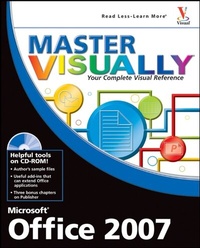
Master VISUALLY Microsoft Office 2007
1st Edition
Published on 14. September 2007
Book
Paperback/Softback
694 pages
978-0-470-13547-1 (ISBN)
Description
"One picture is worth a thousand words." If you prefer instructions that show you how rather than tell you why, then this comprehensive reference is for you. Hundreds of succinctly captioned, step-by-step screen shots reveal how to accomplish more than 300 Office 2007 tasks, including:
* Formatting text and applying styles in Word
*
Working with Excel(r) formulas and functions
*
Adding animation to PowerPoint(r) slides
*
Creating an Access database
*
Managing contacts with Outlook(r)
*
Collaborating with OneNote and Live Meeting
*
Adding animation to a PowerPoint presentation
*
Working with Excel formulas and functions
*
Managing calendars and contacts with Outlook
*
Collaborating with OneNote and System 2007
*
Using the Access database wizard
*
Creating publications with Publisher
Useful tools on CD-ROM!
* Anagram, PowerFrameworks, TechSmith Camtasia, demo versions, and other add-ins
*
Author's sample files that illustrate many tasks shown in the book
*
Three bonus chapters on creating publications with Publisher
*
"Master It" sidebars answer questions and present shortcuts
*
High-resolution screen shots demonstrate each task
*
Succinct explanations walk you through step by step
*
Two-page lessons break big topics into bite-sized modules
System Requirements: Please see the "What's on the CD-ROM" appendix for details and complete system requirements.
* Formatting text and applying styles in Word
*
Working with Excel(r) formulas and functions
*
Adding animation to PowerPoint(r) slides
*
Creating an Access database
*
Managing contacts with Outlook(r)
*
Collaborating with OneNote and Live Meeting
*
Adding animation to a PowerPoint presentation
*
Working with Excel formulas and functions
*
Managing calendars and contacts with Outlook
*
Collaborating with OneNote and System 2007
*
Using the Access database wizard
*
Creating publications with Publisher
Useful tools on CD-ROM!
* Anagram, PowerFrameworks, TechSmith Camtasia, demo versions, and other add-ins
*
Author's sample files that illustrate many tasks shown in the book
*
Three bonus chapters on creating publications with Publisher
*
"Master It" sidebars answer questions and present shortcuts
*
High-resolution screen shots demonstrate each task
*
Succinct explanations walk you through step by step
*
Two-page lessons break big topics into bite-sized modules
System Requirements: Please see the "What's on the CD-ROM" appendix for details and complete system requirements.
More details
Series
Edition
1., Auflage
Language
English
Place of publication
Chichester
United Kingdom
Publishing group
John Wiley and Sons Ltd
Target group
College/higher education
Illustrations
col. ill
Dimensions
Height: 23.3 cm
Width: 18.7 cm
Thickness: 43 mm
Weight
1397 gr
ISBN-13
978-0-470-13547-1 (9780470135471)
Schweitzer Classification
Person
Tom Bunzel specializes in knowing how to make technology work. He has appeared on Tech TV's Call for Help and has been a featured speaker at InfoComm and PowerPoint LIVE, as well as working as a technology coach for corporations including Iomega and the Neuroscience Education Institute. He has taught West Los Angeles College Extension classes as well as privately around Southern California, and he does presentation and video consulting in Southern California.
Tom Bunzel has written a number of books on digital media and PowerPoint. He was a contributing editor to Presentations magazine and writes a weekly column for the Microsoft Office Reference Guide at InformIT.com.
Tom Bunzel has written a number of books on digital media and PowerPoint. He was a contributing editor to Presentations magazine and writes a weekly column for the Microsoft Office Reference Guide at InformIT.com.
Content
PART I: Using Office 2007 Programs and Features.
1) Getting Started with Office 2007.
2) Working with Office Documents.
PART II: Using Word.
3) Getting Started with Word.
4) Formatting Text.
5) Changing Document Appearance.
6) Creating Tables.
7) Working with Graphics.
8) Completing Documents.
PART III: Using Excel.
9) Getting Started with Excel.
10) Working with Worksheets.
11) Working with Data, Formulas, and Functions.
12) Creating Charts and PivotTables.
13) Working with Graphics.
14) Printing Worksheets.
PART IV: Using PowerPoint.
15) Getting Started with PowerPoint.
16) Formatting a Presentation.
17) Adding Objects to Slides.
18) Fine-Tuning a Presentation.
PART V: Using Access.
19) Getting Started with Access.
20) Creating and Editing Data.
21) Changing Table Design.
22) Creating Forms.
23) Finding and Querying Data.
24) Creating Reports.
PART VI: Using Outlook.
25) Getting Started with Outlook.
26) Organizing E-Mail.
27) Managing Personal Information.
PART VII: Using OneNote and Other Office Collaboration Tools.
28) Getting Started with OneNote.
29) Collaborating with Office System 2007.
A) What's on the CD-ROM.
BONUS PART VIII: Using Publisher.
BC1) Getting Started with Publisher.
BC2) Working with Graphics.
BC3) Reviewing and Printing Your Publication.
1) Getting Started with Office 2007.
2) Working with Office Documents.
PART II: Using Word.
3) Getting Started with Word.
4) Formatting Text.
5) Changing Document Appearance.
6) Creating Tables.
7) Working with Graphics.
8) Completing Documents.
PART III: Using Excel.
9) Getting Started with Excel.
10) Working with Worksheets.
11) Working with Data, Formulas, and Functions.
12) Creating Charts and PivotTables.
13) Working with Graphics.
14) Printing Worksheets.
PART IV: Using PowerPoint.
15) Getting Started with PowerPoint.
16) Formatting a Presentation.
17) Adding Objects to Slides.
18) Fine-Tuning a Presentation.
PART V: Using Access.
19) Getting Started with Access.
20) Creating and Editing Data.
21) Changing Table Design.
22) Creating Forms.
23) Finding and Querying Data.
24) Creating Reports.
PART VI: Using Outlook.
25) Getting Started with Outlook.
26) Organizing E-Mail.
27) Managing Personal Information.
PART VII: Using OneNote and Other Office Collaboration Tools.
28) Getting Started with OneNote.
29) Collaborating with Office System 2007.
A) What's on the CD-ROM.
BONUS PART VIII: Using Publisher.
BC1) Getting Started with Publisher.
BC2) Working with Graphics.
BC3) Reviewing and Printing Your Publication.