

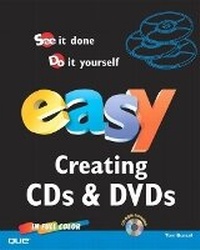
Easy Creating CDs & DVDs
Published on 26. June 2003
Book
Mixed media product
304 pages
978-0-7897-2972-9 (ISBN)
Description
Learn how to burn CDs and DVDs the EASY way! Easy Creating CDs and DVDs is a visual how-to guide for beginners. Using numbered, step-by-step instructions along with colorful screenshots, this book teaches you all you need to know to build your own music and DVD library. Learn how to compile your own "greatest hits" collection that will play in your car, home stereo, PC, and MP3 player; create picture slide shows, CD-ROM business cards, and cool menus for your DVDs; back up your important files; and make labels for your completed projects.
As an added bonus, the accompanying CD includes trial versions of popular software, including Nero 5.5, Ulead MovieFactory 2.0, and Ulead Cool 3D!
As an added bonus, the accompanying CD includes trial versions of popular software, including Nero 5.5, Ulead MovieFactory 2.0, and Ulead Cool 3D!
More details
Language
English
Place of publication
United States
Publishing group
Pearson Education (US)
Target group
College/higher education
Dimensions
Height: 253 mm
Width: 204 mm
Thickness: 17 mm
Weight
762 gr
ISBN-13
978-0-7897-2972-9 (9780789729729)
Copyright in bibliographic data and cover images is held by Nielsen Book Services Limited or by the publishers or by their respective licensors: all rights reserved.
Schweitzer Classification
Other editions
New editions
Tom Bunzel
Easy Creating CDs and DVDs
Book
06/2005
2nd Edition
Que Corporation,U.S.
€35.80
Article is exhausted; no reprint
Person
Tom Bunzel was one of the pioneers in digital media on the PC, creating multimedia presentations and animated video even before Windows 95. Bunzel's video clients include Beverly Hills Bar Association, Drug Free America Campaign, and AMC Trade Shows, to name just a few. He has won the Mickey Eisenberg Award for his CPR public service announcement. Some of Bunzel's books include Digital Video on the PC, (0941845214, Micro Publishing Press, 4/97) and PowerPoint 2002/2001 Mac Visual Quickstart Guide, (0201775859, Peachit, 11/01).
Content
1. Using Roxio Easy CD Creator.
Beginning a New Project in CD Creator. Creating a Data CD in CD Creator. Setting Recording Options. Starting an Audio CD with SoundStream. Creating a Music Library. Making a Destination Music Folder. Adding Effects in SoundStream. Creating a Digital Audio CD. Using Your Own Audio Files. Applying Transitions to Your Tracks. Creating an MP3 Audio CD. Beginning DirectCD. Working with DirectCD. Using the Disc Copier. Creating an Enhanced CD. Creating a Mixed-Mode CD. Creating a PhotoRelay CD. Burning Your PhotoRelay CD. Creating a Video CD. Creating a Disc Label or Cover.
2. How to Use Nero 5.
Creating a Data CD in Nero. Creating an Audio CD with Nero. Creating a Music Collection in Nero. Creating and Using a Music Database in Nero. Burning Your Audio Data Files. Converting Your Audio Files. Converting Your Audio Data Files. Setting Your Recording Options. Working with InCD. Using Copy CD. Creating Image Files. Reburning Your Image Files. Creating a CD Extra. Creating a Mixed-Mode CD. Using Nero Express for Data. Using Nero Express for Audio. Creating a Video CD in Nero Express. Creating a Photo CD in Nero. How to Create a Disc Label or Cover.
3. Completing Three Simple CD Projects.
Preparing a File and Folder Backup. Compiling the Backup. Completing the Data Backup. Creating a Diversified Music Collection. Starting a Business Card CD. Completing a Business Card CD.
4. Starting to Capture with DVD MovieFactory 2.0.
Starting DVD MovieFactory 2.0. Previewing in MovieFactory. Configuring Capture in MovieFactory. Capturing with Firewire/DV. Adding and Removing Video. Adding a Slideshow. Importing DVD Video. Preparing to Edit in MovieFactory.
5. Editing with DVD MovieFactory 2.0.
Begin Trimming Video in DVD MovieFactory. Finish Trimming in MovieFactory. Extracting Segments from Long Clips. Splitting Extracted Videos. Setting Chapters in Longer Clips. Replacing Audio. Reviewing Our Project Settings.
6. Creating a DVD Interface.
Starting Our Menus. Adding Text to the Main Menu. Creating Chapter Menus. Customizing Menus. Continuing to Customize Menus. Finishing Our Customized Menu. Completing Our Interface.
7. Finishing Our DVD Project.
Getting to the Finish Line. Checking the Chapter Menus. Preparing to Burn Your Disc. Checking Advanced Options. Editing a Completed Disc. Copying a Completed Disc. Burning Directly to Disc.
8. Completing Three Simple DVD Projects.
Beginning a Travelogue DVD. Adding Photos to a Slideshow. Choosing and Organizing Chapters and Segments. Creating the Interface. Completing the Travelogue DVD. Beginning a Promotional DVD. Creating the Promo DVD Interface. Completing a Promotional DVD. Beginning a Family History VCD. Creating the Family History Interface. Completing a Family History VCD.
9. Tips and Techniques.
Managing Your DVD Projects. Playing Your Audio and Video Collections. Adding Narration to Your DVD Project. Playing Your DVD from the Hard Drive. Using 3D Animation in Your Project. Using Business Graphics in Your Project. Fine-Tuning Your System. Making an Autoplay CD. Understanding Disc Recording Options. Using Windows XP MovieMaker. Reusing a Captured Clip in MovieFactory.
Beginning a New Project in CD Creator. Creating a Data CD in CD Creator. Setting Recording Options. Starting an Audio CD with SoundStream. Creating a Music Library. Making a Destination Music Folder. Adding Effects in SoundStream. Creating a Digital Audio CD. Using Your Own Audio Files. Applying Transitions to Your Tracks. Creating an MP3 Audio CD. Beginning DirectCD. Working with DirectCD. Using the Disc Copier. Creating an Enhanced CD. Creating a Mixed-Mode CD. Creating a PhotoRelay CD. Burning Your PhotoRelay CD. Creating a Video CD. Creating a Disc Label or Cover.
2. How to Use Nero 5.
Creating a Data CD in Nero. Creating an Audio CD with Nero. Creating a Music Collection in Nero. Creating and Using a Music Database in Nero. Burning Your Audio Data Files. Converting Your Audio Files. Converting Your Audio Data Files. Setting Your Recording Options. Working with InCD. Using Copy CD. Creating Image Files. Reburning Your Image Files. Creating a CD Extra. Creating a Mixed-Mode CD. Using Nero Express for Data. Using Nero Express for Audio. Creating a Video CD in Nero Express. Creating a Photo CD in Nero. How to Create a Disc Label or Cover.
3. Completing Three Simple CD Projects.
Preparing a File and Folder Backup. Compiling the Backup. Completing the Data Backup. Creating a Diversified Music Collection. Starting a Business Card CD. Completing a Business Card CD.
4. Starting to Capture with DVD MovieFactory 2.0.
Starting DVD MovieFactory 2.0. Previewing in MovieFactory. Configuring Capture in MovieFactory. Capturing with Firewire/DV. Adding and Removing Video. Adding a Slideshow. Importing DVD Video. Preparing to Edit in MovieFactory.
5. Editing with DVD MovieFactory 2.0.
Begin Trimming Video in DVD MovieFactory. Finish Trimming in MovieFactory. Extracting Segments from Long Clips. Splitting Extracted Videos. Setting Chapters in Longer Clips. Replacing Audio. Reviewing Our Project Settings.
6. Creating a DVD Interface.
Starting Our Menus. Adding Text to the Main Menu. Creating Chapter Menus. Customizing Menus. Continuing to Customize Menus. Finishing Our Customized Menu. Completing Our Interface.
7. Finishing Our DVD Project.
Getting to the Finish Line. Checking the Chapter Menus. Preparing to Burn Your Disc. Checking Advanced Options. Editing a Completed Disc. Copying a Completed Disc. Burning Directly to Disc.
8. Completing Three Simple DVD Projects.
Beginning a Travelogue DVD. Adding Photos to a Slideshow. Choosing and Organizing Chapters and Segments. Creating the Interface. Completing the Travelogue DVD. Beginning a Promotional DVD. Creating the Promo DVD Interface. Completing a Promotional DVD. Beginning a Family History VCD. Creating the Family History Interface. Completing a Family History VCD.
9. Tips and Techniques.
Managing Your DVD Projects. Playing Your Audio and Video Collections. Adding Narration to Your DVD Project. Playing Your DVD from the Hard Drive. Using 3D Animation in Your Project. Using Business Graphics in Your Project. Fine-Tuning Your System. Making an Autoplay CD. Understanding Disc Recording Options. Using Windows XP MovieMaker. Reusing a Captured Clip in MovieFactory.