

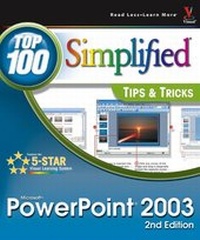
PowerPoint 2003
Top 100 Simplified Tips & Tricks
2nd Edition
Published on 1. June 2005
Book
Paperback/Softback
240 pages
978-0-7645-9782-4 (ISBN)
Description
* Teaches readers who already know how to use PowerPoint 100 cool and surprising techniques to make them even more productive
* Provides a visual reference showing how to captivate an audience with PowerPoint bells and whistles
* Full-color screen shots and step-by-step instructions, together with a completely revamped interior, make visual learning quick and easy
* Provides a visual reference showing how to captivate an audience with PowerPoint bells and whistles
* Full-color screen shots and step-by-step instructions, together with a completely revamped interior, make visual learning quick and easy
More details
Edition
2., Auflage
Language
English
Place of publication
Foster City
United States
Publishing group
John Wiley & Sons Inc
Target group
Professional and scholarly
Edition type
Revised edition
Illustrations
colour screenshots
Dimensions
Height: 25.2 cm
Width: 21.5 cm
Weight
800 gr
ISBN-13
978-0-7645-9782-4 (9780764597824)
Schweitzer Classification
Other editions
Previous edition

Book
03/2004
1st Edition
Hungry Minds Inc,U.S.
€22.90
Article exhausted; check for reprint
Person
Nancy Buchanan is a freelance high-tech marketing consultant and writer who has been in technical marketing and sales for more than 20 years. She was in product marketing for almost eight years at Microsoft Corporation, where she was a product manager for Microsoft Office, for Microsoft FrontPage, and for Windows-based streaming media. She was also responsible for marketing Microsoft products sold to attorneys. Prior to joining Microsoft, Nancy was in sales and marketing for over six years at Novell, inc. Nancy holds a bachelor of arts degree in business administration from University of Washington in Seattle and lives in Washington state with her husband, Doug, and her four children ranging in age from 5 to 15.
Content
1. Customize PowerPoint Options to Suit Your Needs.
2. Give Your Presentation the Look You Want.
3. Add Impact with Graphics.
4. Timesaving Tools.
5. Sizzle to Your Presentation with Effects.
6. Communicate with Audio and Video.
7. Enhance Your Presentations with Custom Content.
8. Expand Your Audience by Publishing to the Web.
9. Collaborate with Others.
10. Deliver and Distribute Your Presentation Effectively.
2. Give Your Presentation the Look You Want.
3. Add Impact with Graphics.
4. Timesaving Tools.
5. Sizzle to Your Presentation with Effects.
6. Communicate with Audio and Video.
7. Enhance Your Presentations with Custom Content.
8. Expand Your Audience by Publishing to the Web.
9. Collaborate with Others.
10. Deliver and Distribute Your Presentation Effectively.