

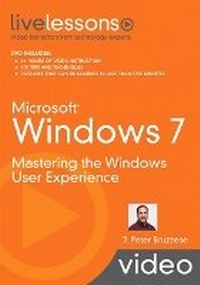
Microsoft Windows 7 LiveLessons (Video Training)
Mastering the Windows User Experience
Published on 29. October 2009
Book
Mixed media product
132 pages
978-0-7897-4226-1 (ISBN)
Description
Video training on demand, for everyone who wants to succeed with Windows 7: a complete video course containing 100 step-by-step screencasts!
Start-to-finish personal training on Windows 7 by one of the world's leading experts: just watch and learn!
Simple, quick video walkthroughs and practical examples guide users through making the most of the Windows 7 user experience - painlessly!
Great classroom training at a fraction of the cost... for everyone who doesn't have time to read a book
In Windows 7: Video LiveLessons, J. Peter Bruzzese presents more than six hours of personalized Windows 7 video training - 100 quick, bite-size video lessons that teach virtually every essential skill Windows 7 users want and need. You can build your skills one step at a time, by simply watching these polished, upbeat videos. Bruzzese begins by touring Windows 7, introducing everything from shortcut keys to Sidebar gadgets; then covers everything from user account control and network setup to Windows Media Player and MovieMaker. He walks through essential tasks like sharing files and making system backups, and presents dozens of tips and tricks that can be used by anyone, including novices. Through these quick, self-contained lessons, you can learn key skills at your own pace - often in as little as five minutes. Every lesson begins with well-defined learning objectives, and ends with easy-to-understand summaries that help you track your progress. Like all products in the highly successful LiveLessons series, Windows 7 LiveLessons responds to the growing marketplace demand for just-in-time training delivered visually, by leading industry experts. It delivers the power of the best classroom training at a small fraction of the cost, and is designed to appeal to the enormous audience of professionals and consumers who want to master Windows 7 but don't have time to read a large book on the subject!
Start-to-finish personal training on Windows 7 by one of the world's leading experts: just watch and learn!
Simple, quick video walkthroughs and practical examples guide users through making the most of the Windows 7 user experience - painlessly!
Great classroom training at a fraction of the cost... for everyone who doesn't have time to read a book
In Windows 7: Video LiveLessons, J. Peter Bruzzese presents more than six hours of personalized Windows 7 video training - 100 quick, bite-size video lessons that teach virtually every essential skill Windows 7 users want and need. You can build your skills one step at a time, by simply watching these polished, upbeat videos. Bruzzese begins by touring Windows 7, introducing everything from shortcut keys to Sidebar gadgets; then covers everything from user account control and network setup to Windows Media Player and MovieMaker. He walks through essential tasks like sharing files and making system backups, and presents dozens of tips and tricks that can be used by anyone, including novices. Through these quick, self-contained lessons, you can learn key skills at your own pace - often in as little as five minutes. Every lesson begins with well-defined learning objectives, and ends with easy-to-understand summaries that help you track your progress. Like all products in the highly successful LiveLessons series, Windows 7 LiveLessons responds to the growing marketplace demand for just-in-time training delivered visually, by leading industry experts. It delivers the power of the best classroom training at a small fraction of the cost, and is designed to appeal to the enormous audience of professionals and consumers who want to master Windows 7 but don't have time to read a large book on the subject!
More details
Language
English
Place of publication
United States
Publishing group
Pearson Education (US)
Target group
Professional and scholarly
Dimensions
Height: 147 mm
Width: 195 mm
Thickness: 35 mm
Weight
86 gr
ISBN-13
978-0-7897-4226-1 (9780789742261)
Copyright in bibliographic data and cover images is held by Nielsen Book Services Limited or by the publishers or by their respective licensors: all rights reserved.
Schweitzer Classification
Person
J. Peter Bruzzese is an independent consultant and trainer. He has consulted with clients ranging from Goldman Sachs to Microsoft and has instructed for leading training organizations such as CBT Nuggets, New Horizons, and ONLC.com. Bruzzese contributes to Redmond and WindowsITPro magazines and several leading tech sites and speaks regularly at the MCP
TechMentor conferences. He was a contributing author on Special Edition Using Microsoft (R) Office 2007 (Que, 2006) and has also written and presented Microsoft (R) Windows (R) Vista (TM) Video LiveLessons (Que, 2007).
TechMentor conferences. He was a contributing author on Special Edition Using Microsoft (R) Office 2007 (Que, 2006) and has also written and presented Microsoft (R) Windows (R) Vista (TM) Video LiveLessons (Que, 2007).
Content
Introduction: What's New?
Section 1: Windows 7 Basics [00:51:53]
Section 2: Windows 7 Applications Enhancements [00:35:01]
Section 3: Internet Explorer 8.0 [00:38:05]
Section 4: Security Features [00:44:19]
Section 5: Control Panel Applications [00:48:24]
Section 6: Networking [00:39:18]
Section 7: Administrative Tools [00:53:07]
Section 8: System Settings [00:26:09]
Section 9: Windows 7 Performance Tools [00:29:39]
Section 10: Managing and Troubleshooting Windows 7 [00:19:33]
Section 1: Windows 7 Basics [00:51:53]
Section 2: Windows 7 Applications Enhancements [00:35:01]
Section 3: Internet Explorer 8.0 [00:38:05]
Section 4: Security Features [00:44:19]
Section 5: Control Panel Applications [00:48:24]
Section 6: Networking [00:39:18]
Section 7: Administrative Tools [00:53:07]
Section 8: System Settings [00:26:09]
Section 9: Windows 7 Performance Tools [00:29:39]
Section 10: Managing and Troubleshooting Windows 7 [00:19:33]