

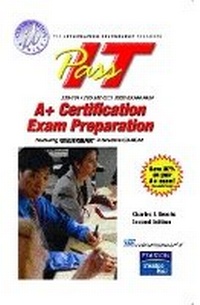
PassIT A+ Certification
2nd Edition
Published on 6. April 2004
Book
Paperback/Softback
1008 pages
978-0-13-114146-9 (ISBN)
Description
For courses in A+ Certification.
Presenting the key material needed to pass the CompTIA A+ Certification exam, this condensed guide makes studying easy and eliminates any underlying "theory" material not related to the test.
Presenting the key material needed to pass the CompTIA A+ Certification exam, this condensed guide makes studying easy and eliminates any underlying "theory" material not related to the test.
More details
Edition
2nd edition
Language
English
Place of publication
Upper Saddle River
United States
Publishing group
Pearson Education (US)
Target group
College/higher education
Dimensions
Height: 229 mm
Width: 152 mm
Weight
1211 gr
ISBN-13
978-0-13-114146-9 (9780131141469)
Copyright in bibliographic data and cover images is held by Nielsen Book Services Limited or by the publishers or by their respective licensors: all rights reserved.
Schweitzer Classification
Other editions
Previous edition
Charles J. Brooks
PASS-IT A+ Exam Preparation
Book
07/2003
Prentice Hall Certification
€33.41
Article exhausted; check for reprint
Content
1. Basic Terms and Concepts.
2. Adding and Removing FRU Models.
3. System Resources.
4. Peripherals and Ports.
5. Installing Disk Devices.
6. Installing and Configuring Peripheral Devices.
7. System Upgrading and Optimizing.
8. Symptoms and Troubleshooting.
9. Basic Troubleshooting Techniques.
10. Preventive Maintenance.
11. System Protection.
12. Microprocessors.
13. Random Access Memory.
14. Motherboards.
15. CMOS RAM.
16. Basic Printer Concepts.
17. Servicing Printers.
18. Basic Networking Concepts.
19. Operating System Fundamentals.
20. Navigating Operating Systems.
21. Creating and Managing Files.
22. Basic Disk Management.
23. Installing and Upgrading Operating Systems.
24. Starting the System.
25. Working with Devices, Applications, and Printers.
26. Troubleshooting OS Setup/Startup Problems.
27. Common OS Operational Problems.
28. Networking with Windows.
29. Internet Concepts.
Index.
2. Adding and Removing FRU Models.
3. System Resources.
4. Peripherals and Ports.
5. Installing Disk Devices.
6. Installing and Configuring Peripheral Devices.
7. System Upgrading and Optimizing.
8. Symptoms and Troubleshooting.
9. Basic Troubleshooting Techniques.
10. Preventive Maintenance.
11. System Protection.
12. Microprocessors.
13. Random Access Memory.
14. Motherboards.
15. CMOS RAM.
16. Basic Printer Concepts.
17. Servicing Printers.
18. Basic Networking Concepts.
19. Operating System Fundamentals.
20. Navigating Operating Systems.
21. Creating and Managing Files.
22. Basic Disk Management.
23. Installing and Upgrading Operating Systems.
24. Starting the System.
25. Working with Devices, Applications, and Printers.
26. Troubleshooting OS Setup/Startup Problems.
27. Common OS Operational Problems.
28. Networking with Windows.
29. Internet Concepts.
Index.