

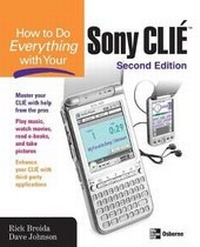
How to Do Everything with Your Sony CLIE
2nd Edition
Published on 7. October 2003
Book
Paperback/Softback
448 pages
978-0-07-223074-1 (ISBN)
Description
This guide explains how to use the CLIE's special features, including its picture viewer, dvideo player, and music player. It shows users how to master the CLIE's built-in applications, and covers finding, converting, and importing video and audio.
More details
Series
Edition
2nd Revised edition
Language
English
Place of publication
New York
United States
Publishing group
McGraw-Hill Education - Europe
Edition type
Revised edition
Illustrations
150 Illustrations
Dimensions
Height: 229 mm
Width: 185 mm
Thickness: 25 mm
Weight
744 gr
ISBN-13
978-0-07-223074-1 (9780072230741)
Copyright in bibliographic data and cover images is held by Nielsen Book Services Limited or by the publishers or by their respective licensors: all rights reserved.
Schweitzer Classification
Other editions
Previous edition
Rick Broida | Dave Johnson
How to Do Everything with Your CLIE(TM)
Book
12/2002
McGraw-Hill Professional
€28.50
Article exhausted; check for reprint
Persons
Dave Johnson (Colorado Springs, CO) is a mobile computing editor for CMP Media, and Rick Broida (Commerce Township, MI) is the founder and former editor of Handheld Computing, the first and only print magazine designed expressly for Palm OS users. They are the best-selling authors of How to Do Everything with Your Palm and How to Do Everything with Your Visor Dave Johnson has a degree in Mechanical and Aerospace Engineering from Rutgers University. He has written about technology for 15 years. Dave's magazine credits include such publications as Wired, Handheld Computing Magazine, PC World Magazine, and Family PC Magazine. Johnson also hosted a call-in talk radio show on technology for two years. He is the author of 18 books, including the best-selling titles How to Do Everything with Your Palm Handheld (written with Rick Broida) and How to Do Everything with Your Digital Camera. Johnson was a contributing author to Build Your Own Combat Robot, and he has written several children's stories including The Wild Cookie, which was recently published as an interactive storybook for Windows.
Content
PART I: Getting Started
1: Welcome to Clie
2: Getting to Know Your Clie
3: Introducing Your Clie to the PC
PART II: Everyday Stuff With Your Clie
4: Get Information In and Out of Your Clie
5: The Date Book
6: The Address Book
7: The To Do List
8: The Memo Pad
9: The Rest of the Palm OS Team
10: Going on a Trip
11: Clie Communications
12: Your Clie as a Total PC Replacement
13: Hacks and Other Handy Utilities
14: Time and Money Management
15: Graffiti Enhancements and Alternatives
PART III: The Clie Multimedia Experience
16: Showing Digital Photos and Movies on Your Clie
17: Painting and Drawing on Your Clie
18: Music and Clie Audio
19: The Clie as a Remote Control
20: Playing Games
21: Reading E-Books
22: Making the Most of Memory Cards
23: Accessories and Upgrades
Appendix: Problems and Solutions
1: Welcome to Clie
2: Getting to Know Your Clie
3: Introducing Your Clie to the PC
PART II: Everyday Stuff With Your Clie
4: Get Information In and Out of Your Clie
5: The Date Book
6: The Address Book
7: The To Do List
8: The Memo Pad
9: The Rest of the Palm OS Team
10: Going on a Trip
11: Clie Communications
12: Your Clie as a Total PC Replacement
13: Hacks and Other Handy Utilities
14: Time and Money Management
15: Graffiti Enhancements and Alternatives
PART III: The Clie Multimedia Experience
16: Showing Digital Photos and Movies on Your Clie
17: Painting and Drawing on Your Clie
18: Music and Clie Audio
19: The Clie as a Remote Control
20: Playing Games
21: Reading E-Books
22: Making the Most of Memory Cards
23: Accessories and Upgrades
Appendix: Problems and Solutions